It should be instant. It is “pending” because you are not doing anything with the response, but it is finished.
Locking posters is no use, if the source of the locked poster has gone away.
There is no point in doing this.
After a refresh of the metadata is performed, you will have an unavailable poster locked or a wrong one in its place.
I think the disconnect is if a user/customer should have a global variable lock for movie posters as an option to select. Posters are stored locally in that respect, correct?
If a user/customer changes the poster after initial ingress (we have to, Gracenote is worse than Netflix’s autogenerated posters), there should be a setting that plex respects to not change posters, ever again (even during meta refresh), until that setting is de-selected. The use case is this very thread: posters are randomly changing and us users/customers want that to end without our permission, forever.
Wait… What? This was my theory 3 months ago that I mentioned to a Plex employee, who forwarded it on to @drzoidberg33.
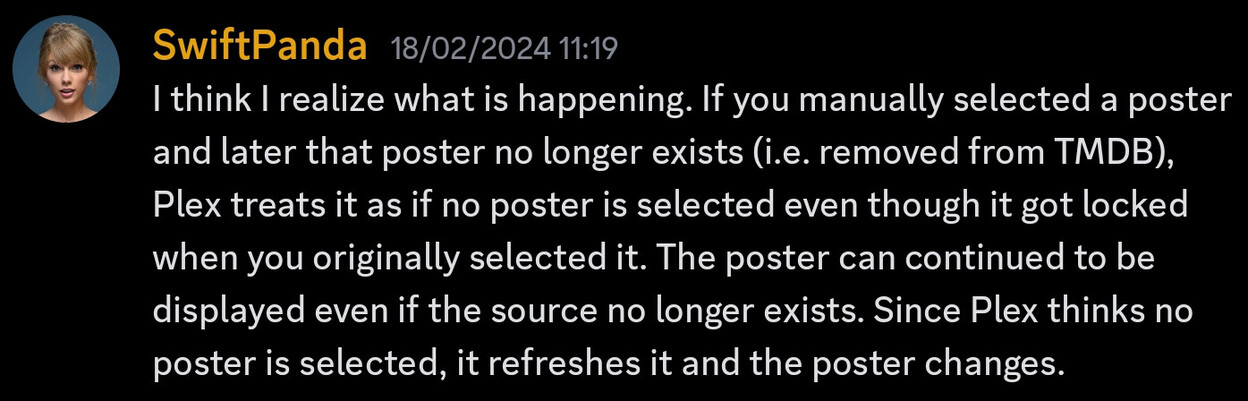
This was the response I got debunking that theory.

I’d had a previous thread discussion on this and drzoidberg33 called me out as being wrong so I just dropped it.
However, my experience is exactly what OttoKerner has said which is one reason I completely moved to local assets for artwork.
Weird that you got that information. I just assumed this was common knowledge. I have observed this behavior first hand several times and I have always assumed that’s what people miss when they say their poster changed despite it being locked.
Also, I have always assumed this to be intentional and not anything weird. Think about it: if the poster gets taken down from the Plex cloud via DMCA, does it not make sense to also “remove” it from the users? I feel like that could be a responsibility Plex needs to have.
Can a plex,inc FTE answer definitely: if I have manually selected a poster (because Gracenote is a complete joke), and that poster disappears for whatever reason, does plex,inc go into my plex server and CHANGE MY POSTER WITHOUT CONSENT???
This came across my desk but I was unable to reproduce it no matter what I tried.
I must be missing some piece of the puzzle here to repro this.
It’s definitely true though. The lastest example for me when this happened was the Rambo movies. All posters are removed in the Plex cloud, so only the single one from Gracenote exists. When the posters existed I had picked a personal favorite one for each of the movies so they looked unanimous. After you guys announced the switch to Gracenote I refreshed them and they switched to the Gracenote ones and the other posters where simply gone.
I have used the “upload poster” feature on those movies now, to add back the posters I liked, and they don’t revert on refresh.
I’ve successfully reproduced this problem in past so lets (together) try and do it again using the steps I used previously.
The MOST important part is finding an image on tmdb to get deleted. I think I might have one. So this movie Under the Skin (2014) — The Movie Database (TMDB) and this image (be careful now with this image as its nsfw (https://image.tmdb.org/t/p/original/dNv4B9RkKf91dqXCXbedi42ZxTX.jpg).
On your local server manually select this image as the poster for that movie (do it now before it gets removed from tmdb). I’ve done this myself (removing my local poster.jpg) beforehand. This should now lock the poster.
I’ve created this thread over at tmdb Reported Problem for Under the Skin - Discuss Under the Skin — The Movie Database (TMDB) to get this image removed. Hopefully they’ll process the request quickly enough and then we need to wait the 48/72 hours for the plex cache to catch-up.
Once done, then we can force refresh the metadata and the poster should go blank in plex. At least that is what us users are trying to prove to you 
Thanks! I’ve set that poster will monitor it on my side.
I believe the Trinity Movies are also subjected to the issue, or is that another problem?
Well at least you told me this before I went through 8K+ movies… So there is no fix other than storing the image locally? That is frustrating for sure. Why do they even have the lock option then?
Anything happen on your end?
The poster is removed from TMDB and no longer advertised on our end either. My poster selection is still intact after multiple refreshes.
Yeah, it’s intact for me too after various manual refreshes. Going to keep an eye on it over the next few days letting nightly maintenance also kick in as normal.
Can it have something to do with if the selected/locked poster is removed combined with having expired in the local PMS cache?
Maybe, but I don’t think so. I’ve already nuked my local server side cache and it did not cause the poster to remove.
sudo rm -rf /var/lib/plexmediaserver/Library/Application\ Support/Plex\ Media\ Server/Plug-in\ Support/Caches/*
sudo rm -rf /var/lib/plexmediaserver/Library/Application\ Support/Plex\ Media\ Server/Plug-in\ Support/Data/*
sudo rm -rf /var/lib/plexmediaserver/Library/Application\ Support/Plex\ Media\ Server/Plug-in\ Support/Metadata\ Combination/*
sudo rm -rf /var/lib/plexmediaserver/Library/Application\ Support/Plex\ Media\ Server/Cache/PhotoTranscoder/*
My understanding (which is always open to correction) is that when we select a poster manually it gets stored as a bundle. I can actually see this as in this example, the poster resides here on my server /var/lib/plexmediaserver/Library/Application Support/Plex Media Server/Metadata/Movies/0/e862949e5d66294e0c70f413d54832e7c8c731f.bundle/Contents/_combined/posters/tv.plex.agents.movie_4ea2fb54a3e4b792f6af03a99d355296980793f4
I’m keeping a very close eye on it
From the previous testing I done on this, which btw was a long time ago as I moved to local assets since, something caused this to be removed which then results in the poster becoming blank. Previously it was a metadata refresh after tmdb removed the poster but as @drzoidberg33 says above maybe there is some other factor we don’t understand yet.
I am SO with you on this.
I had things set exactly how I wanted them & then BAM.
FUGLY posters were inserted OVER my choices!
@drzoidberg33 as an FYI… the poster for Under the Skin remains intact and so far as not been deleted or become blank. I’m continuing to monitor …
Wild idea: could it be that the affected movies were originally added into Plex with the old metadata agents? (i.e. anything other than “Plex Movie” [without “Legacy” suffix])
And the locked poster was originally delivered by those old agents as well?
If this movie library was at one time converted to the new agent, but the metadata were never fully refreshed (as they should have been), this lapse might only now be causing the issue.