Server Version#:
Player Version#:
<If providing server logs please do NOT turn on verbose logging, only debug logging should be enabled>
I have no idea what im doing but can anyone help me with putting subtitles on for dothraki language ONLY for game of thrones. If i go into subtitles it will force it to default to every word spoken
Are these subtitles embedded inside the video?
External subtitles sitting on your file system with the video?
They came seperae in an srt file format.
They have to be inside the same folder on your file system with the same exact name
The only part you change is adding the .en.forced part to the very end of the srt file
Game of Thrones.S01E01.Winter Is Coming.mkv
Game of Thrones.S01E01.Winter Is Coming.en.forced.srt
Usually the change is detected automatically but you may have to refresh your metadata
Settings → Account
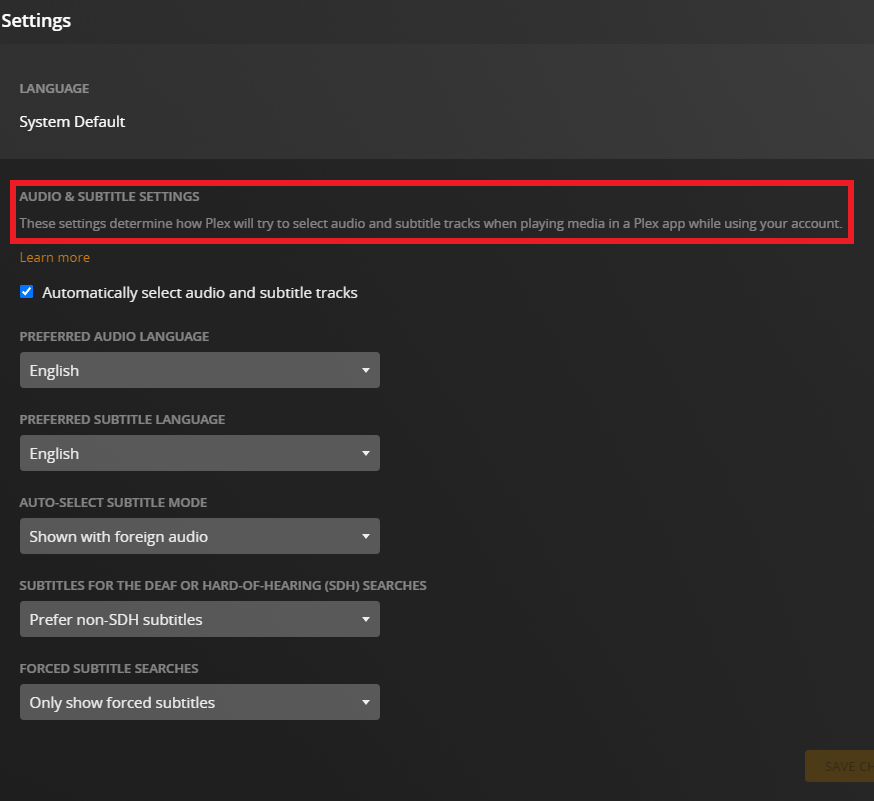
Settings → Language
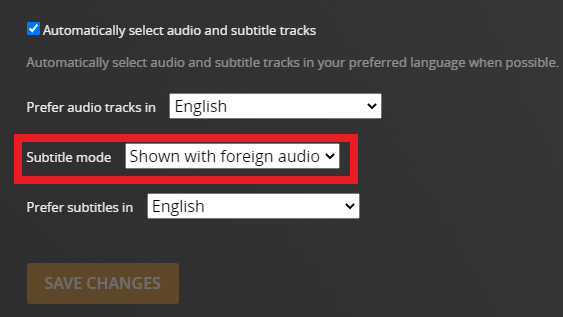
The subtitles are there if i want them, enable them in plex subtitles while watching plex but i do not want this. I want only the language that is not in English (the Dothraki) to be shown on the screen as soon as an episode is played. Is this an easy thing to do or will another version of the MKV. files need to be sourced ?
I have Enabled these settings but it does not seem to have forces english where they are speaking a foreign language
Here is a sample of the file names
: Game.of.Thrones.S01E01.1080p.BluRay.x265.10bit.6CH.ReEnc-LUMI.en.forced.srt
Are you sure the srt file you have is only the Dothraki part?
Double click the srt file on your file system and open it in notepad
Verify that you actually have forced subtitles. You should only see 2 or 4 lines for s01e01
If you see more than that, you have the wrong subtitles
I have the wrong subtitles for dothraki only, would you have anywhere where i could obtain the correct subtitle file ?
Try those and see if the timing fits. There are others to download if they don’t work.
If you want to search that site for only forced subtitles click “Change filter” in the upper right.
Tick the box under English and “Foreign language only” and save changes
Edit: I changed the subs i linked. These look better
These are for the whole series and say Bluray. The timing might be better for you
This seems to be everything im looking for, i will have to double check for it tomorrow as i need to sleep now but you have been incredibly helpful and resourceful so i thank you. ill reply to this tomorrow to let you know if ive got it all sorted and coded correctly. God speed.
