T-Mobile Throttling Plex?

Just switched my home ISP to T-Mobile Home Internet (THI) and was excited to ditch Spectrum. For the record, I run my PMS outside my home on FiOS with all remote configurations properly set. Upon switching my IPS from Spectrum to THI suddenly my streams seem to be throttled at about 2.5 - 3 Mbps down! Stand alone speed tests of THI show 100 -175 Mbps down (tested on 6+ different devices). I have this issues across all my connected devices (web browser, iOS, and Android).

Since I have not yet disconnected Spectrum, I have put it back into my Google Mesh and, with Spectrum as my ISP, the issue instantly goes away.

Since this is NOT a hosting issue in this scenario, the Double NAT issue should not be an issue. Regardless using THI it’s the same throttled issues if I use their built in router built into the device as well as with my Google Mesh router.

I understand that I can’t run my PMS with T-Mobile Home Internet and that’s not what I’m trying to do; just want to stream my media.

TMI Tech Support has no ideas… All other streaming services and and web needs are working perfectly fine. Any insight of help would be very much appreciated!

check your pms dashboard and see if your stream is local or remote, then check your CLIENT settings, to make sure your local/remote quality/bw are set to maximum.

if plex is transcoding, its either because the client or server bandwidth settings, (converted to lower bandwidth) or the media file is not compatible with the client for some reason (convert x265 to x264, or similar).

otherwise, if THI were throttling, you would get buffering, not lower plex quality.

@TeknoJunky thanks for the reply. Yes, my PMS dashboard is correctly set for remote (and works fine with the Spectrum or any other ISP remotely). Additionally, my client setting are, and have always been, set to to MAX.

To clarify, plex IS buffering, NOT lowering the quality when I direct stream. Like I mentioned, if I just swap out TMI modem with the Spectrum modem, the issue is instantly solved and it stream direct with no buffer issues!

They only way I can make it wind up playing is if I manually select to transcode the stream down to 3 Mpbs.

plex2

I am just going to say this… and someone correct me if I am wrong… But your streams should be going over your upload speed (PMS out to your clients) and not your download speeds. Now if this is a local issue, that should be over the wifi and no issues. I have T-Mobile for my phone but in my house (the same as the ISP service from T-mobile) I get like 300 download but only 2 to 3 upload. In fact in my very latest test I got 328/0.42 which totally blows for upload speed.

I don’t like paying much for internet but I recently got a a comcast plan 900/20. I wanted the extra upload speed instead of 5 in what I was getting. Steaming and downloading music (from the server using upload speed) is a lot faster due to my 20mbit upload speed.

Anyone correct me if I am wrong.

@ASiDiE yes, the upload from my PMS is happening remotely with a different ISP (Verizon Fios) and it’s upload speed is 100+ Mbps. On the client side, where the issue with TMI is, it’s where I’m seeing my download speeds throttled.

Speeds on PMS side (FiOS)
where the upload speed is key:

Speed on CLIENT Side (TMI)
where the download speed is key:

Clearly wrong then… have you tried putting a a value of the upload speed to see if that changes it… I know it wants a value there.

Never had a value there historically since FiOS has more then enough bandwidth to handle.

You could try using a VPN at the client when using T-Mobile. TMI will not be able to tell what traffic is flowing through the tunnel. That will give you an idea if TMI is throttling Plex traffic. VPNs do have overhead, so not suggesting you use one full time. Just as a test.

Also, there could be poor routing or a congested interconnect between FiOS and TMI causing issues.

You could try installing iperf3 or OpenSpeedTest on your Plex server, then running speed tests from your client locations. Analiti is a nice iperf3 client for Android devices.

My upload speed is 30 Mbps. A friend across town can pull 6 Mbps max from my server. Another friend 1000 miles away pulls 20 Mbps. Both have 100 Mbps+ service from their respective ISPs.

The connection quality between my ISP and the local friend’s ISP is just not good. It is ~20 hops to go across town, transiting through a 3rd network. The connection to the friend 1000 miles away is less hops and our ISPs have a direct connection - no transit network involved.

As a result, local friend has their devices set to stream at 4 Mbps max. Not a problem on my end, bit their picture quality is limited to 720p.

@FordGuy61 thanks for all this… Points are all well taken. When it come to your suggestion to install, “iperf3 or OpenSpeedTest on your Plex server’” that’s where I get a little out of my comfort zone. Looked at the respective sites and I’m no sure how I would install on the server side and/or access the test on the client sides. Any tips or instruction you could provide would be very much appreciated. Thanks!

Whether or not thi is intentionally or accidentally throttling or otherwise traffic shaping plex traffic, will be hard to prove without going through some kind of vpn to further “hide” plex traffic via vpn or similar.

Keep in mind, thi is still cellular internet, and being IPv6 only all ipv4 traffic is going through carrier grade nat/ipv4/6 translation which may have some interference in streaming.

There is a thi Reddit, you might ask there I’m sure there are other plex users with tmi/plex experiences.

They don’t actually have to run on your server, just on a system at the server location.

I run Plex on a Synology NAS, so I installed the Docker image for both. iperf3 openspeedtest

You will have to add a port forward to access them remotely. iperf3 uses tcp/5201. Openspeedtest uses tcp/3000 (http). If desired, you can remap to a different port just like remapping Plex from 32400 to a different external port.

Running OpenSpeedTest on Windows or Mac is easy if you’ve access to the system. Just download the executable and run it. You’ll see a message like “Now go to http://192.168.1.126:3000” (i.e. the ip address of the system where you’re running it). See screenshot below.

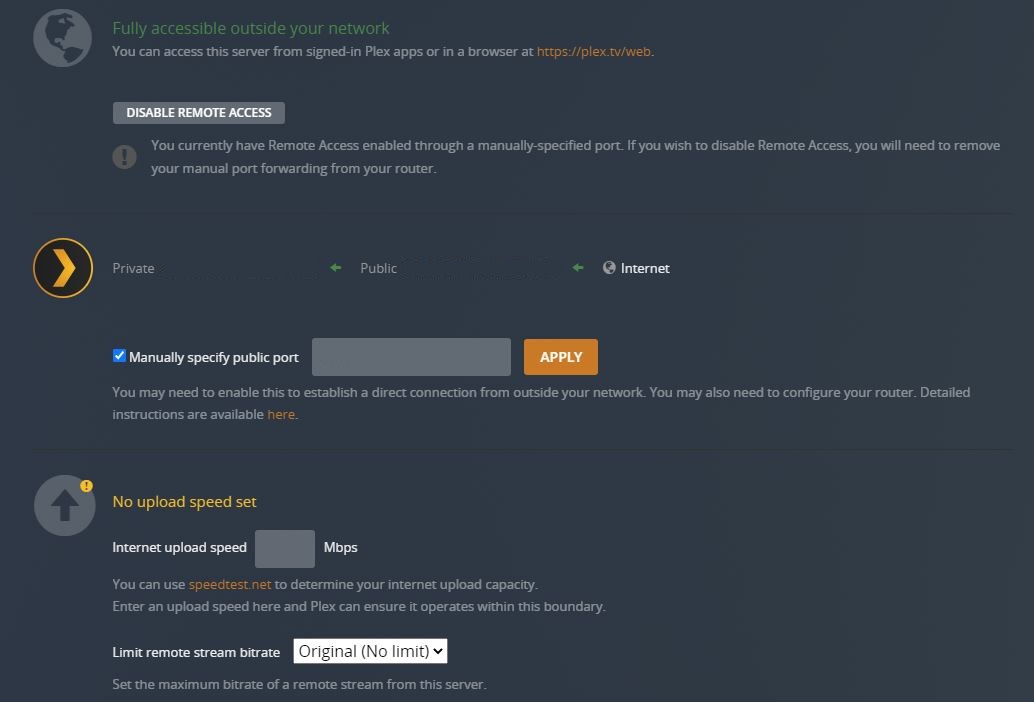
Then point your browser at the URL and run the test. Use the public IP address (what is displayed on PMS remote access settings page) to access remotely.

iperf3 server runs via CLI. For windows, download the executable and run it with the -s (server) flag (-h for help).

c:\foo>iperf3 -s
-----------------------------------------------------------
Server listening on 5201
-----------------------------------------------------------
Then point your iperf3 client at the IP address of the server. You’ll see results on the server and the client.

You can try them on your local systems to get a feel for how they work before running at your server location.

Stop/start the server apps as desired or remove/re-establish the port forwards.

I don’t leave mine open to the Internet full time. I’m not aware of any security implications with either. I just don’t want some bot to start using it and suck up my limited bandwidth.


OpenSpeedTest running on my Windows desktop:


iperf3 running on my Windows desktop, with results from a test with Analiti app on my phone (local on 2.4 GHz WiFi)

c:\foo>iperf3 -s
-----------------------------------------------------------
Server listening on 5201
-----------------------------------------------------------
Accepted connection from 192.168.1.254, port 47948
[  5] local 192.168.1.126 port 5201 connected to 192.168.1.254 port 47950
[ ID] Interval           Transfer     Bandwidth
[  5]   0.00-1.01   sec  4.38 MBytes  36.2 Mbits/sec
[  5]   1.01-2.00   sec  4.25 MBytes  36.0 Mbits/sec
[  5]   2.00-3.00   sec  3.38 MBytes  28.4 Mbits/sec
[  5]   3.00-4.00   sec  5.12 MBytes  43.0 Mbits/sec
[  5]   4.00-5.00   sec  5.12 MBytes  43.0 Mbits/sec
[  5]   5.00-6.00   sec  6.75 MBytes  56.6 Mbits/sec
[  5]   6.00-7.00   sec  7.00 MBytes  58.7 Mbits/sec
[  5]   7.00-8.00   sec  7.00 MBytes  58.7 Mbits/sec
[  5]   8.00-9.00   sec  9.88 MBytes  82.8 Mbits/sec
[  5]   9.00-10.01  sec  9.50 MBytes  79.2 Mbits/sec
[  5]  10.01-10.04  sec  0.00 Bytes  0.00 bits/sec
- - - - - - - - - - - - - - - - - - - - - - - - -
[ ID] Interval           Transfer     Bandwidth
[  5]   0.00-10.04  sec  62.4 MBytes  52.1 Mbits/sec                  sender
[  5]   0.00-10.04  sec  0.00 Bytes  0.00 bits/sec                  receiver
-----------------------------------------------------------
Server listening on 5201
-----------------------------------------------------------
Accepted connection from 192.168.1.254, port 47952
[  5] local 192.168.1.126 port 5201 connected to 192.168.1.254 port 47954
[ ID] Interval           Transfer     Bandwidth
[  5]   0.00-1.00   sec  7.67 MBytes  64.3 Mbits/sec
[  5]   1.00-2.00   sec  8.57 MBytes  71.8 Mbits/sec
[  5]   2.00-3.01   sec  7.74 MBytes  64.3 Mbits/sec
[  5]   3.01-4.00   sec  7.77 MBytes  65.9 Mbits/sec
[  5]   4.00-5.00   sec  6.62 MBytes  55.5 Mbits/sec
[  5]   5.00-6.00   sec  7.05 MBytes  59.2 Mbits/sec
[  5]   6.00-7.00   sec  5.86 MBytes  49.1 Mbits/sec
[  5]   7.00-8.00   sec  6.99 MBytes  58.7 Mbits/sec
[  5]   8.00-9.00   sec  7.88 MBytes  66.1 Mbits/sec
[  5]   9.00-10.00  sec  8.22 MBytes  68.9 Mbits/sec
[  5]  10.00-10.07  sec   493 KBytes  60.8 Mbits/sec
- - - - - - - - - - - - - - - - - - - - - - - - -
[ ID] Interval           Transfer     Bandwidth
[  5]   0.00-10.07  sec  0.00 Bytes  0.00 bits/sec                  sender
[  5]   0.00-10.07  sec  74.8 MBytes  62.4 Mbits/sec                  receiver
-----------------------------------------------------------
Server listening on 5201
-----------------------------------------------------------

If Tmo intentionally limits plex, the are doing it through deep packet inspection, and other services like speed tests/iperf are probably prioritizing different than plex.

I have a tmi as well, but not using as primary internet.

Anecdotally, I tested a couple minutes worth of my phone streaming via tmi WiFi from my 10meg up pms, and didn’t get any buffering.

@TeknoJunky not that I expect too much, but I did get a reasonably well informed lower level teach rep on the phone at TMI. My issue was certainly out of their full grasp, but they gave me the impression my concerns were well documented in a escalation ticket. They asked for 1 - 3 days to reply.

Regarding your anecdotal test, I guess it sucks to be “special” in the way I seem to be!

I only just got the service yesterday and it actually took 4+ hrs of up time before the THI was able to deliver download speeds over 15Mbps, Perhaps this is just another vestige of the device “warming up.” But at this point, who knows, I’m flummoxed. Really don’t want to go back to Spectrum!

On my tmi, I can typically get 300/30 speeds, but I know that service varies greatly across locations, signals strength, placement and direction, even from different times of day at the same location.

Such is the nature of cellular transport. :confused:

This topic was automatically closed 90 days after the last reply. New replies are no longer allowed.
