Got it. No change, so I’ve done this:
Clear cache
Shutdown Plex, re-create metadata:
root@plex2-nas1:/ # **service plexmediaserver stop**
root@plex2-nas1:/ # **cd Plex\ Media\ Server/**
root@plex2-nas1:/Plex Media Server # **ls**
Cache                   Diagnostics             Plug-in Support
Codecs                  Logs                    Plug-ins
Crash Reports           plexmediaserver.pid     Preferences.xml
root@plex2-nas1:/Plex Media Server # **rm -rf ***
root@plex2-nas1:/Plex Media Server # **tar xf ../hpmicro-metadata-stuff.tar**
root@plex2-nas1:/Plex Media Server # **service plexmediaserver start**
Starting plexmediaserver.
root@plex2-nas1:/Plex Media Server # **ps aux**
USER    PID %CPU %MEM   VSZ   RSS TT  STAT STARTED    TIME COMMAND
plex  50398 97.3  0.1 77216 48672  -  RJ   12:51   0:01.54 Plex Plug-in [com.plexapp.system] /usr/l
plex  50397  5.0  0.1 94780 53204  -  SJ   12:51   0:00.11 /usr/local/share/plexmediaserver/Plex_Me
root  36412  0.0  0.0  6544  2356  -  IsJ  11:33   0:00.00 dhclient: epair0b [priv] (dhclient)
_dhcp 36458  0.0  0.0  6544  2468  -  ICsJ 11:33   0:00.00 dhclient: epair0b (dhclient)
root  36537  0.0  0.0  6428  2468  -  SsJ  11:33   0:00.01 /usr/sbin/syslogd -c -ss
root  36596  0.0  0.0  6460  2344  -  SsJ  11:33   0:00.02 /usr/sbin/cron -J 15 -s
plex  50388  0.0  0.0  6384  2028  -  SsJ  12:51   0:00.00 daemon: /usr/local/share/plexmediaserver
root  49455  0.0  0.0  7488  3824  0  SJ   12:46   0:00.04 /bin/csh -i
root  50409  0.0  0.0  7000  2816  0  R+J  12:51   0:00.00 ps aux
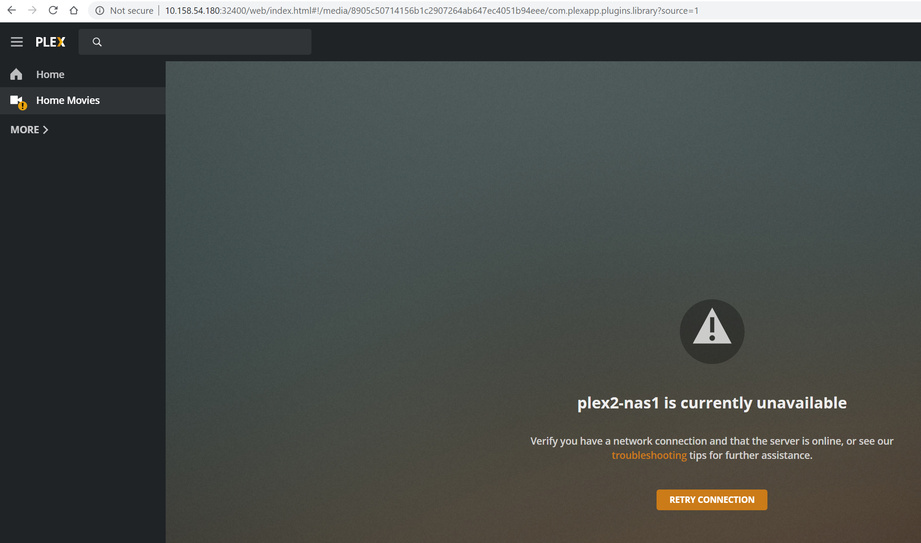
Returned to browser, 10.158.54.180:32400/web/index.html (screen shots from before are applicable) … followed steps to “something went wrong”
Result was this:
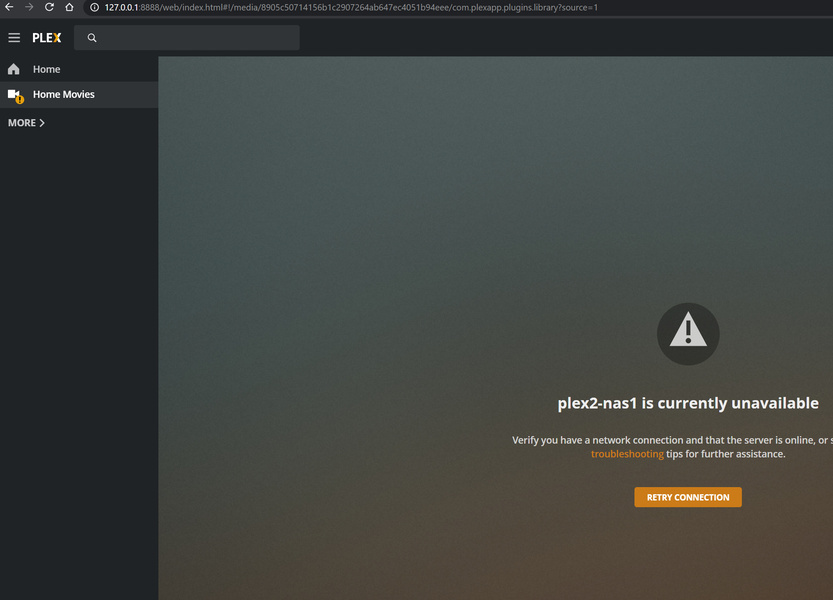
Clicking on Home Movies, I see this:
plex-logs.zip (70.2 KB)
Logs are attached
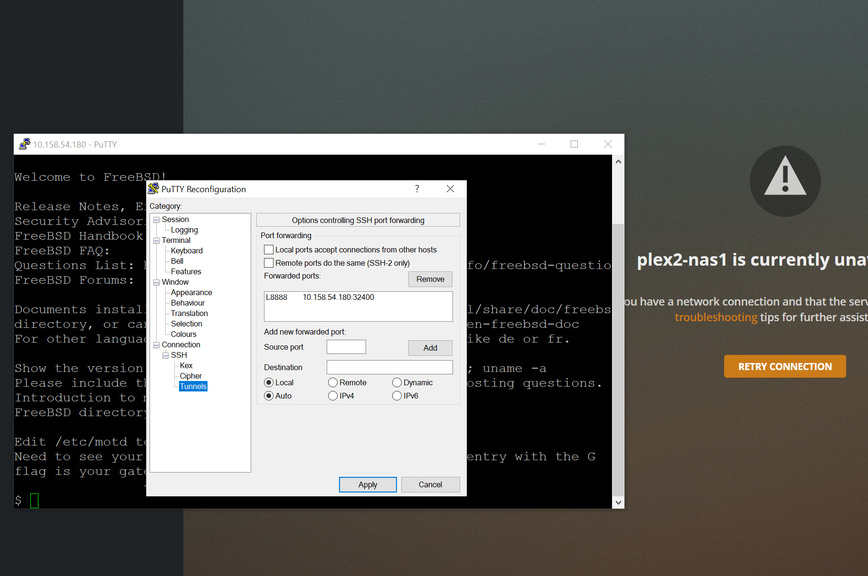
Get Putty and SSH tunnel to it.
local port is 8888
Dest port is 32400
Tunnel IP is: 127.0.0.1
In local browser, with ssh-tunnel signed in and sitting idle,
signed out of Plex/web
Incognito window.
http://127.0.0.1:8888/web
I just did all that. No change. (Not trying to shout… just don’t want this lost with my concern.)
It also troubles me that, after restoring the metadata - the whole point of this exercise, the server wants to come up empty. But I don’t know what I’m doing so I’m trying to play along. It does bear mentioning, though, that this looks A WHOLE BUNCH like it’s going to be a matter of redefining the metadata.
No, It should show L8888 and IP address 127.0.0.1:32400
You want the loopback adapter not the ethernet adapter.
I have done that. No difference at all. Not operational.
Again: When I start this server … even though I have wiped the configuration I made yesterday, and restored from the ubuntu backup, cleared cache, logged off of all servers, logged back in … and even shut the NAS server down completely and restarted … I still see (only) the Home Movies configuration from yesterday. (You can see that in the “plex2-nas1 is unavailable” screenshot above.) I do not see any (other) libraries from the ubuntu backup. Either something outside of what I’m restoring is being used, or magic is employed here. I feel we are going in circles here.
SSH (tunnel) into the box:
- Stop Plex
- Rename Preferences.xml -> Preferences.xml.old
- Start Plex
- Now open http://127.0.0.1:8888/web
I did
service plexmediaserver stop
cd /Plex\ Media\ Server
rm -rf *
tar xvf ../
mv Preferences.xml Preferences.xml.old
service plexmediaserver start
Log out from Plex/Web
clear cache on chrome
Open incognito window
browse to 127.0.0.1:8888/web
Gone through configuration
I see the same configuration I saw yesterday, and nothing from the UBUNTU server.
I click on Home Movies…
I believe there may be a problem with my backup… it’s far too small. I will update. Still I’m curious how the server is retaining that library definition.
Thanks so much for the chat!
Getting a much different result now - logs attached. What I see from GUI is that the server won’t start (“Refused to connect.”), but it has clearly crashed. Logs attached.plex-logs.zip (25.0 KB)
There’s not much to see in the logs at all.
manually gather the logs. Find out why
Did that, they’re attached to the prior post.
I have looked through them, and don’t see anything for which I can identify a root cause. Errors about “connection refused” in com.plexapp.agents.plexthemusic.log… ditto in com.plexapp.agents.themoviedb.log … Nothing in Plex Media Server.log … everything else looks reasonable to this (uninitiated) layman…
FYI.
You need to manually edit “Preferences.xml” and turn DEBUG logging back on.
Without it, nothing can be seen (per your earlier logs)
add logDebug="1" before the closing /> (separate preference pairs by a space)
Will do. But quick question first: Will this happen if the original DB was run under plexmediaserver-plexpass and this one is not? I think we have that case, and I’ve never been clear on the differences if any between them…
Plexpass has nothing to do with the server it’s self it is an account function.
enabling some features etc…
If the new server is associated with a Plex pass account it has those features.
You can have more than one server on an account.
Thanks for that. But then why in the name of all that’s good, are there two versions to download? This absolutely baffles me and has been a source of confusion for many (according to my search results).
What 2 versions?
Are you referring to the beta test versions before release? They are just that test versions use at your own risk…
I am referring to this: https://www.plex.tv/media-server-downloads/?_ga=2.99345822.102103950.1589225025-1974523912.1589225025
If it’s a matter of using the account… what is the purpose of the switch “Plex Pass Downloads” ??
Note that there are numerous articles on this forum about “how to install” “how to upgrade” and it seems one recurring theme is, “Make sure you choose the right Plex Pass option…”
Another recurring theme, by the way, is that invariably the service is either called plexmediaserver or plexmediaserver-plexpass, depending upon which “version” you have. (note that there’s additional enhanced confusion of a dash or underscore (plexmediaserver_plexpass) between the settings and the service name, in case it wasn’t confusing enough).
Back to the task at hand. The logs are attached, @ChuckPa
logs.zip (24.9 KB)