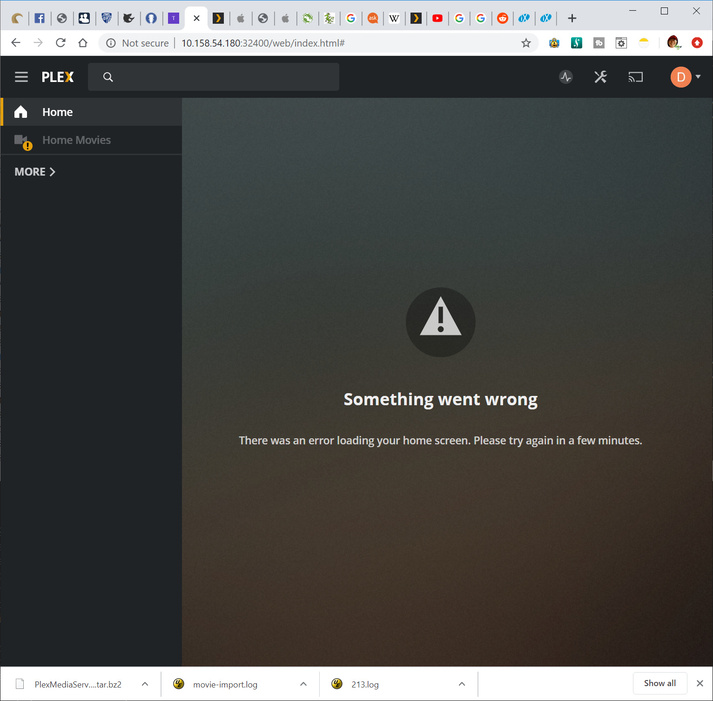
Server Version#:1.17.0.1709 (FREENAS)
Player Version#: (not sure how to find, not sure if it applies)
Unimportant (?) background: Recently I posted a question about reviving a server that was way back-level (UBUNTU 14.04LTS), and the suggestion was to upgrade that to 20.04. While I agree with the approach, the move is problematic for reasons that seem to be related to the server hardware - it’s getting old. Now I want to bite the bullet and remove that old technology from the list of critical devices. This server holds my home movies and a few other select TV shows and videos, a couple hundred or so that have nice descriptions and so on. It also contains thousands of music files (MP4 and mostly MP3) that have been meticulously categorized and so on.
My new goal is to merge the movies and_their_metadata from the expiring system into my existing FREENAS server, which has plenty of storage to accommodate the library contained on the old. But it would be a real pain to have to retype all that metadata, set the sort values again, and so on. I can easily copy the MP4s from the old server to the new, and I am looking for a way to merge the existing library into the new server. Some, but not all, of the OLD categories exist also on the new. MUSIC, for example, exists on both but there are no duplicates. HOME MOVIES exists only on the old server.
Is there a way for me to do such a merge operation and not have to redo all that metadata work that represents many hundreds of hours of effort? I will provide any other information needed. I’m coming from UBUNTU 14 (if version number is on the filesystem, please tell me where and I will provide it)… and moving to TrueNAS 11.3-U2.1, Plex Server Version#:1.17.0.1709
Wow, thanks so much for the time and thought! I think we’re closing in on it here…
Not sure I follow all of this, but I think I follow most. I can work any file-related magic necessary on the servers (once I understand what needs to happen), and can create a tar or zip folder on one system and lay it down on the other. No issues there at all. but not certain about some details.
The old instance, which cannot be brought back online due to installation issues, had libraries at these locations:
create folders named “svr/Media/HomeMovies” and so on under the /mnt/Main-HDDs/iocage/jails/plex-nas1/root/ folder of Plex-NAS1
Add these folders as media libraries to Plex-NAS1 and then shut it down
tar-backup the old server metadata hierarchy at:
/var/lib/plexmediaserver/Library/Application Support/Plex Media Server/Metadata
untar that backup onto Plex-NAS1 at
(/mnt/Main-HDDs/iocage/jails/plex-nas1/root)/usr/local/plexdata-plexpass/Plex Media Server
Populate the new folders on Plex-NAS1 and bring the server up.
Is that about right?
I didn’t follow what you meant about allowing Plex to think it sees duplicates. I am also not sure if I need to (nor if it would be bad to) go one folder “up” from the Metadata folder… Gut tells me that would not be good…
In general, the above sounds good to me (one who doesn’t understand the nuances of Plex under the covers)
Then that’s the exact directory structure we create on the existing Ubuntu 14 system.
What directory structure are you currently using on the Ubuntu system?
I ask this so we can take the existing media and relocate every piece (1:1) into the new structure.
If you will provide a few of these pieces (e.g. Movies, Music, and TV), I’ll show you how we take what exists in 14 and migrate the existing Ubuntu 14 PMS into what will be the data structure once it’s on the FreeNAS.
Thanks, ChuckPa, for all your attention! I really appreciate it!
I sat on my hands for a few hours, because I don’t want to make a rash response. Will this actually work, though? I am pretty sure I need to emulate the UBUNTU path on FREENAS, and not the other way around since that’s the one that’s in trouble. For example, this random file content:
> cat Application\ Support/Plex\ Media\ Server/Media/localhost/9/42cadce65a167f8daef1a70418593d671669031.bundle/Contents/Subtitles.xml
<?xml version='1.0' encoding='utf8'?>
<Subtitles>
  <Language code="xx"/>
  <Language code="en">
    <Subtitle codec="srt" name="The Best of Me (2014).en.srt" file="/svr/Media/Movies/The Best of Me (2014)/The Best of Me (2014).en.srt" format="srt"/>
  </Language>
</Subtitles>
dennis@hpmicro1:/oldboot/var/lib/plexmediaserver/Library
Since the Metadata we will be copying over, unalterably (?) refers to /svr/Media as the top of its path, don’t we need to make that a valid statement on the FREENAS system? It’s a simple thing for me: create a /svr/Media structure on the FREENAS system… But not sure what steps you might be thinking that are not occurring to me…
Before we move on… what’s going to happen when I overlay Library/Application Support/Plex Media Server/Plug-in Support/Databases on the only good server I have?
By the way: Source = UBUNTU (now broken), with media files at /svr/Media/*
Destination = FREENAS, with media files at /Media/*
OK, I follow that much of what you’re doing. But, although this approach doesn’t cause the destination’s original db and so on to be permanently lost (they’re just not visible after mount --bind), I am missing how this will end up merging the libraries…
You’ve been patient and kind, and all I’ve been able to do is to question your approach. At this point I wonder if i’m being more nuisance than necessary. I can see this merge business is going to stretch my understanding, which is not a bad thing, but it puts someone into teacher mode.
Another approach might be to bring up a second PLEX instance on the FREENAS server, keeping them separate, as before - even though they’re on the same physical disks. Pretty sure I can pull that off, and if not then it’s nothing lost. I do really like the idea of reducing to one via some merge approach - and I’m sure I’m not the first to want to bring servers together. But in the end, that could be done later. And I don’t want to be the difficult part of anyone’s day…
Let me ask your thoughts on that. Might it be advantageous to have both servers operational and then figure out how to merge them while there’s some chance of manipulation? Also, might it be more advantageous to just have two and be done with it?
Me? Teacher mode? (It’s pretty much my job description and I gladly do it)
Now that I’m FINALLY clear about source/dest and structure (can you tell it’s Friday?)
I have one question:
Does Ubuntu work well enough to administer it at the Plex/Web console? If so, that’s all we need it to do. The other functionality will work itself out after being relocated.
You’ll need to emulate the existing Ubuntu directory structure on the new system using mount --bind from the command line ONE TIME. (Don’t reboot the new system until all work complete)
cd into /var/lib/plexmediaserver/Library/Application Support/Plex Media Server
tar cf /some/place/safe/PlexMediaServer.tar . Trailing dot required.
On the new system
Install and start once then stop
Get in at that command line and into its Plex Media Server directory
Remove everything there
untar the saved Ubuntu here.
cd /path/to/Application Support/Plex Media Server   (on new system)
rm -rf *
tar xf  /path/to/PlexMediaServer.tar
chown -R plex:plex .       ( supersede  "plex:plex"  or correct  or skip as appropriate )
Start PMS
Now, one section at a time, migrate from the Emulated Ubuntu directory names to their new real directory names. (aka. Add real, scan, See duplicate, Remove old, scan again process) for each library section until done
Took a long time to get all the data copied over to the (new) FREENAS server from the UBUNTU system. But I have completed the process.
Provisioned and initialized plex2-nas1
Shut down plex2-nas1 service (service plexmediaserver stop)
Created a tarball of UBUNTU data from
/var/lib/plexmediaserver/Library/Application Support/Plex Media Server
Copied all media files from UBUNTU /svr/Media/* to /svr/Media
on plex2-nas1:

 (It’s pretty much my job description and I gladly do it)
 clear about source/dest and structure (can you tell it’s Friday?)