The Avengers (2012) movie mismatch

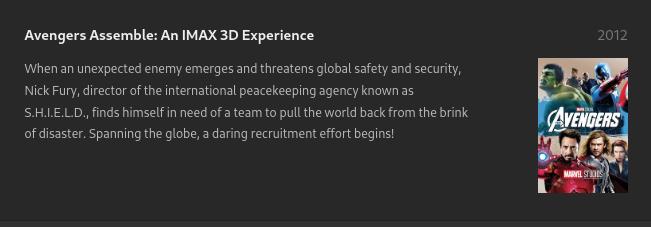
Noticed a mismatch on my server for The Avengers (2012), matching instead to “Avengers Assemble: An IMAX 3D Experience”. Seems that watch.plex.tv has the same mismatch [1], which I guess explains the problem.

[1] https://watch.plex.tv/en-GB/movie/the-avengers

For reference, the IMDB tag is [imdb-tt0848228].

Thanks

Your file name and folder structure please.

This is because of your language. When English (UK) is used plex pulls the World-wide title from imdb (The Avengers (2012) - Release info - IMDb) for the movie …

Screenshot from 2024-09-28 17-35-22

… if you change the language to just English you will get this …

Screenshot from 2024-09-28 17-36-13

Ah! That’s a good bit of insight to file away for future reference. Many thanks

Plex DocumentationYour MediaNaming & Organizing Your Movie Files

You can add the IMDB or TMDB ID to the folder and file name. Doing so tells Plex exactly which movie to match.

/movies
../The Avengers (2012) {imdb-tt0848228}
..../The Avengers (2012) {imdb-tt0848228}.mkv

Thanks for the reply. Looks like the language suggestion did it.
Just for info though, here’s the path:

/Movies/HD/The Avengers (2012)/The Avengers (2012) [imdb-tt0848228][Bluray-1080p].mkv

If you want Plex to pick up the imdb tag from the file the tag has to be in curly brackets.

1 Like

Make that /Movies/HD/The Avengers (2012)/The Avengers (2012) {imdb-tt0848228}[Bluray-1080p].mkv

Because the Plex scanner is written to explicitly ignore everything inbetween the first pair of square brackets.
Which means also that you should avoid having more than one pair of square brackets in the same file name.
See the link to the official documentation above.

1 Like

FYI… This should be curly brackets for matching ids to work {imdb-tt0848228}, square brackets are ignored by the plex scanner.

Thanks for all who pointed out that I’d not been following the naming convention correctly. Guess I know what I’m doing tomorrow (weather here looks awful anyway!).

1 Like

If you need to rename many files:

Many people use Filebot. It is quite powerful and can rename an entire library in minutes.

Tiny Media Manager is also very useful, and free.

Example TMM Renamer Patterns:

  • Show Name: ${showTitle} (${showYear})
  • Season: Season ${seasonNr2}
  • Episode Name: ${showTitle} (${showYear}) s${seasonNr2}e${episodeNr2} ${episode.title}
  • Movie Name: ${title} (${year}) {imdb-${imdb}}

PowerRenamer in Microsoft Power Tools is helpful for simple renaming with pattern matches or regular expressions. It makes quick work of tasks such as adding a year to file names, removing undesirable text from multiple files, etc

you could use FileBot for that. It’s pretty helpful for automating such tasks. For example you can use a preset though your files can be named accordingly: /storage/{ plex.derive{" - [$vf, $vc, $ac] {imdb-$imdbid}"} }
Thanks for the suggestions - all sorted!

This topic was automatically closed 90 days after the last reply. New replies are no longer allowed.
