Server Version#: Latest
Player Version#: All
Tuner Make/Model: Silicon Dust/DizqueTV
Guide/Lineup name: My Guide
Using XMLTV?: Yes
Channel number/Name: All (1)
I cant remove this DVR from my settings page and It just tells me to go to the forums.
I am having the same issue ever since I remotely removed one of my tuners. I have tried all the recommendations from other discussions on this forum, but none have proven fruitful. All I want to do is remove all my tuners and start from scratch. Should I try reinstalling PMS?
You could, I have too much to lose and the downtime for me isn’t worth it at the moment. I could backup everything I suppose but still that could cause the issue to come back. The plex team needs to put out an update asap
I ended up solving my problem yesterday by logging into my backup server and removing the TV/DVR options from there. Once I did that and restarted my main server I was once again able to set up my tuners. Prior to doing that, I downloaded the PMS installer and ran a repair on my install as well. Didn’t look like that did the trick, but I tried it before accessing my backup server.
So I tried that as well by installing another server on my gaming pc but same thing happened and couldn’t access the dvr settings.
also tried a repair on the main server prior. This is just dumb…I dont understand why you would even put a message like that into the program, Like how about replace that message with one that says you have to remove this DVR and set it back up again due to a severe error and dump you back at the settings page…This isnt rocket science.
Try this:
/path/to/‘Plex SQLite’ /path/to/com.plexapp.plugins.library.db “DELETE FROM media_provider_resources”
I just remembered another specific step I took: when accessing PMS from backup server, I used localhost:32400 as the address. It didn’t work from the normal xxx.xxx.xxx.xxx:32400 (again from the secondary server, not the main).

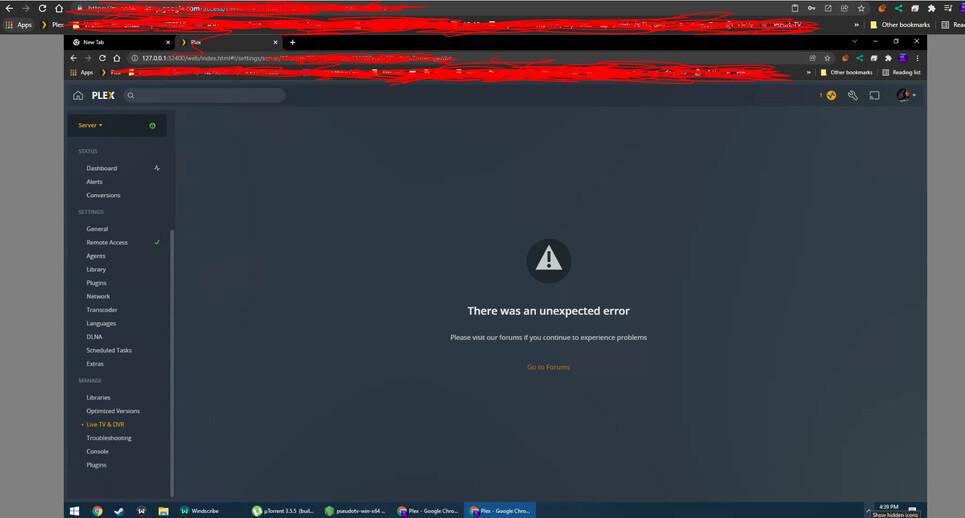

Shutdown the server and tried running the SQL - did not work. Still getting unexpected error.
What about using https://app.plex.tv to access the server instead of local?
Same error on app. Plex. Tv
Do you have the tuner apps actively running?
Make sure all tuner apps are running with the same configurations as when they were set up then reboot Plex and try again.
I’m pretty sure I had them running but I’ll double check right now.
Tried on both PCs using all 3 127.x.x.x, plex.tv, localhost:32400. All with dizquetv running and without. Same problem. Tried swapping between each server on all 3 with same error. If someone from plex wants to look at logs hit me up but otherwise idk what to do. Does anyone know of another work around?
I too am experiencing this issue. After YouTubeTV lost Disney+ I decided to revisit the Plex LiveTV/DVR to replace the loss of the local ABC channel. However, when I hooked my HDHomeRun back up, I encounter the same unhelpful page that phoenixevolved has. All I want to do is remove the old config’d tuner and start from scratch. Any additional insight would be very much appreciated. FWIW I’m running the Latest PlexPass build installed on Mac.
Similar to SquirmN. Canceled YouTube TV due to the Disney issue and hooked up my HDHomerun only to get this error. Channels is working fine.
Any solution I am having same issue no live tv or DVR says to visit forums… They re no help
I had to install an old version someone linked me in another thread on another pc to remove the dvr. It has to be that specific build for some reason
Do you happen to remember to which version you had to downgrade? Wish we didn’t have to downgrade but Live TV/DVR is completely useless with no other recovery options right now
