Server Version#: 1.32.0.6918
Player Version#: 1.67.2.3705-db506a00
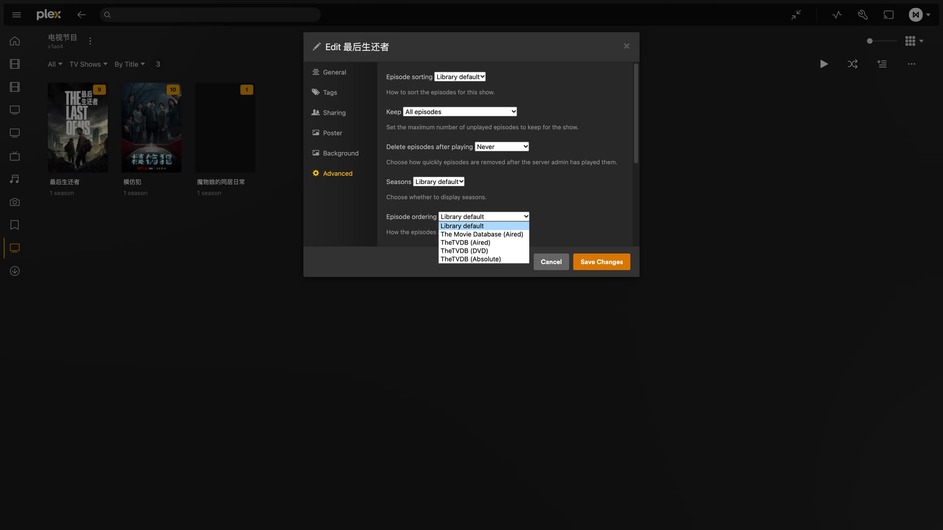
The Movie Database (Aired) option in Episode ordering has disappeared from the newly added items. This option is still available for shows added in the past, but only TVDB option is available for new shows.
You can still choose The Movie Database as Episode ordering for the library, but newly added programs will not have TMDB’s Episode ordering option. What’s happening? We need TMDB Episode ordering.
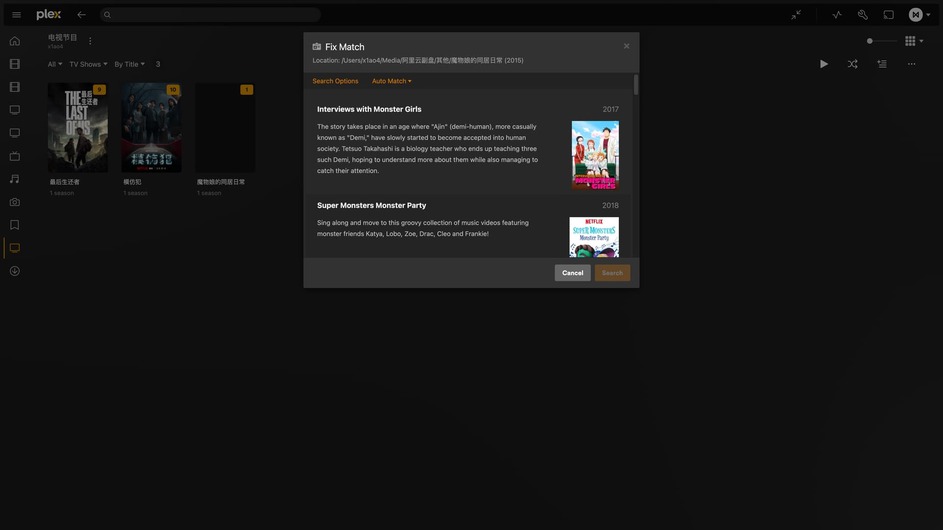
This needs to be fixed, and some shows won’t match, neither automatically nor manually, like Monster Musume: Everyday Life with Monster Girls, I’ve named it as instructed, but it still won’t match.
The agent set up for your library is probably set to “TheTVDB” and not “Plex TV Series”. If it’s not then the show is most likely still matched to the old agent and a Metadata Refresh should correct that.
Only the “Plex TV Series” agent has both TMDB and TVDB orders.
I have selected Plex TV Series as my Agent and Scanner, and all the settings of the new library are the same as the previous one, and I have selected The Movie Database for Episode ordering, but there is no TMDB Episode ordering in the advanced settings of the show, only TVDB’s, and it can’t be matched.
I used the default setting to create a new library and did not select TVDB Agent.
Yes, I did, nothing happens, manual matching doesn’t match either, and this show won’t match through TMDB because there is no TMDB Episode ordering in the advanced settings for this show.
I don’t know why it doesn’t match through TVDB either, can you explain why there is no option for TMDB in the advanced settings of this show? All other programs in the same library have it, only this one does not.
There are some other individual shows where this happens as well, This is not only my case, this problem was discovered by my friend who had several shows that could not be matched, those shows had profiles on TMDB and TVDB, but they just could not be matched.
The above three are his examples of shows that can’t be matched, I tested them and they can’t be matched, no matter how to refresh them, and they can’t be matched manually, and there is no option for TMDB in the advanced settings for them, other show do.
Can you go to one of the episodes in the show that is missing the TMDB order and get the XML info for it.
The only reason that show wouldn’t display all the episode ordering options is if it’s still matched to the old TVDB agent. You could also try to just Fix Match on the show which should also correct it.
I have never chosen TVDB agent for this library, and Fix Match’s search results do not include that show, can’t find those show in Fix Match’s search results, no matter which language is used.
It has to be matched to the Plex TV Series agent. The fact that the episode order is showing for unmatched items is actually a bug, it shouldn’t show at all in that case which is why I assumed it was matched to the old TVDB agent. I’ll file an issue for that so it doesn’t confuse others.
Aha, I now understand the Episode ordering thing, before it just did not match successfully, and Episode ordering has nothing to do with it.
I thought the Plex TV Series agent contains all the content on TMDB and TVDB, but it seems that it doesn’t, so the content that Plex TV Series can’t match can be matched directly by use the ID of the show on TMDB or TVDB.
It does contain both, however the search/match feature can sometimes not find the correct show based on name matching. however using the ids it overrides the title search and pulls up whatever ID that is, regardless to how accurate the title match is.