Server Version#:
Player Version#:
<If providing server logs please do NOT turn on verbose logging, only debug logging should be enabled>
Hi
So something has happened recently for me (not sure when or what caused it)
For the vast majority of my albums, the track numbers for each album have gone blank, resulting tracks being now sorted alphabetically by track name starting at 0
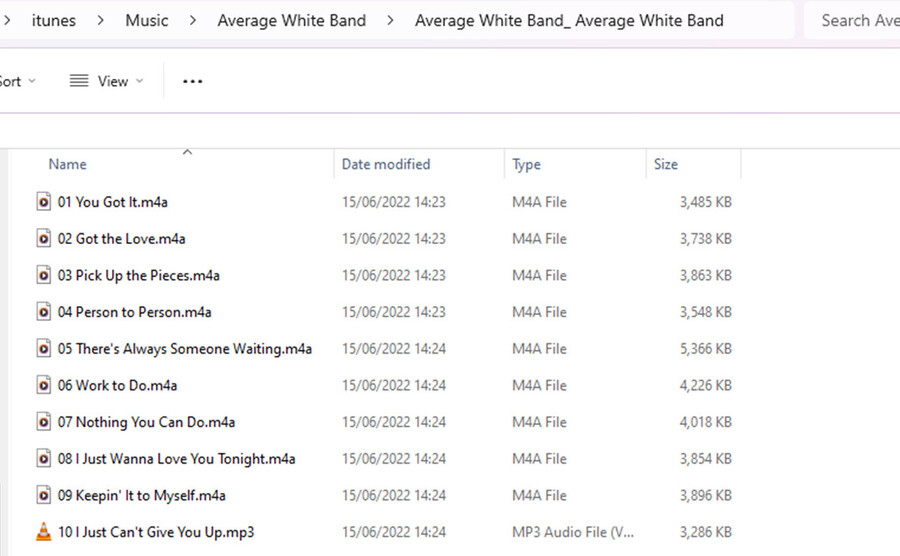
The track number is correct for each track in each album in the actual data file, so I tried a scan of the media folders but it made no difference in Plex.
ANyone else had this?
Anyone know if there is such a things as a “depp and forced” scan that overwites whats in Plex DB?
I am tempted to delete the whole library and recreate it but I have nearly 20,000 tracks in it, have made many customisations and notes in the DB and dont really want to lose them
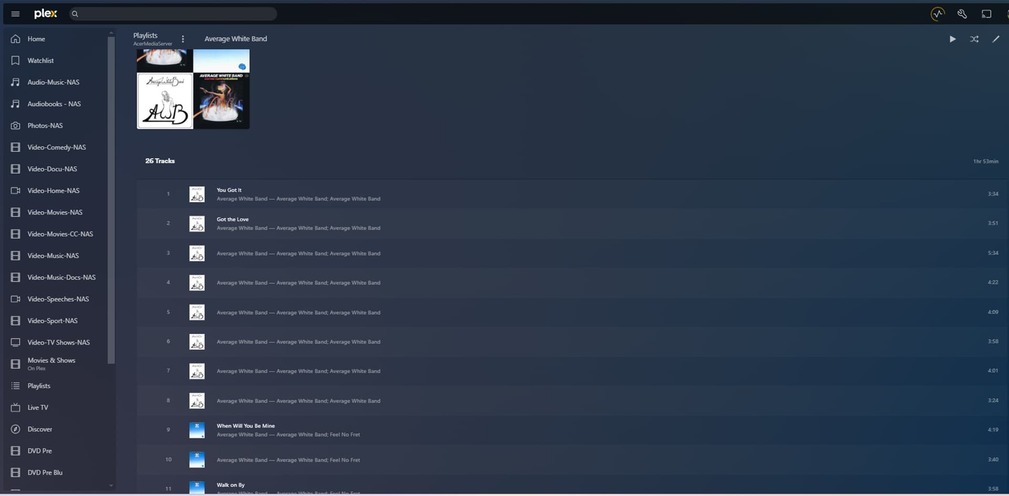
(1) an album where the track numbers seem to have been replaced by an alphabetical sort with track numbers then being appled starting at track 0
(2) The same album but in a playlist (of other albums by the same band). The title of each track seems to have disappeared
(3) The MP3 metadata tags for the ablum
This is all a bit odd. I have no idea what can have happened to the Plex DB but it seems a little messed up
In the album view in Plex it has done the alphabetic sort, including track 0, then when added to the playlist it adds them to the playlist in the actual album order, and MP3 tag shows them in track order
I don’t know what you mean by “full support”.
At least the scanner should no longer crash when it happens upon such a tag: Plex Media Server - #611 by drzoidberg33
the naming conventions and metadata are there becuase before plex I had a very crude web/file browser interface that helped me and my family navigate the structure of the music. whilst that might be against the intended use of the metadata from a Plex perspective, it did (and still does) happily scan in and work with Plex. I am not sure that they have suddenly caused some of my track numbers to change for some albums. I think somewhere along the line the database has corrupted. But thanks for your input. I think its time to start again
So whilst CHuck was finding the bug in the plex install code that wrote the registry wrong and is modifying his scripts to ignore it, as a fallback I started to use MP3Tag on the source files and scan them into a new library (but the same installed database so I guess that might be an issue if the whole underlying database is corrupted).
I have noticed that bands that start with the word “The” (e.g. The Beatles, The Eagles") are now sorting the album title ignoring the word “The” even though I have explicitly put "The Eagles, “The Beatles” in the title field and in the MP3 tags.
I remember in the past having had this explained to me why it did this and was told to explicity put “The” at the start of the sort album field.
But now it seems to be ignoring that. Is there something you are aware of that has changed in the later version of PMS for Windows that would do this on purpose? If not I guess the fact its the same installation, even though its a new library, might be the issue. Just wanted to check that whether or not it is now programmed to ignore “The” on a sort (think the same is true for “A xxxxx” as well)