Trailers not respecting player setting

Server Version#: 1.24.1.4931
Player Version#: Version 1.33.0.2444-a220eae4

Recently I’ve noticed the Plex for Windows app and the app on my Nvidia Shield aren’t respecting the Trailers setting. I have one TV/Player in my house that I want to roll pre-film trailers. The rest of the players shouldn’t run the trailers.

Sever Settings:
image

Player Setting:
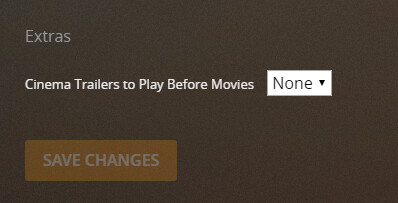
image

Am I misunderstanding the player setting? Even set to None, i’m seeing trailers.

What kind of media are you playing to test the feature?
You must be playing from your own media libraries (or those of your Plex friends).

But not from any of the online media sources which are free from Plex. Those will always have ads.

I’m watching from my own media libraries.

Are you expecting that this setting influences all players?

No, just the player that it’s set for.

I have:
TV A set to 1
TV B set to None
PC: C set to None

I expect A to play one trailer and B and C to play none.

The the “trailer” which is played is the “preroll video” you have set in Plex or is it something else?

it’s the preroll video I set in plex.

I am told the pre-roll is supposed to play always, independent of the trailer setting.

Here is a forum thread where users are lamenting the opposite Prerolls Quit Working - #51 by BigWheel

Interesting. Looks like that post was around the same time I setup my pre-rolls. So them working as I expected, may have been a bug :yum:

If this is the way it should work, it’s hard to tell from the settings. If I wanted more than one pre-roll to show wouldn’t I set the Player Setting to 2?

You would define a list of 2 preroll video files as explained in https://support.plex.tv/articles/202920803-extras/

Thanks, I forgot you could use a semi-colon vs comma to play multiple pre-rolls.

This topic was automatically closed 90 days after the last reply. New replies are no longer allowed.
