Server Version#: 1.24.0.4897
Player Version#:8.21.0 (android)
Plex Media Server Logs_2021-08-06_11-48-43.zip (2.4 MB)
Hello,
I don’t know in which version the issue but my plex hosts by Synology DSM7 is not able to transcode. The transcode is use when use in android app or samsung tv app outside my LAN.
You will find in attachment the logs.
Thanks for your help.
Regards,
Hello,
Thanks for your anwser. It was working before (few weeks ago) all my files were able to be transcode (with performance issue I could stream 720 and 1080p). Why now it’s not working?
Do I have to downgrade plex to have the ability to transcode ?
Regards
I don’t understant. It was working since 4 years and now it not working anymore because compatibility issue ? I know the file and the NAS list. How can I force the transcode (I don’t care about performance issue) ? downgrade ? parameters ? I would like to my plex work as before.
I can’t reproduce the issue in a web browser. The transcoding works well when stream in a web browser. The issue is only with transcoding for an android app or sansumg tv app (maybe other but I don’t have the device). On those devices, I can’t even launch the stream but in a web browser I can choose and modify the quality as I want.
It seems more a endpoint point issue than a transcode issue. I can transcode as I want in a web browser in WAN or LAN. How do you want me to proceed to diagnose and fix this issue ?
-
Disable verbose logging in Plex Media Server. Enable debug logging, the default setting.
See Reporting issues with Plex Media Server for instructions. -
Attach the XML information as @trumpy81 requested.
See Investigate Media Information & Formats. -
Check file/directory permissions for your optimized versions:
Aug 06, 2021 11:35:42.205 [0x7f61a5f27b38] ERROR - TranscodeJobManager: [Running] directory is not writable: "/volume1/Films/720P/Plex Versions/Optimized for TV"
I just wanted to chime in on this. I upgraded to DSM7 and subsequently installed the newest version of Plex 1.24.0.4897-411e7667f for DSM7. Everything went smoothly however when I loaded up a movie with subtitles on my TCL Roku TV it was transcoding the video due to the SRT file being selected, this same exact movie/srt combo played smoothly no transcoding on my previous Plex version/DSM6. I decided to rollback the version of Plex installed on DSM7 to 1.23.6.4881-e2e58f321 and the playback was once again smooth no transcoding even with the SRT file selected.
Would you mind flip/flopping one more time please?
Verify DEBUG logging is ON , VERBOSE is OFF (click SAVE if you make changes)
- Create a 20 second clip using 1.23.6 – capturing it running smoothly
-install 1.24.0- - Capture another 20 second clip where it stutters.
download and attach that DEBUG logs ZIP file.
I will give that to Engineering.
If you can also attach the XML for the movie you play, the would be great.
Hello,
You will find in attachment the requested files.
Thanks for your help.
RegardsPlex Media Server Logs_2021-08-06_21-31-03.zip (2.6 MB)
14987.zip (12.0 KB)
Hi,
Just chiming in, as this could potentially relate to my issue from this post: Direct Stream/Transcode exits transcoder after a few minutes - #2 by Rasmus4J.
I am however not using a NAS for the server, but a Windows PC with an Intel 6th gen processor.
Perhaps any resolution to either of our issues, could help the other as well.
Regards.
I try with the re-encode but the issue is still happening.
I uploaded the requested files for you.15568.zip (8.3 KB)
Plex Media Server Logs_2021-08-07_21-39-24.zip (2.2 MB)
Can you recreate the P12 file with both the Cert and the CA in it ?
Plex requires both pieces:
- The actual cert
- A recognized Certificate Authority so it can verify the origin.
1 Like
@ChuckPa
Hello,
I regenerate my certificate with the CA in the P12 file but nothing change.Plex Media Server Logs_2021-08-08_09-30-23.zip (2.1 MB)
Hello,
Another thing maybe related to my issue : I can’t delete my film through Plex web interface.
I verified the permissions of the system user “plex media server” but it’s correct.
Regards
Here another example : no issue from chrome/PC but with Android I can’t play the file.
15368.zip (5.8 KB)
Plex Media Server Logs_2021-08-11_15-10-15.zip (4.7 MB)
I restarted my Plex serveur but my custom certificat is not used :

I re encode and rename my file but the issue is still happening (see logs):
Plex Media Server Logs_2021-08-12_09-18-26.zip (4.5 MB)
16675.zip (5.7 KB)
For the rights : it’s seems good but I can’t delete my files :

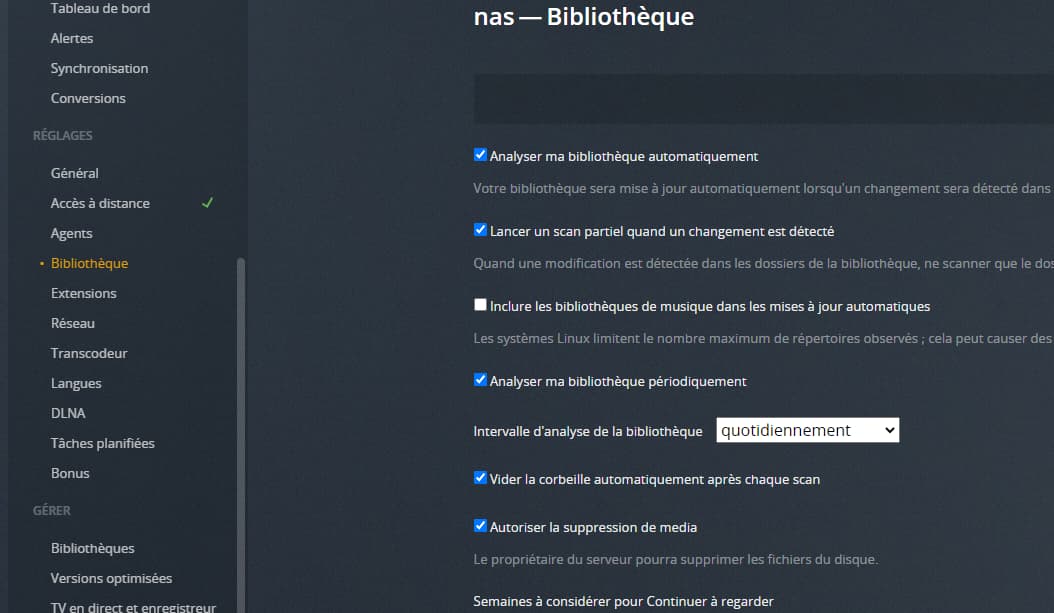
Thanks for your helps.
Regards
Sorry for my bed misunderstanding.
I totally removed the certificat configuration :
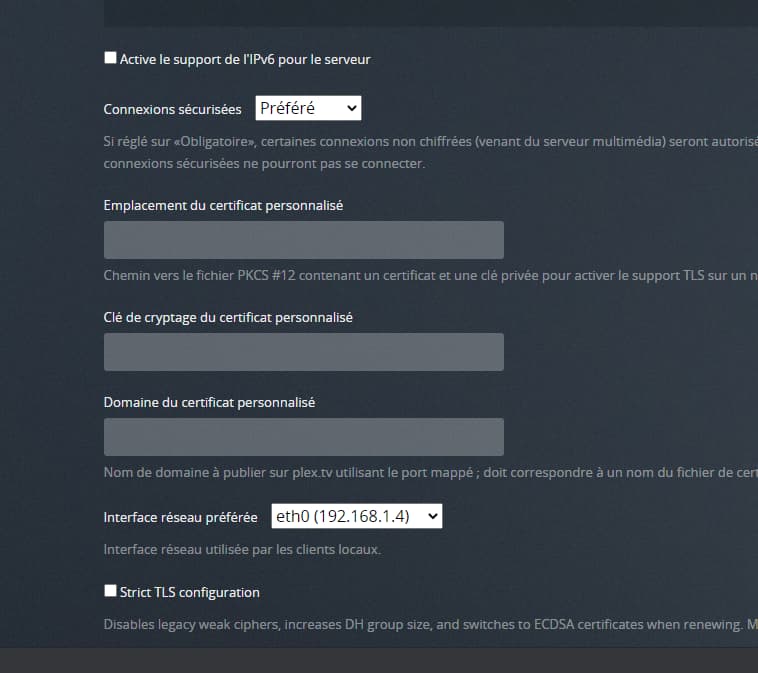
But issue still happening : Plex Media Server Logs_2021-08-12_10-58-44.zip (3.4 MB)
thanks for your help.
regards
Hello,
When I try to play some files on android app or Samsung TV app I have the following error message :
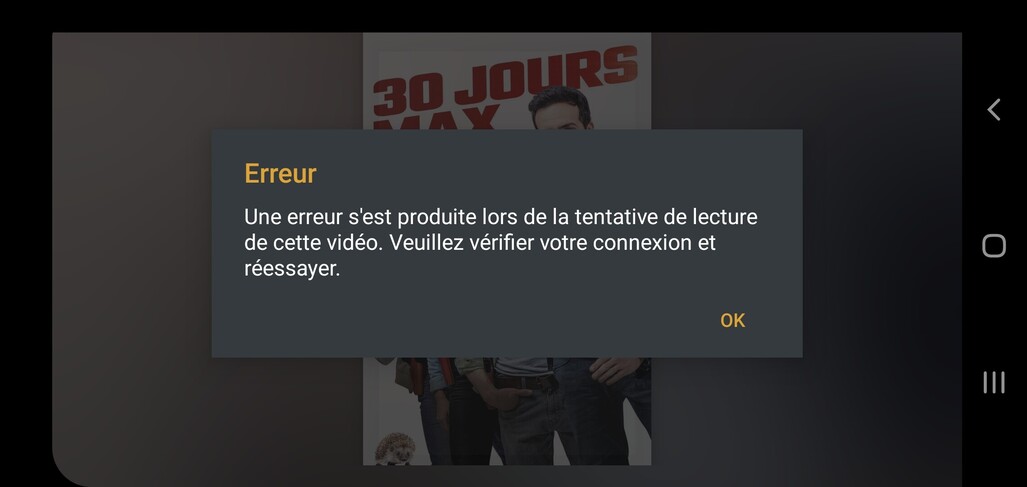
It happens only through WAN on some avi or mp4 files. In Lan it’s working fine.
Here another example : 09:23 (LAN) OK
09:24 (WAN) KO
LOGS : Plex Media Server Logs_2021-08-13_09-25-34.zip (3.3 MB)
15568.zip (16.1 KB)
Same transcoding errors here, I downgraded back to 1.23
I’m skipping 1.24
@Nicci000000 Hello,
Where did you find the version 1.23?
Can you send me a link ?
Thanks.
Regards
