Server Version#: 1.30.1.6562
Player Version#: 4.98.2
UnRAID server with PMS running in a docker using an nVidia 1660 Ti with driver 525.78.01.
After the auto update of the Plex container from 1.30.0.6486 to 1.30.1.6562, nVidia-SMI shows a transcode when trying to play the file but the player only sits on the loading screen with a spinning cursor and never plays it (but the Dashboard shows it as playing).
If I uncheck “Use hardware-accelerated video encoding” then file plays fine (but obviously doesn’t use the GPU for encoding).
Log snippet:
Jan 11, 2023 10:21:34.936 [0x14cee1a38b38] Error — [Req#1998c/Transcode/mff58ubc8ggvwc53purztpeh/9f425c66-15e7-42f6-83d0-3f444db6dae1] Error while decoding stream #0:0: Generic error in an external library
Jan 11, 2023 10:21:34.937 [0x14ceefeecb38] Error — [Req#1998f/Transcode/mff58ubc8ggvwc53purztpeh/9f425c66-15e7-42f6-83d0-3f444db6dae1] [hevc @ 0x146624574280] Could not find ref with POC 14
Jan 11, 2023 10:21:34.938 [0x14ceee87db38] Error — [Req#19992/Transcode/mff58ubc8ggvwc53purztpeh/9f425c66-15e7-42f6-83d0-3f444db6dae1] [hevc @ 0x146624574280] No decoder surfaces left
Jan 11, 2023 10:21:34.939 [0x14cee1a38b38] Error — [Req#19995/Transcode/mff58ubc8ggvwc53purztpeh/9f425c66-15e7-42f6-83d0-3f444db6dae1] [hevc @ 0x146624574280] decoder->cvdl->cuvidDecodePicture(decoder->decoder, &ctx->pic_params) failed → CUDA_ERROR_INVALID_VALUE: invalid argument
Jan 11, 2023 10:21:34.939 [0x14ceefeecb38] Error — [Req#19998/Transcode/mff58ubc8ggvwc53purztpeh/9f425c66-15e7-42f6-83d0-3f444db6dae1] [hevc @ 0x146624574280] hardware accelerator failed to decode picture
Same problem here
Running UnRAID
Nvidia RTX A5000
Plex on docker container, some HEVC files (not all) not playing at all, stuck buffering at the beginning of the files but never starts.
This happens since version 1.30.1.6562 (linuxserver/plex:1.30.1)
Rolled back to 1.30.0.6486 (linuxserver/plex:1.30.0), everything works fine with this version.
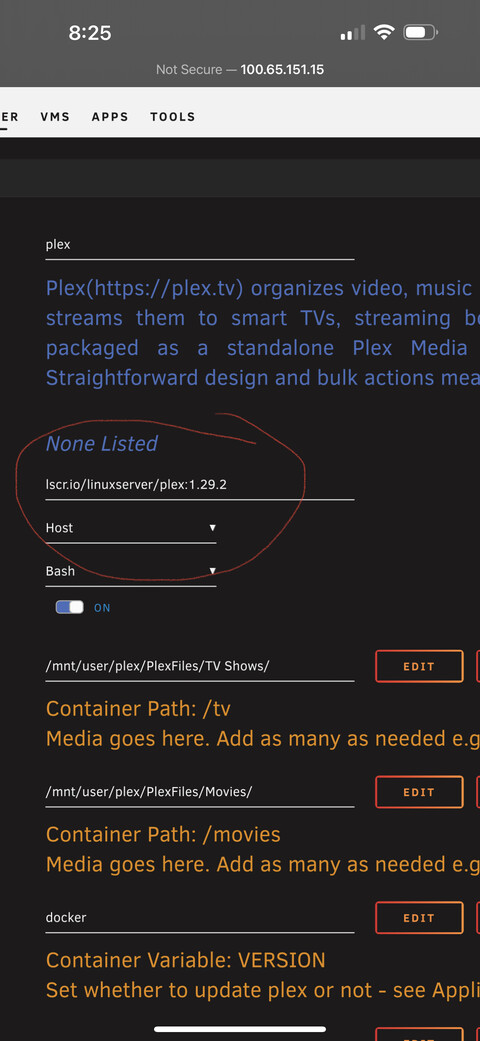
I saw that over in the other thread. I did the roll back on drivers to 515.86.01 but it still did not work with any 1.30.x version of PMS. Reverting back to 1.29 solves the issue for now.
All of my media is HEVC and under 1.30.x with rolled back NVIDIA drivers I still get the same error output as the original poster showed. 1.29 fixes the issue.
I will say it seems to be triggered at the beginning of play when the system is determining to transcode or not. Manually setting playback to 2mbps transcode does not trigger the issue. I say that because I do not think it is a codec problem, because the system will transcode if manually told to do so. So something between 1.29 and 1.30.x changed something in this sequence.
Hi All,
I originally follow the video by SpaceInvaderOne on YouTube for setting up my Nvidia Hardware Decoding on Unraid for PMS, it has been working for years, but not it doesn’t work after a recent upgrade to Plex or Unraid. I have “Use Hardware Acceleration when available” checked under Transcoder and I have entered my GPU ID into the Plex Docker Container settings along with --runtine=nvidia. I don’t really know what else is required. I wish I could find a simple 10 step guide to enabling this it seems so confusing having to use 3rd party sources to figure this out. I need some help, this shouldn’t be this hard to get HW Transcoding to work. Nvidia Driver Version: 515.86.01
Just tried the latest Public version (1.31.1.6782) and still can’t play certain files, I’m getting the “No decoder surfaces left” error and “out of memory” errors. nVidia driver v525.78.01 I rolled back to 1.29.2.6364 and issues no longer occur.