Server Version#: Version 1.30.1.6497
Player Version#: 5.52.3
Plex for Samsung
19_MUSEM_QTV
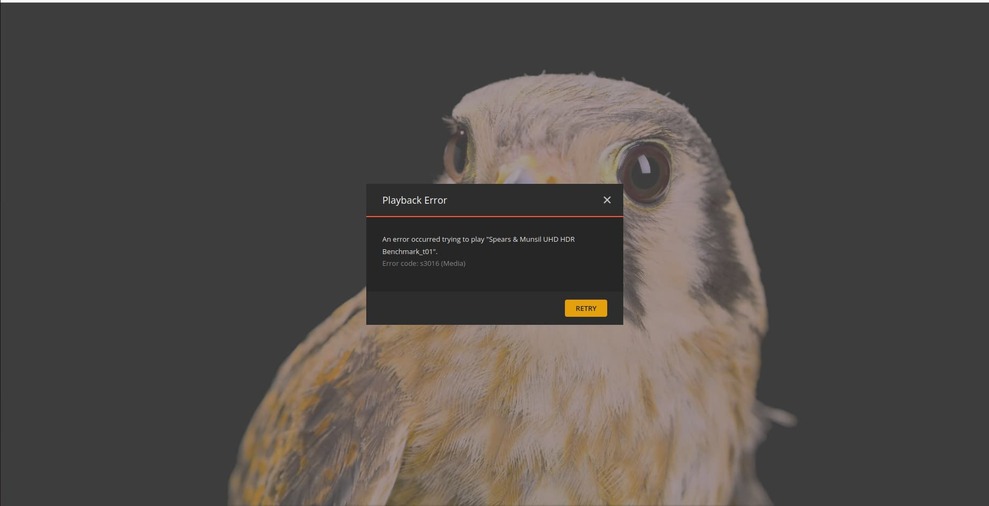
If I select a movie from my database to play on my Samsung TV, or the Plex Web interface i see a blank screen with a spinning icon. The media is supposed to be transcoded with nvenc hardware from HEVC to h264.
[Req#2c9e53/Transcode/majj58glmzmt09j10inbr8bj/4c15124f-dcab-465c-97e3-5c20a62c994d] [hevc @ 0x7fd3330b1540] decoder->cvdl->cuvidDecodePicture(decoder->decoder, &ctx->pic_params) failed -> CUDA_ERROR_INVALID_VALUE: invalid argument
[Req#2c9e55/Transcode/majj58glmzmt09j10inbr8bj/4c15124f-dcab-465c-97e3-5c20a62c994d] [hevc @ 0x7fd3330b1540] hardware accelerator failed to decode picture
[Req#2c9e58/Transcode/majj58glmzmt09j10inbr8bj/4c15124f-dcab-465c-97e3-5c20a62c994d] Error while decoding stream #0:0: Generic error in an external library
[Req#2c9e5b/Transcode/majj58glmzmt09j10inbr8bj/4c15124f-dcab-465c-97e3-5c20a62c994d] [hevc @ 0x7fd3330b1540] No decoder surfaces left
At the moment I have some encodes queued up (directly through ffmpeg) so I’ll have to wait until those are complete.
I can go down to 515.76, but that takes me back to September, this is an issue that just cropped up a week or two ago. The download date essentially correlates to install date.
I asked about 515.86.01 because I have it here as a known stable GPU function point.
Drivers version 525 upgrades Nvidia protocol from version 11.x to 12.0
What we’ll need to do is gather both DEBUG log ZIP sets (525 and 515) from Plex and then I’ll write up, using your log sets for the same video, and submit to Engineering / transcoder team.
If you can achieve full function and stability with Plex by using 515.86.01 then we can reasonably conclude there is an incompatibility with PMS and 12.0 Nvidia drivers.
515 drivers are more than enough for AV1 decode so you aren’t ‘boxed in a corner’ just yet.
This same thing happened when Nvidia went from 8->9, 9->10, 10->11 and here we are again at 12
Ok, I’ve found the 515.86.01 driver but my encodes are still going so I can’t do the test yet.
When I do the test, you would like the same zip file I already sent, or do I need to do something different?
I get about 1/3 through the test video and it locks up the Samsung app, the dashboard shows data transfer has stopped.
I looked at the original file again, it does show a transcoding process that’s doing something throughout the black screen, the dashboard shows that this transcode process is continuing along, but the bandwidth transfer doesn’t show any data being streamed.
Test Video
You can see that it locks-up the TV about 1/3 through the video.
After about 10 minutes the dashboard shows the Samsung player disappear, and the transcode process also disappears from nvidia-smi.
This is all with the CUDA 12 driver, I’ll go back to the CUDA 11 driver and retry.
You can see my GPU is 26C, this is typical because it sits in a headless server and is only used for transcoding, if you think it’s truly a hardware issue I can try taking off the heatsink and reapplying with silver paste, but I really don’t think this will make a difference… What about if I re-encoded a movie several times with ffmpeg and did a bit comparison?
For example if a 2hr long media file the file is bit for bit identical I doubt it’s a hardware issue.
Okay, I played in the web browser your test file and it failed at 6:27, see below. This is the 1st time I’ve seen an actual error when the stream stops playing. The log is attached.
I played the video 2x, it froze at the same point both times.
Jan 04, 2023 16:19:01.989 [0x7f418111eb38] INFO - Plex Media Server v1.30.1.6497-5fc2e0894 - Ubuntu PC x86_64 - build: linux-x86_64 debian - GMT -06:00
Jan 04, 2023 16:19:01.989 [0x7f418111eb38] INFO - Linux version: 22.04.1 LTS (Jammy Jellyfish), language: en-US
Jan 04, 2023 16:19:01.989 [0x7f418111eb38] INFO - Processor: 24-core      Intel(R) Xeon(R) CPU E5-2630L v2 @ 2.40GHz
Jan 04, 2023 16:19:01.989 [0x7f418111eb38] INFO - Compiler is - Clang 11.0.1 (https://plex.tv 9b997da8e5b47bdb4a9425b3a3b290be393b4b1f)
Jan 04, 2023 16:19:01.989 [0x7f418111eb38] INFO - /usr/lib/plexmediaserver/Plex Media Server
Jan 04, 2023 16:19:01.985 [0x7f4170504b38] ERROR - [Req#55f9c/Transcode/scagxljzf6ommnkg9iv0oicg/99bcbee0-557e-4765-b82c-29515301d8a6] Error while decoding stream #0:1: No space left on device
Jan 04, 2023 16:19:01.986 [0x7f415fbf9b38] ERROR - [Req#55f9d/Transcode/scagxljzf6ommnkg9iv0oicg/99bcbee0-557e-4765-b82c-29515301d8a6] Error while decoding stream #0:1: No space left on device
Jan 04, 2023 16:19:01.986 [0x7f417a672b38] ERROR - [Req#55f9e/Transcode/scagxljzf6ommnkg9iv0oicg/99bcbee0-557e-4765-b82c-29515301d8a6] Error while decoding stream #0:1: No space left on device
Jan 04, 2023 16:19:01.989 [0x7f417a46fb38] ERROR - [Req#55f9f/Transcode/scagxljzf6ommnkg9iv0oicg/99bcbee0-557e-4765-b82c-29515301d8a6] Error while decoding stream #0:1: No space left on device
Jan 04, 2023 16:19:01.991 [0x7f415fbf9b38] ERROR - [Req#55fa1/Transcode/scagxljzf6ommnkg9iv0oicg/99bcbee0-557e-4765-b82c-29515301d8a6] Error while decoding stream #0:1: No space left on device
I watched the transcoding folder, it never exceeded 500 MB, so the device definitely has plenty of room. There has always been an issue with transcoded files stopping short a minute or two.
You’re saying this is a known issue with no fix?
Going back to my files that used to play, but won’t play anymore, any ideas?
Below are the video stream characteristics:
Video
ID                                       : 1
ID in the original source medium         : 4113 (0x1011)
Format                                   : HEVC
Format/Info                              : High Efficiency Video Coding
Format profile                           : Main@L5@Main
Codec ID                                 : V_MPEGH/ISO/HEVC
Duration                                 : 2 h 0 min
Bit rate                                 : 29.9 Mb/s
Width                                    : 1 920 pixels
Height                                   : 1 080 pixels
Display aspect ratio                     : 16:9
Frame rate mode                          : Variable
Frame rate                               : 23.976 FPS
Color space                              : YUV
Chroma subsampling                       : 4:2:0
Bit depth                                : 8 bits
Bits/(Pixel*Frame)                       : 0.602
Stream size                              : 25.1 GiB (90%)
Writing library                          : Lavc58.54.100 hevc_nvenc
Language                                 : English
Default                                  : No
Forced                                   : No
Color range                              : Limited