So looking at my plex file on my synlogy NAS I found a file named transcding. What is this file used for and can I clean it or delete the files to make plex work faster . Is this like a temporary file that needs cleaned out once in a while or is it to be left alone
Where do you find that file?
Plex is not usually placing any of its temporary files in a user visible share/folder.
Then again… deleting it or not it won’t make the server faster.
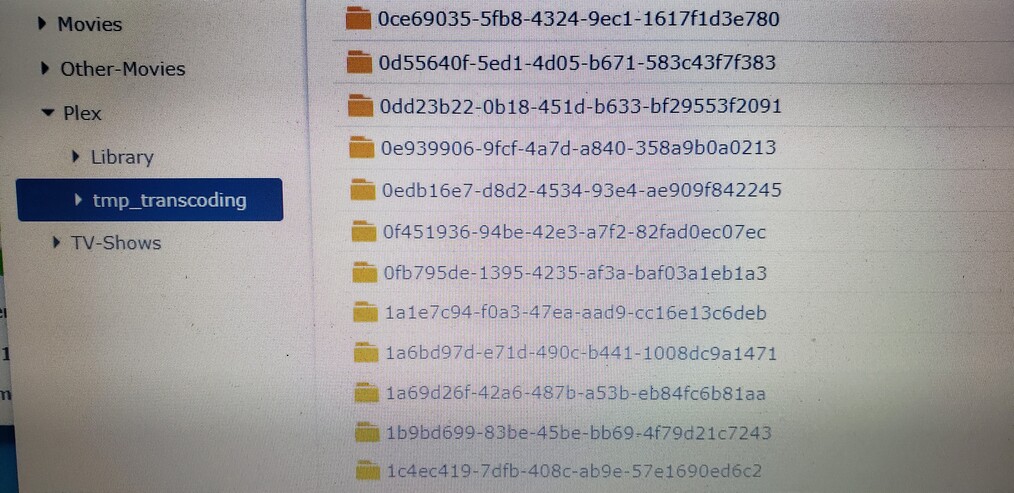
Best leave that share alone (and preferably hidden).
Plex will perform some clean-up of its caches etc. as part of scheduled maintenance tasks. If you manually interfere you’re just messing things up.
Also… don’t place any of your own content inside the Plex share!!
If I may provide info?
-
The (hidden) Plex shared folder exists because there isn’t enough system storage for all the metadata. Synology disk formatting is very limited .
-
I wanted to keep our metadata independent of the program data. This is what allows us to uninstall and revert to a previous version of PMS if we have issues with a Beta version.
-
The Plex shared folder is, by default, hidden and contains no user-facing data.
-
Several internet (YouTube) tutorials seem to think it’s OK to put media there – It’s not. To respond to that bad advice, I placed warning files.
-
Regarding the
tmp_transcodingfolder in the Plex share.
a. It’s the default location I use for the transcoder temp storage.
b. This folder is also used by the transcoder when new Codecs are needed.
c. If you wish to stop Plex and clean it out – OK.
d. Do not change any permissions or delete it. It’ll break PMS; which requires Uninstall-Reinstall to fix (I do all permission settings during the installation phase)
1 Like
This topic was automatically closed 90 days after the last reply. New replies are no longer allowed.
