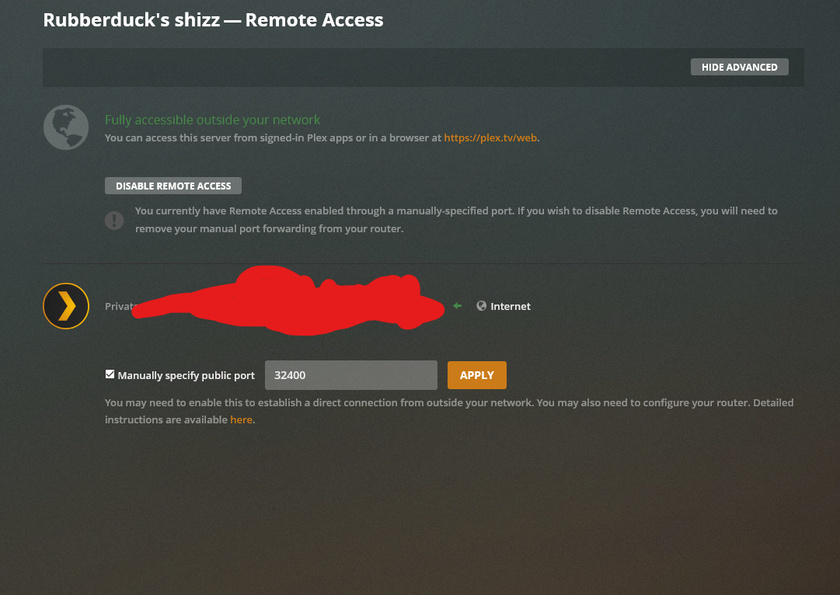
So I have plex remote enabled but when I try to access it through any machine PC usign the plex app (have nto tried web browser), not on the LAN the only option is to transcde. Right now it’s showing like this when external.
Stream
Transcode (Speed: 1.8)
Container
Transcode (MKV MKV)
Video
Transcode (H264 1080p H264 1080p)
Audio
Transcode (DCA 5.1 OPUS 5.1)
There’s no way i’ve been able to get it to directplay or directstream.
does the client directly play the file when you’re in your home network (no transcoding)?
what’s the average bitrate of those videos you’re trying to play?
what’s the max upload bitrate you get from your ISP?
have you applied any restrictions in your PMS’ remote access settings (Settings > Server > Remote Access > Internet upload speed and ... > Limit remote stream bandwidth)?
did you check your client’s playback settings… any restrictions when it comes to remote playback?
It does play directplay when on the network, i’ve checked internet upload speed and have it a few mbps below in the quality settings, to what I actually pull. I do not see limite remote stream bandwidth anywhere though.
the Limit remote stream bandwidth setting is linked to a Plex Pass
Tip! : The Bandwidth and Transcoding Limit features require an active Plex Pass Subscriptions subscription for the Plex Media Server admin Plex account.
As for the bandwidth in general… Keep in mind, the maximum required bandwidth can be significantly above the average bitrate of the video. Bitrate can have quite some peaks.
If the bandwidth is not sufficient to deal with the max bitrate, Plex will tune the video’s bitrate down by transcoding it. The same happens if you have set Remote streaming in the client’s Video quality settings to anything but original/maximum.
It’s because of the lower settings!
If your video is 1080p @ 10 Mbit/s and you set it to a lower resolution/bitrate, the server needs to transcode it (“downscale”).
If your server isn’t powerful enough to transcode that content, try to avoid transcoding at all cost.
Btw… Plex has added a setting to disable transcoding for such scenarios as part of version 1.18.5.2260 (Settings > Server > Transcoder > Disable video stream transcoding). However… keep in mind this will cause an error message if the client you’re using isn’t capable to direct play that content.
It has a pentium CPU, it can definitely handle it, even with 2 streams theres still some headroom. I actually have that ticked though, and it still shows up as transcoding, which is very off.
Update.
I updated the server, now it has indeed stopped transcoding when that box is ticked, however not it just does not stream remotely outside at all.