Server Version#:1.42.2.10156
Player Version#:2025.31.1(1461)
Hello everyone,
This might get a little longer so prepare yourselves accordingly.
I have recently bought Friends in the UHD Blu Ray Version, which includes Dolby Vision HDR. Bitrate is around 47,5 mbit/s according to Mediainfo and Plex itself and for the in Home streaming that‘s no issue at all, Dolby Vision works, Sounds works both on the Apple TV 4K 3rd Gen without any issue. Same goes for the iPad Pro 13 M4, plays it back without issues, both Audio and Video are Direct Streams since the iPad and the Apple TV can support that. So far so good
Now for the reason I‘m writing this in the Remote Access category of this Forum: I‘m away from home quite often, so I rely on the Remote Access and Streaming option quite heavily when it comes to TV-Shows, Movies and Music. Music works all the time, With Movies and TV-Shows the problems begin: I know that I am limited by the upload speed of my Internet connection, which is in my case 50mbit/s, is the limiting factor in all of this as well as the capability’s of the end devices in regard to being able to direct play or not. My point is now, since the aforementioned Friends UHD Blu Rays have now been imported into Plex: Why do they Direct Stream and Play within the local network but not with the remote access? I‘m using the devices, the same player everything is the same except for the connection method. And will directly start to transcode into H.264 on the Video and Opus on the Audio side, even tho bandwidth is available and the devices are capable.
So does anyone here have or has had similar experiences or even solutions? I‘d like to enjoy my Collection in the quality both on the road and at home - which at the moment, is not possible and I‘d like to understand why
If there are any Plex Dev‘s here, maybe it is a thing on the server side which needs to be fixed? Idk just thinking out of the box
Thank you in Advance and Cheers
Alex
EDIT: Little Fun Fact: Why can I not post this from my iPad while it is working from my MacBook? While writing and finishing it on the iPad, it does not let me choose a Title and Tags, while it lets me do it on the MacBook. Don’t know why, just wanted to include that.
Client side:
This will slightly vary for different client types. Most clients have an option to specify the preferred streaming quality in their settings – most clients allow this to be distinguished by local or remote connections.
on the Apple TV (public): Settings > Video Quality > Automatic Quality, Home Streaming vs. Internet Streaming
on the Apple TV (TF preview): Settings > Video & Audio > Maximum Remote Quality
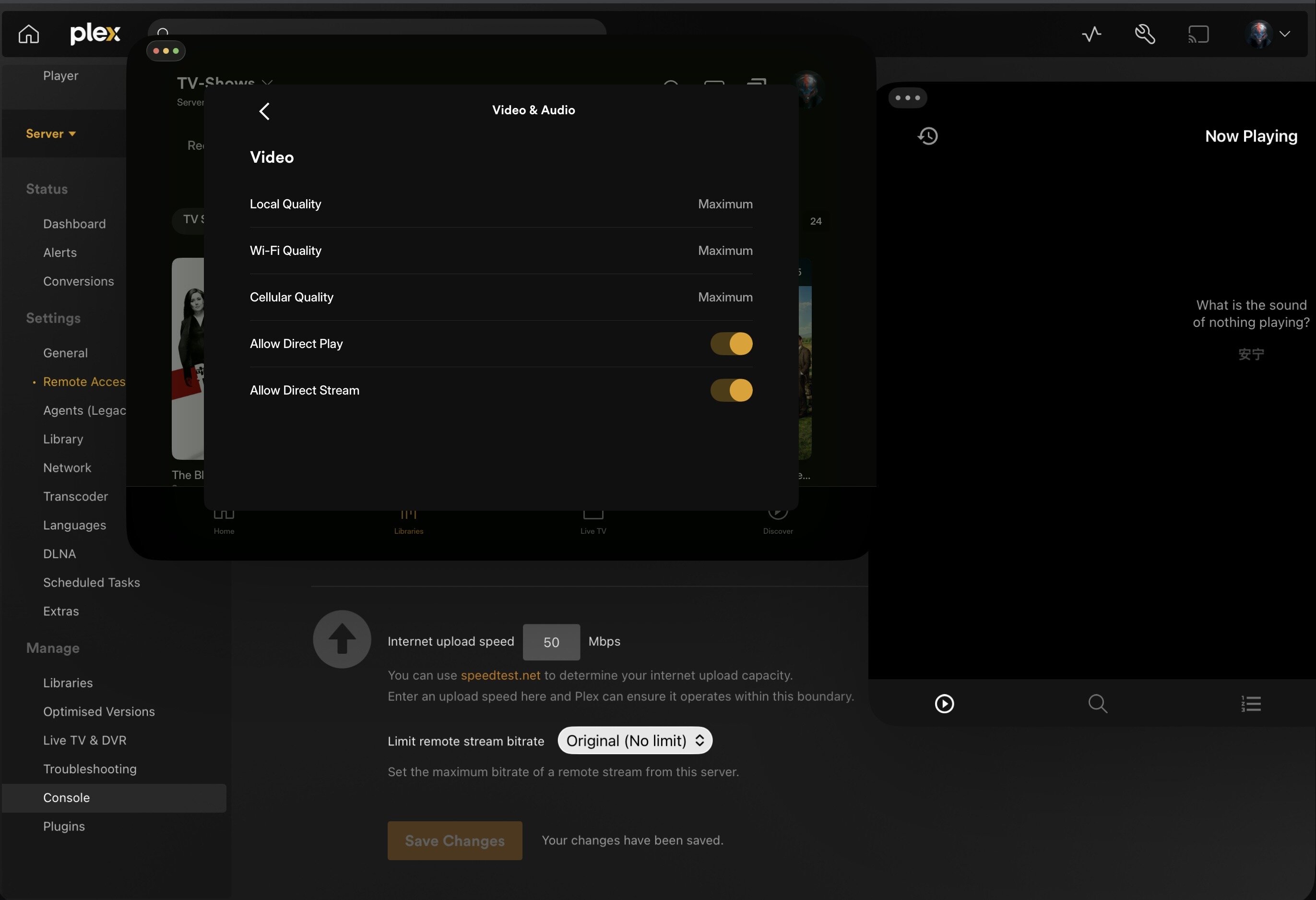
Thanks for the reply, I‘ve checked these settings couple minutes ago and they are basically all set to the maximum of what‘s capable.
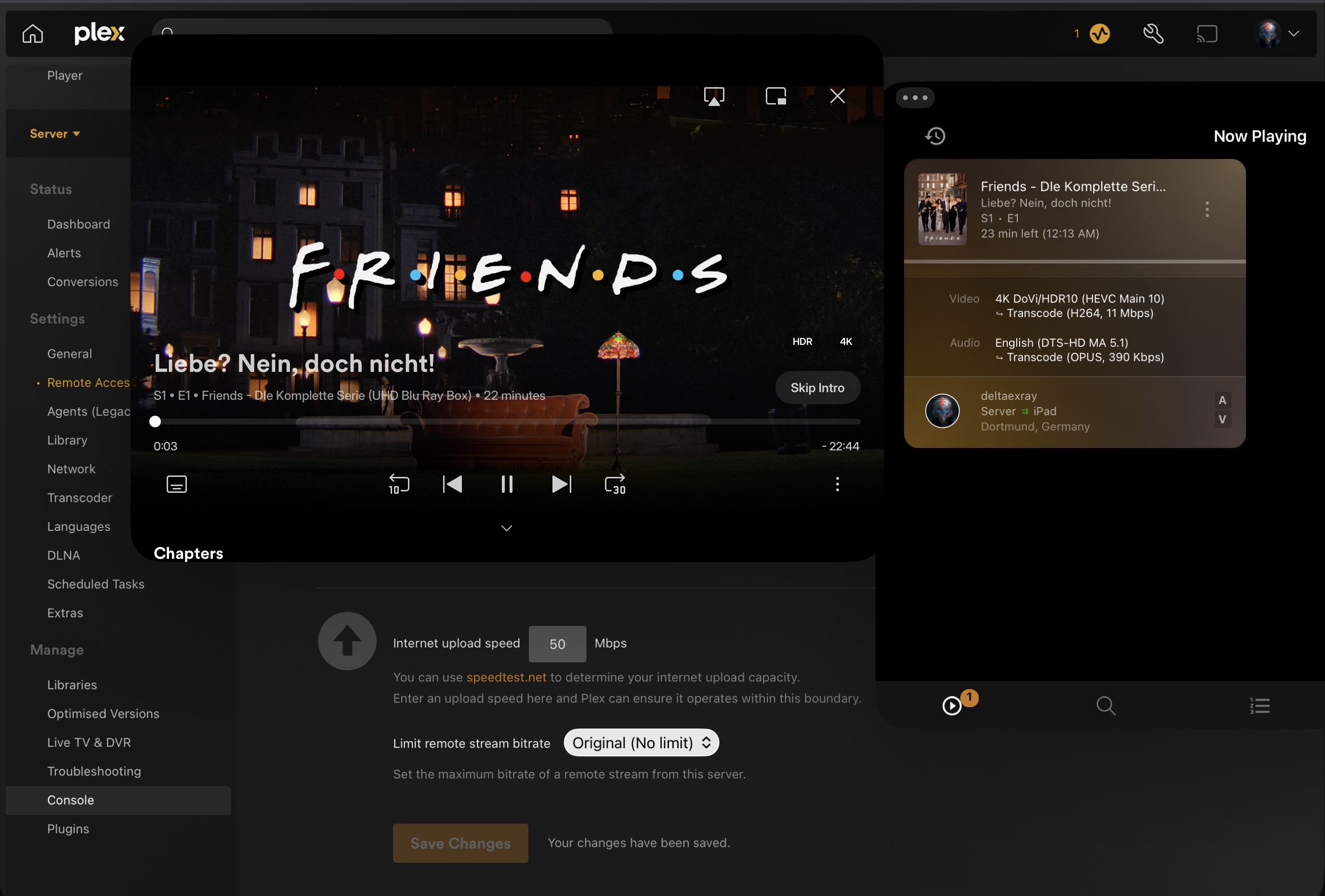
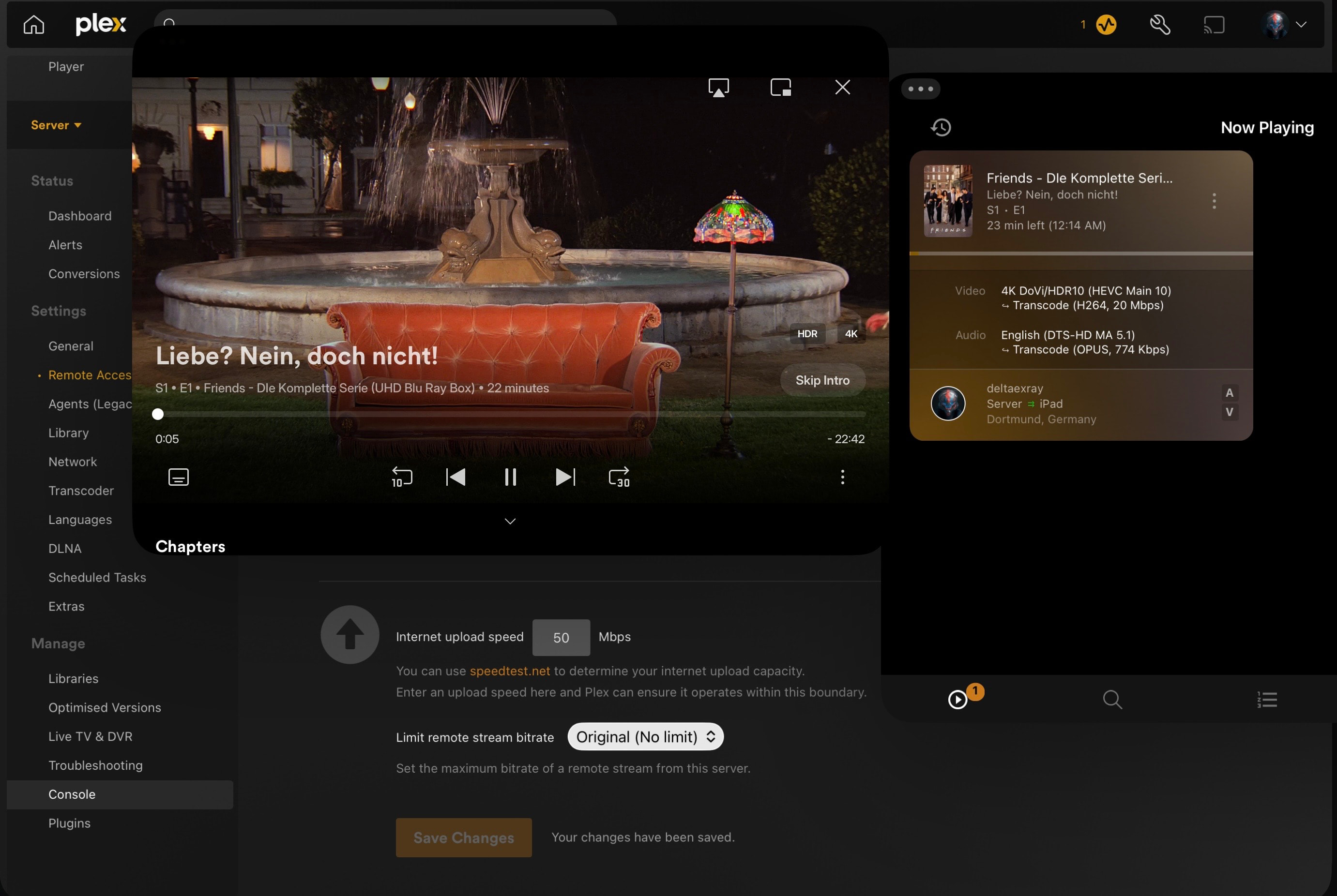
Furthermore I‘ve attached a couple screenshots of the said „issues“, this time from the iPad since it has the same issues as the Apple TV.
Set 1: The first one is a screenshot of the Friends Season 1 Episode 1 as a test, with Plex Dash providing details as well as the set bandwidth settings and upload speeds. That is the „default - how it was since I set it up“ setting.
Set 2: Basically the same settings, this time I turned off Direct Stream. It did not changed the overall problem but it turns out the transcode quality both for audio and video got slightly better. I have no clue why that happens but there you go.
As a Note: I know with 50 Mbit/s Upload Speed, stuttering can occur but that‘s not my problem, Basically I want Plex to spit out the file in it‘s original quality regardless if it‘s a local or remote connection.
I‘ve checked the settings multiple times now, I don‘t really understand why it is starting to transcode at all, when all devices in the chain are capable of every format that‘s needed. When I playback MP4 with AV1 in the Apple TV for example, it needs to transcode - Which makes sense. But with this? After all it‘s only MKV with HEVC and a combined bandwidth of 47,5 which should work without issues to my knowledge.
You’ll probably need to take a look in the server logs to confirm the exact reason why Plex decided to transcode the video.
My guess: An average bitrate of 47.5 Mbps will easily max out much higher (+50-100% are not unheard for max bitrates). With your uplink limited to 50 Mbps bandwidth, Plex goes for the transcode to give you a stutter-free experience.
Yeah, I‘m on the same path with you there. I just checked with a couple of bitrate test clips to see if I can reproduce said issue - Turns out, I can. To the decimal, to be precise. I think Plex is really trying it‘s best here, In a good way, but not my way.
I‘m going to check the logs tomorrow, will report what they are going to show.
From the Internet Upload Speed section: Tip!: The Plex Media Server is smart enough to prevent saturating the bandwidth value specified here. It will only use 80% of this for streams, both to ensure that normal network requests can be completed and because streams have variable bitrates and will naturally go up and down somewhat.
50 * 0.8 = 40 < 47.5.
As @tom80H mentions, 47.5 is the average. The video will burst above that level.
Hello,
Well that makes a lot more sense now, given I have never seen that. Yeah just too close to the sun so to speak, which makes perfect sense. Thank you for pointing that out!
In Fact you’re right, I’m not using Hardware Transcoding since it is mostly not required in my case. In the event that I need to transcode something, I’ve got an EPYC 48 Core Processor, that does the lifting quite well. But I’m looking into a GPU at the moment, to fix this and other use cases as well, so that’s on the list for the next upgrades.