I like using Discover, but I don’t have any services linked because I don’t like cluttering my home page. Why does Apple TV still show? Is it because I use an iPhone/Apple TV? Can this not be turned off? I want to see Trailers and Trending with Friends, but 0 services.
– I posted this a few years ago as well but got no answers and the post is closed, figured I would try again.

So on the “Streaming Service” settings for your account you don’t have AppleTV linked at all but you’re still getting AppleTV service listing?
I’m not sure where that AppleTV 26 options element in the web UI shows up for you - maybe a broader screenshot would provide more context - but that’d be my first thought is that the streaming service has been linked.
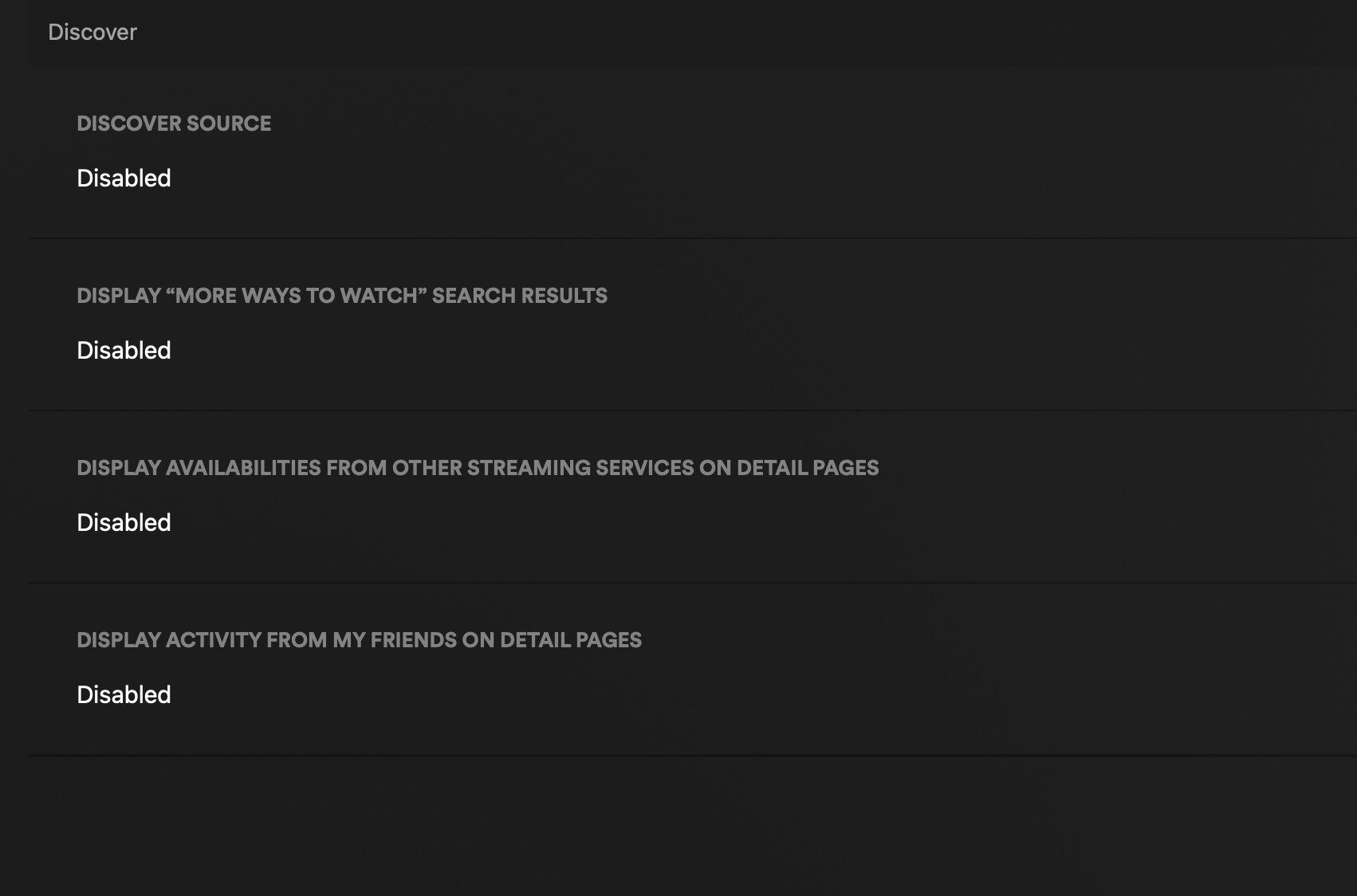
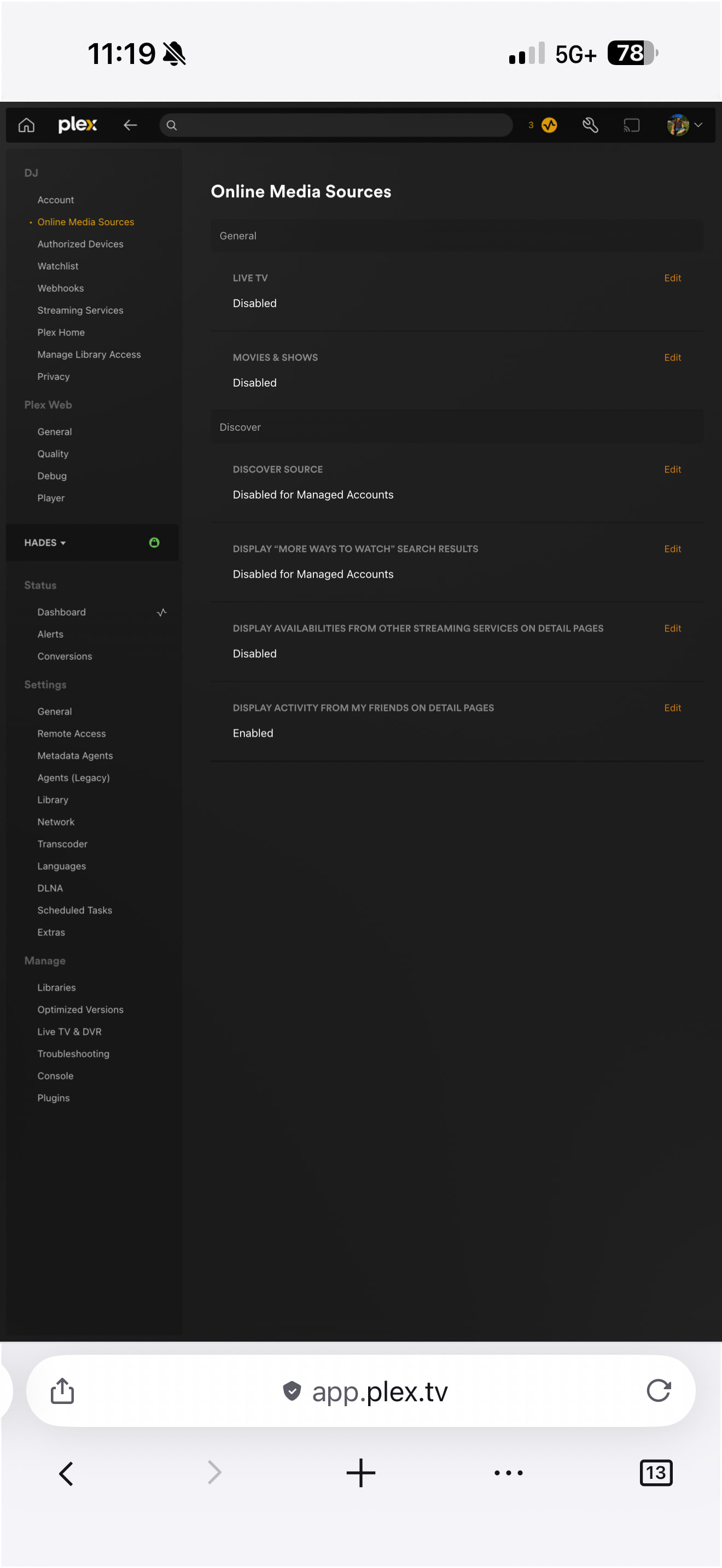
Could it be from one of these first three Discover settings maybe?
I see trailers with those all set to Disabled (and I still can use the Cast Details screen with “known for” row and filmography). You like seeing friends activity so you can probably try and leave the bottom one enabled and disable the others and see if that might work?
Video of my settings and Home Screen here:
“Disabled for Managed Accounts” is still enabled for the admin account so you might try flipping those two top ones to fully “Disabled” and see if that helps clear it up.
But based on your video showing you clearly don’t have AppleTV enabled as a service but your Home Screen is showing an “Available on your services” as part of Discover:
And your earlier shot showing “trending on AppleTV”, I think Discover is definitely where that’s coming from but I’m not sure how Discover knows that AppleTV is an available service for you without you adding it as an Online Service. I’m not really familiar with the Online Services and Discovery features around this because I’ve never enabled them but my best guess is that Discovery may be seeing you’re on an Apple device and picking it up as an option to “help” you without doing anything personalized. Like it’s just a generic “we know this is available here”. If you had Netflix and HBO app installed maybe it’d also show those too? When you scroll that list of Streaming Services in your manage services screen, Amazon and AMC show “# available” as well.
As a test I’d definitely try flipping those Discovery ones to just “Disabled” and see if that removes those unwanted elements and maybe a rep or someone who’s more familiar with it can chime in on how Discovery sees and presents “Trending on AppleTV” without Streaming Services enabled.
Disabling them definetly removes it but it also removes the trailers and trending with friends which is what I want, otherwise I would just disable it as you said.
I agree, it’s probably device dependent except I believe plex told me years ago when I first complained it didn’t do that.
You’d just think that without a service it would be simply ignored like it should be.
That’s too bad it’s kinda all or nothing with that “Discover Source” controlling most of that it seems.
Plex want folks to use Discover as part their new business model and being able to customize it a bit more granularly might get more folks onboard. I’d probably dig a “Trending Trailers” row but not if it comes with all that other stuff too.
The current support article reads more like PR\Marketing than detailed support: https://support.plex.tv/articles/discover/ … but at the bottom does detail a little bit about what each Discover section controls and it does looks like that “Discover Source” is where some granularity might help.