On my Mac I installed a new external HD and copied movies to it.
I deleted the old library…perhaps the wrong step to take…
However, I can’t find a way to access Libraries and set up a new one. None of those commands are available under settings.
How do I re=trigger the Setup Wizard?
The steps in this support article should work for you. If they don’t, post back explaining at exactly which they don’t.
https://support.plex.tv/articles/200288926-creating-libraries/
Yes. That’s the problem.
There is no Plex Media Server on that menu.
It often asks me to Get PMS, but once I download it it doesn’t install. The extension is rbw.
Then it asks me to download a PMS again…and again…and again.
If Plex is still installed, then use this URL to access it:
http://IP-ADDRESS:32400/web/index.html
Where IP-ADDRESS is the IP address of the computer you installed Plex on.
That yields the same result, unfortunately. Thanks, though!
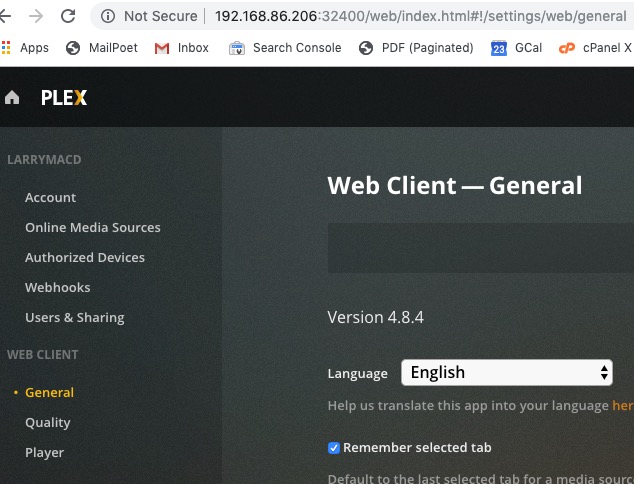
Can you please post a screenshot that includes the URL in the address bar of your web browser?
Try the steps outlined in the support article:
We are having the same exact issue. It is just a loop of us getting the “Get Plex media server” page over and over and over. There is no set up wizard launching or a place to add new libraries.
Did you try any of the steps outline in the support article posted above your post?
Yes. I just tried downloading the server on my laptop and it worked. Both are Macs but it still isnt working on the desktop.
There is a long list of things to try in that article, it sounds like you tried one.
Good to hear that others have the same issue. When I try to run the Plex Media Server zip file it wants to open BBEdit. Is it possible the extension .rbw is causing some issue?
SOLVED! The Archive Utility was not unzipping the package properly.
1 Like
system
March 16, 2020, 7:48pm
16
This topic was automatically closed 90 days after the last reply. New replies are no longer allowed.