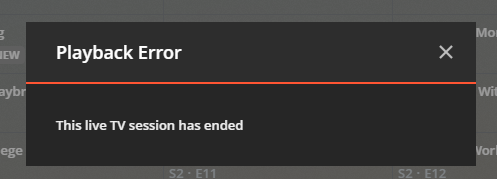
Everything was working very well but I am now getting the “Failed to find consumer…” error too and Live TV playback stops. even rolled back from 1.20 to 1.19 and no dice.
The exact error in the server logs: “Failed to find consumer 211b5a2265d2d3d0-com-plexapp-android for session 88052f4f-e52a-4d3b-ac20-93fefadc23e2”
Thank you for your reply @pl_5309. We do not have Windows client installed here, unfortunately. We only use the Roku and web players, and the Roku player works really well these days without many problems, if any. In fact, all of Plex is really humming and wonderful these days with the exception of this one issue.
For some additional context, this is what my dashboard looks like when the channel is “playing” and this issue is encountered:
Did you modify your Preferences.xml to limit the number of log files or just not include them? I don’t think anyone from Plex will help without a full set of logs.
For Live TV, a browser makes the worst client. If you have tried different browsers, try incognito mode to make sure no extensions are interfering. Browser on what OS? Consider using the full client.
You do have some setup issues but since it is working with the Roku I would just leave it alone. It is unlikely that a future version will overcome this.
I do not have a modified Preferences.xml file and do not even know where that is. I clicked Download Logs as directed after reproducing the issue. Is there another button I should be pressing?
As for browser, I can confirm this occurs on two different machines with two different user accounts, using both Edge Chromium and Chrome, with zero extensions installed. Again some channels work but certain ones do not.
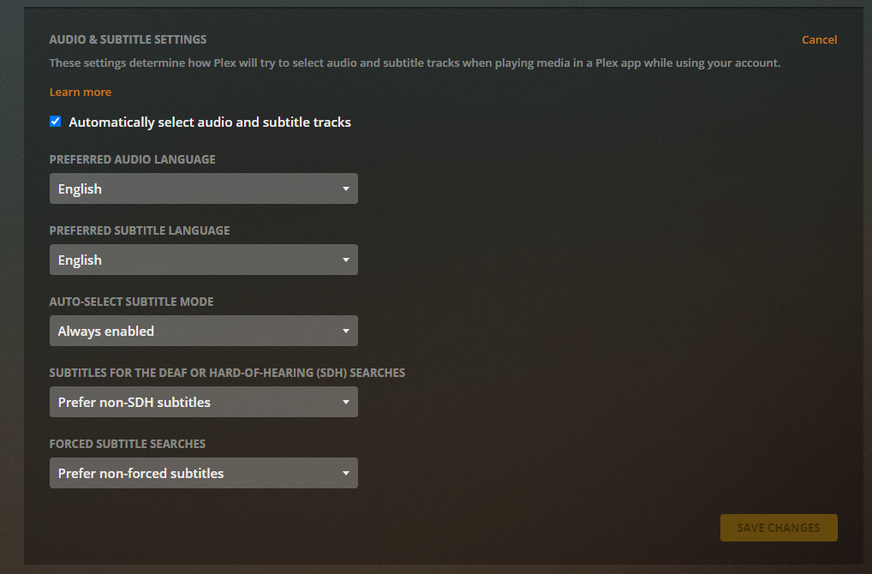
I am aware of Plex Web issues on channels that have multiple audio streams and the plex.tv account setting does not have automatic selection of audio set. That is a possibility - worth checking that it is set to automatic
would need to compare the results for the two Plex Web apps - the bundled one on http://192.168.1.10:32400/web or http://127.0.0.1:32400/web and the hosted one on https://app.plex.tv/desktop to see if there is a difference
The logs provided show a tune for channel 3.1 started at 05:18 am on 10 November and then the session was timed out at 05:21 - i presume the error was displayed soon after 05:18.
To investigate - if it is not the audio stream selection issue - would need to see what Plex Web is getting back to requests in responses as well as the Plex Media Server logs for the period of the test
However, one has the AUTO-SELECT SUBTITLE MODE to Manually selected.
As for http://192.168.1.10:32400/web … did you mean that I should attempt to view the same channels via that IP rather than https://app.plex.tv/desktop ? If so, I have attached a reproduction of that here using the IP address rather than the DNS name:
(File removed)
Please let me know if there is any further information I need to provide to further diagnose this issue and/or if there is something I misunderstood in your request.
Yes - we have two different versions of the Plex Web app. One is bundled within Plex Media Server and is accessible via the server IP address and one is hosted externally and accessible via the app.plex.tv url. The bundled version would normally be behind the one that is hosted
For diagnostics - i would like to capture all the dialogue between Plex Web and Plex Media Server. This can be done using the Browser Dev Console (F12 and then clicking Preserve log and save all as har file. As this would include security tokens - the zipped har file needs to be sent by private message
So for the test - using the hosted web app as that is the latest version with browser dev console enabled and noting down the exact time when the tune was instigated and the channel number and then the exact time when the error is shown and if any streaming actually takes place. Then saving the captured browser dev console logging - right click save all as har file. and providing that with the server logs
Then to repeat the test with same channel using the roku which I understand works fine and providing server logs for that test
OK great @sa2000 thank you so much for taking the time to explain and for providing the necessary steps to help you diagnose and troubleshoot this issue.
I have sent you a message with the requested logs. Please note that I was able to make a working connection on the first attempt and a subsequent second attempt that provided the expected exception. I also provided the requested times to look into there as well. Thanks again for all your help, it is very much appreciated.
Greetings, I got a notification to install Version 1.21.0.3608 on my server which served as a reminder for this thread, and wanted to check in as I did not hear back with regards to the information that I provided. Do you have all the information/data that you need? Is there more that you require? Please do let me know if there are any further resources that I can provide to help diagnose and troubleshoot this issue.
Additionally, we have been noticing that while the Roku works pretty well, during live TV our player tends to eventually stop working, consistently “freezing” at the buffering screen with a value of 33% and eventually timing out with a “could not play” screen.
This occurs after a long duration of successful live tv playback, I would like to say a couple of hours of use. After these few hours, it will start rebuffering and after a few times, it will eventually “freeze” at 33% and timeout with the message. Although not as disruptive as what we’re seeing with the web player, I cannot help but to be curious if this is possibly related.
I wanted to check in on this thread as I have not heard back with regards to the material that I sent. It would be valuable to know that I have sent everything sufficiently required to reproduce the condition on your end, and/or if there is any further information/data that I can provide to help diagnose this issue.
Additionally, I wanted to report that we have encountered the 33% loading lock on a 2nd Roku device for the first time. It’s very rare, but it does seem to occur. This was on our “main” Roku device which also featured the newest Roku player with the new flashy Spinning Circle of Doom™ during said frozen load state.
Sorry for taking long time to come back to you. I am only 1 day a week on plex and with big backlog, lengthy investigations don’t get the time.
Appears to be the transcoder not detected audio stream for the 2nd tune. Don’t know why. Will probably need to do stream capture when the issue arises. I will give some instructions later today