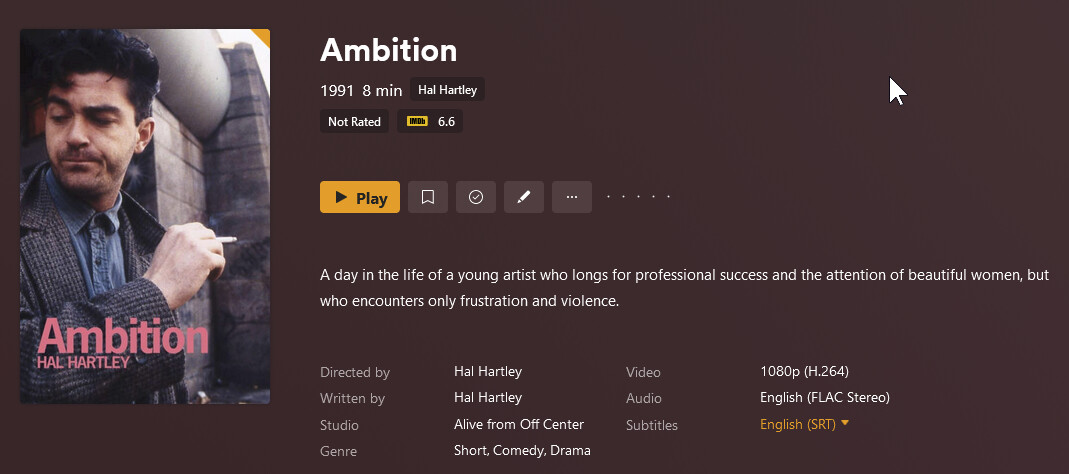
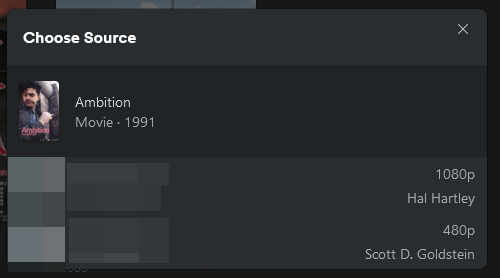
There are two films from 1991 named Ambition, one by Hal Hartley and one by Scott D. Goldstein. I have them in two separate folders:
/Ambition (1991) Scott Goldstein/Ambition (1991) Scott Goldstein.mkv
and /Ambition (1991)/Ambition (1991).mkv
At first Plex matched them as the same film (Scott D. Goldstein), so I did a ‘Split Apart’ and then re-mateched the Hal Hartley one. So now they are matched as two different movies:
@tom80H Tried it, made no difference. Besides, the movies were already correctly split and matched.
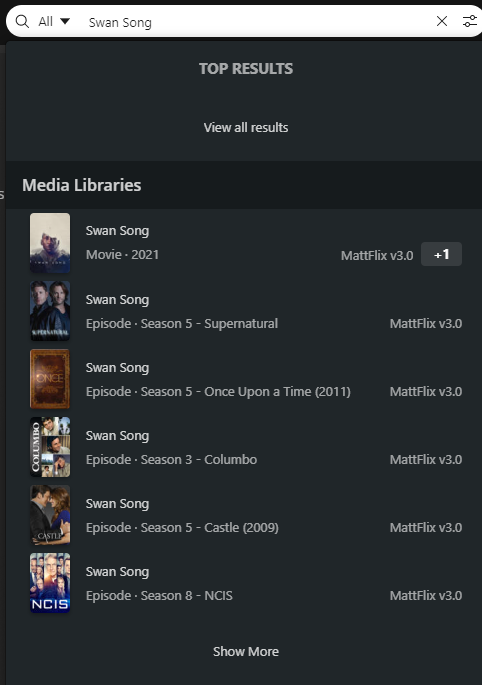
My question was about the search results only showing the +1 thing, instead of two separate items, which makes it seem like it’s two editions of one film to anyone who’s searching.
You are correct. I put the two movies in a test folder with the movie ID and they both get matched properly and show up as two separate movies but only 1 shows up in the search field.
Appears to be a bug or some type or oversight because of having the same title/year for both
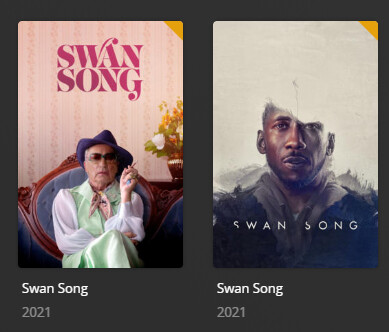
I have 2 movies that came out the same year as well with exact same title and confirmed by making a change that it is the year that is causing the issue. The movie’s I have are named Swan Song (2021) and I changed the year in one of them to 2020 and then went back to the home screen after doing that and tried searching again and both movies showed up in the results drop down. As soon as I put the year back to the correct year and went home (refreshing the page probably would have worked also) only 1 movie showed up. So definitely appears to be a bug with the search if movies have the same title and same year.
Movies as they are normally:
Screenshot with movies having the same year:
Movies after year is changed:
Screenshot after having updated the year of one of the movies:
We have an internal issue already created for this. Thanks for reporting the other titles that fall into this bucket. It’s a very small bucket to be sure but an annoying one.
I have 2 movies that are same name and year . They are actually the same movie only that one is 3D and the other 2D. When one is watched they both get marked as having been played . They have been stored in 2 different libraries hoping that it would solve the problem, it did not. Also when watching one they both will appear in the “Continue Watching” section in the library as well as the home screen. Any solution?
let’s not get all off topic; your particular solution should be to tag those different videos as different editions – that way, Plex should treat them as different entities with independent watch progress…
Did anybody find a solution for this? Or any communication from Plex that it will be fixed? It’s very annoying not being able to handle two movies as separate items just because they share the same name and the year.
This thread is actually about movies with the same name not properly appearing in search results as in only one movie appears.
The OP mentioned in their second post that the splitting apart worked properly.
So in addition to what @tom80H mentioned in the linked post, you can also separate a movie that is already scanned in and combined by clicking on the 3 vertical dots in the bottom right corner of the poster when hovering over it and selecting the split option from the menu.