Server Version#:1.25.5.5492
Player Version#: 4.74.1
I am using Plex Media Server for macOS, the latest since I have PlexPass.
This works fine using Legacy TV Agent but disappears after upgrading to a newer TV agent.
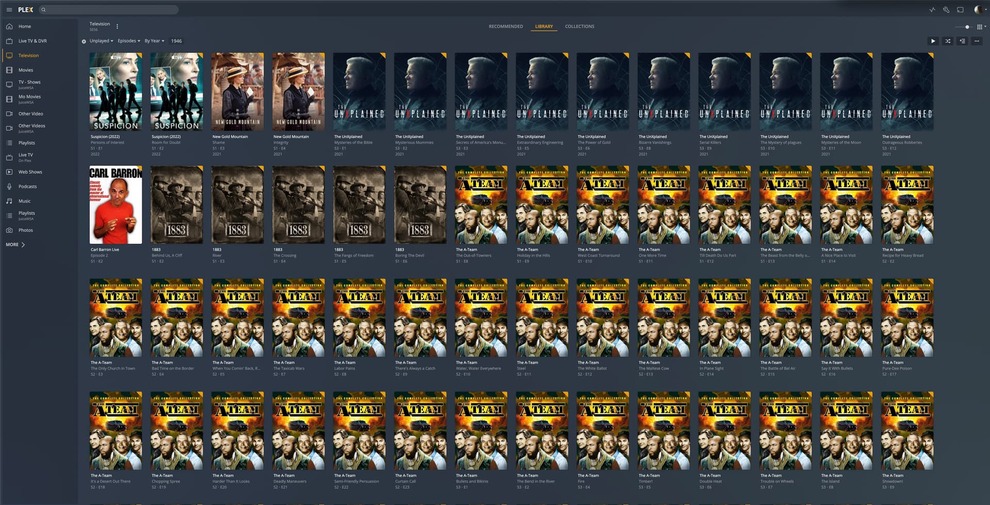
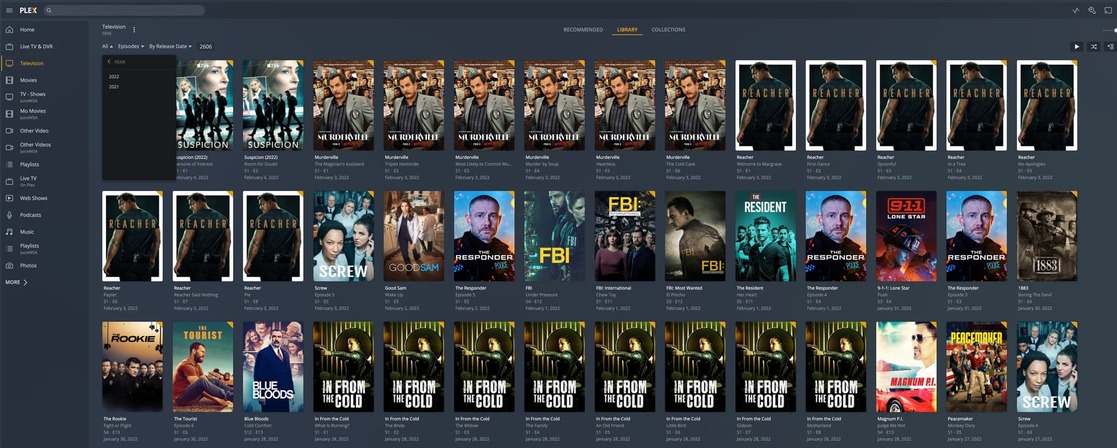
Go to TV Shows then click LIBRARY then adjust the filter to show this;
Unplayed, 2018 Episodes By Release Date (either up or down) I am not able to select a specific year because it is empty after upgrading to a new agent and refreshing all metadata.
list of years will show with no problem if it was set to this;
Unplayed, 2018 TV Shows By Release Date
I miss this filtering unplayed episode by year
Does anybody has the same issue and hope Plex will notice this by now. and fix it I tried it last year when the new Library agent was announced but went back to Legacy but I liked guest casts per episode and quick detection but I dislike TheMovieDB and prefer TheTVDB. I am aware of adding code to watch folder filename to tell Plex to get metadata from specific DB but switching to new agents after many years of building the library and I have to add the code to folder filename one by one… come on. Let me pick which agent in the Agents section on the Settings page. TheMovieDB is great for movies but for TV shows nope! They are not accurate and behind in filing out necessary info… not heavy crowdsourcing like TheTVDB has.
Anyway, Plex, can you fix the year issue in TV show Library filtering?
if you migrated from legacy to current agent, some years may show till you refresh all metadata. I have tv shows that go from the 60s to 2020s. I rely on this filter because I am a few years behind in watching TV shows that’s why I am currently watching those aired in 2018 and once 2018 is done, I move to 2019 then on. That way it is easier scrolling all the way down to the 2018 episode without year.
Thank you for seeing what I mean and glad a bug report is being made. I look forward to next update with this bug fix.
I see that you selected “By Year” while I selected “By Release Date” under “ALL” I select unplayed and attempt to select year in that same menu, list of years is empty. That is the issue I have.
Well, can’t do that on AppleTV. There’s no advanced filter in the app for AppleTV. I watch mainly on AppleTV and sometimes on iOS/iPadOS rarely on the web player. I use the browser for management purposes not viewing.
Well, can’t do that on AppleTV. There’s no advanced filter in the app for AppleTV. I watch mainly on AppleTV and sometimes on iOS/iPadOS rarely on the web player. I use the browser for management purposes not viewing.
It is now May… after a few updates no fix for this. I am disappointed that I can’t filter by year the way I want on AppleTV Plex app
Have you tried using smart collections which use advanced filters on your server like drzoidberg33 suggests.
I’m guessing you want quick access to the recent year or a particular period. I use Smart Collections for Recent Movies, Genre and popular Actors. Ranking those via the Library Sort Title with Letter and Numerals to appear at the top of a Library.