TV Shows missing TheTVDB in Windows and Linux

for your 11 movies, try renaming them with TVDB hints. Like so

‘11-11-11 (2011) {tvdb-13433}.mp4’
‘11 11 11 (2011) {tvdb-29103}.mp4’

I made these test files and Plex identified them separately. I did have to manually select a different poster for 11/11/11

1 Like

Now that tinyMM is done scanning my TV Shows, I’m discovering too many mismatches between tinyMM and PMS.

Just two examples:

  1. tinyMM says I have 366 TV Shows while PMS only recognizes 364.
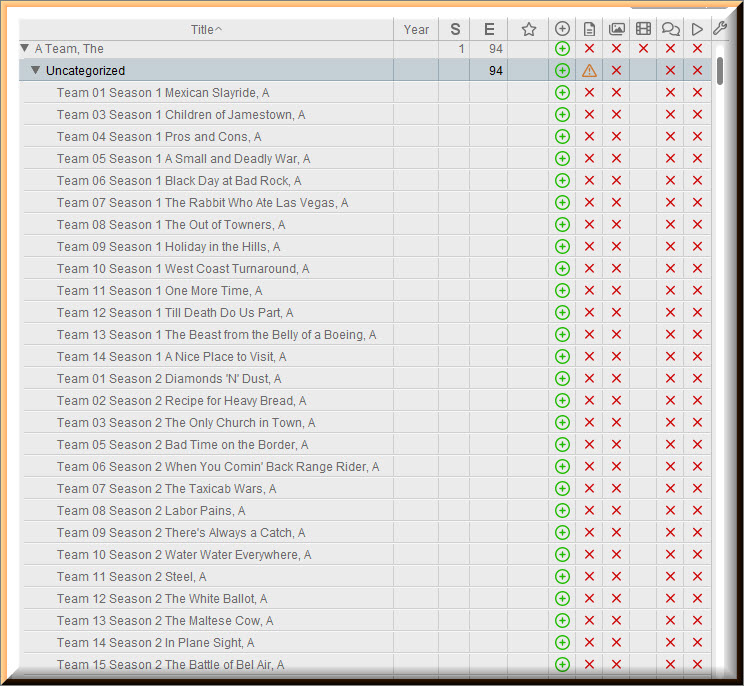
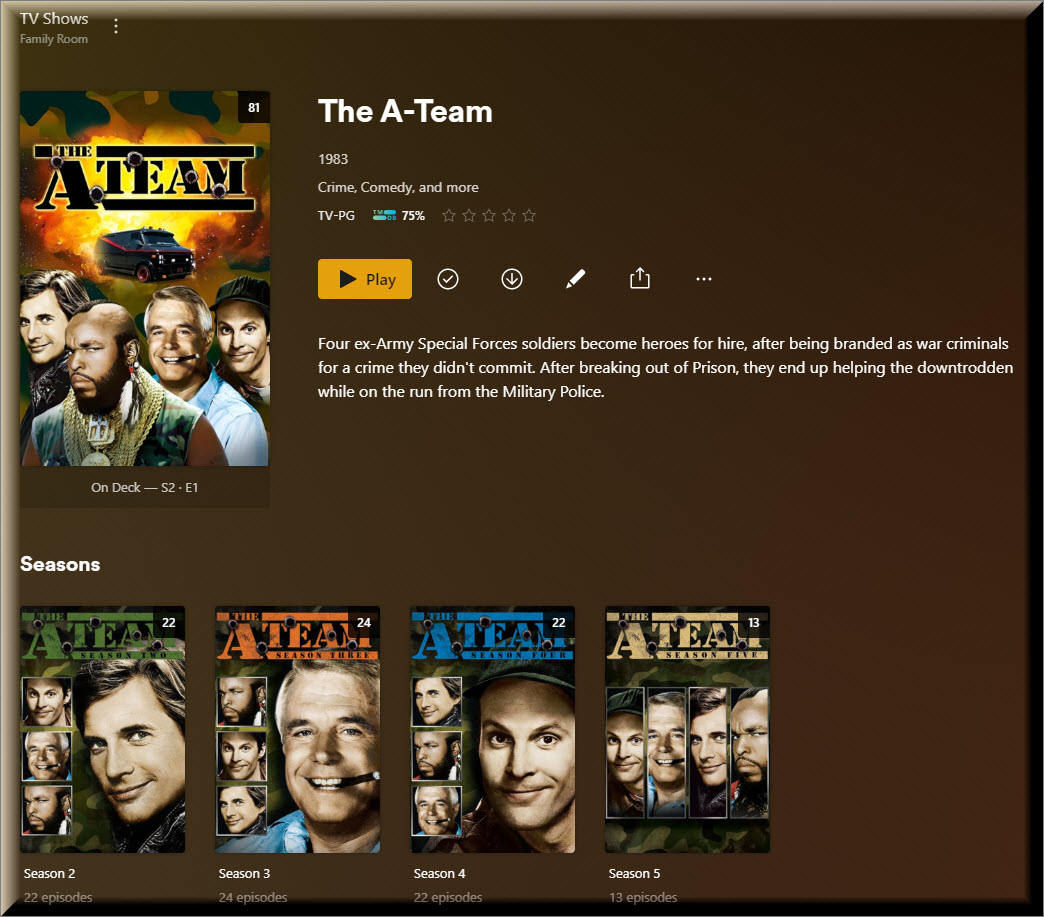
  2. tinyMM says The A Team has 1 Seasons 94 Episodes while PMS recognizes 5 Seasons 94 Episodes.

Those are not the only discrepancies that I can see just at first glance.

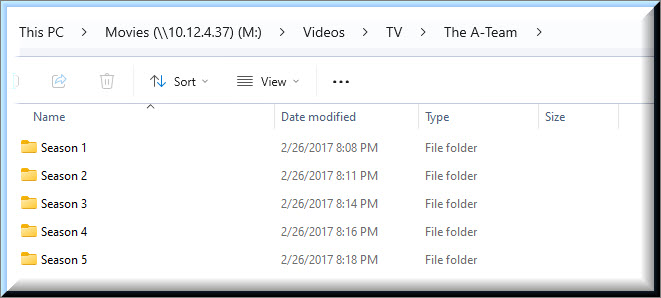
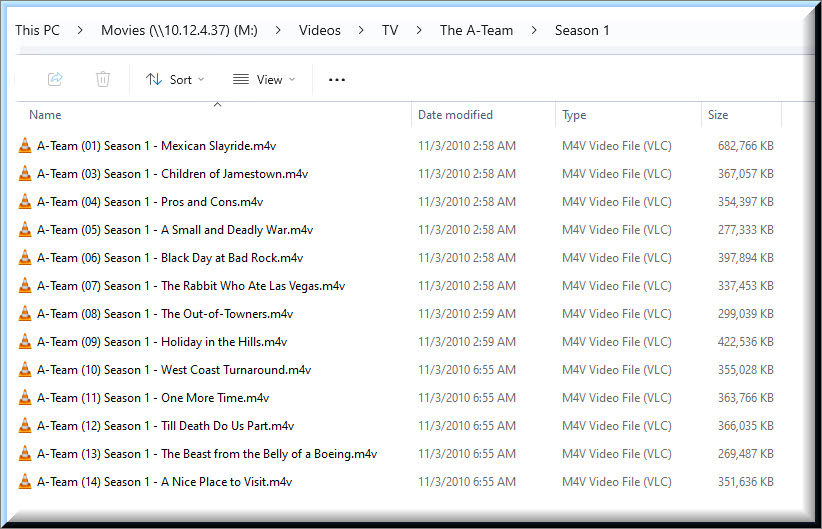
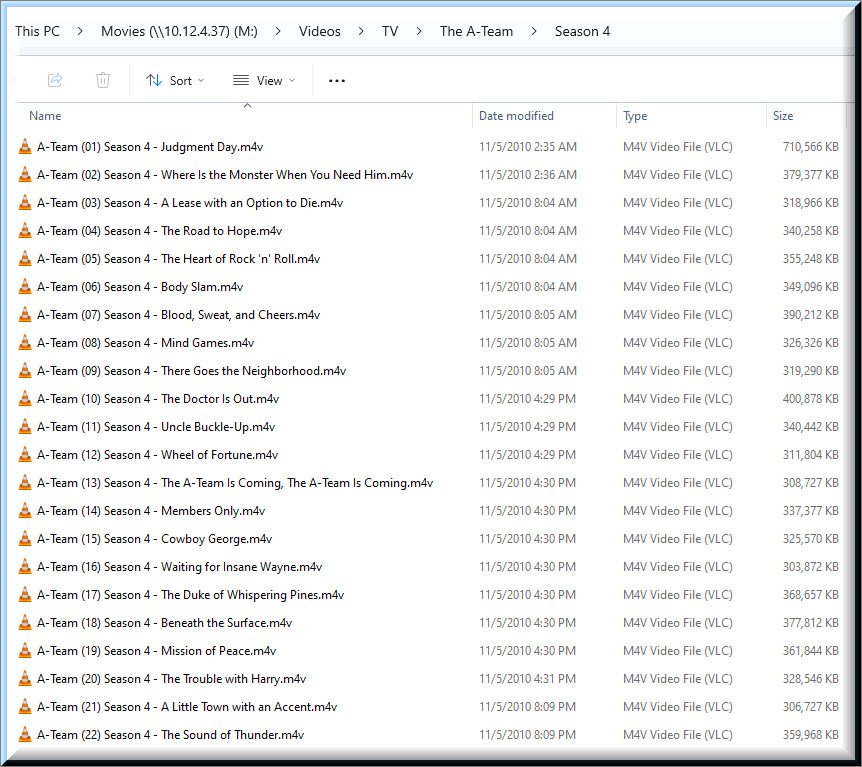
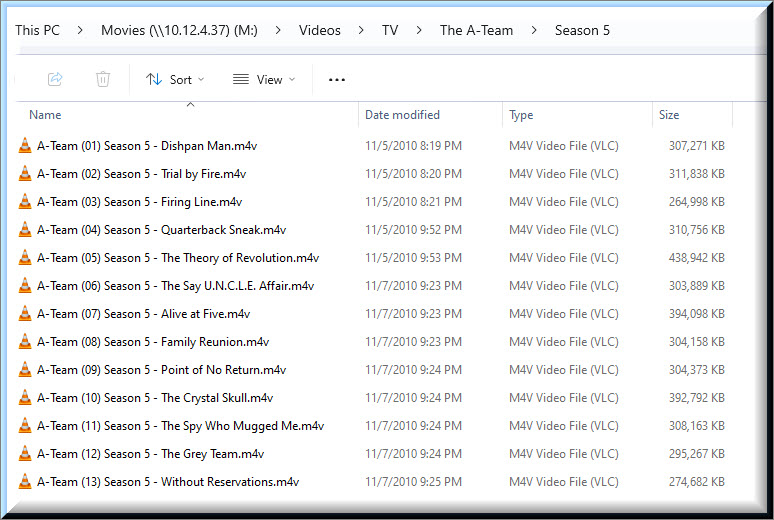
Can you show the actual filesystem hierarchy for 'The A Team?" Showing all sub-folders and files, for season 1? Because it looks like you have it in a top-level directory named ‘A Team, The.’

I tried drilling down into The A Team to see if I could understand what is happening but I’m just too new to tinyMM to even begin to understand.

PMS - The A Team

tinyMM - The A Team

Filesystem - The A Team

Filesystem - The A Team

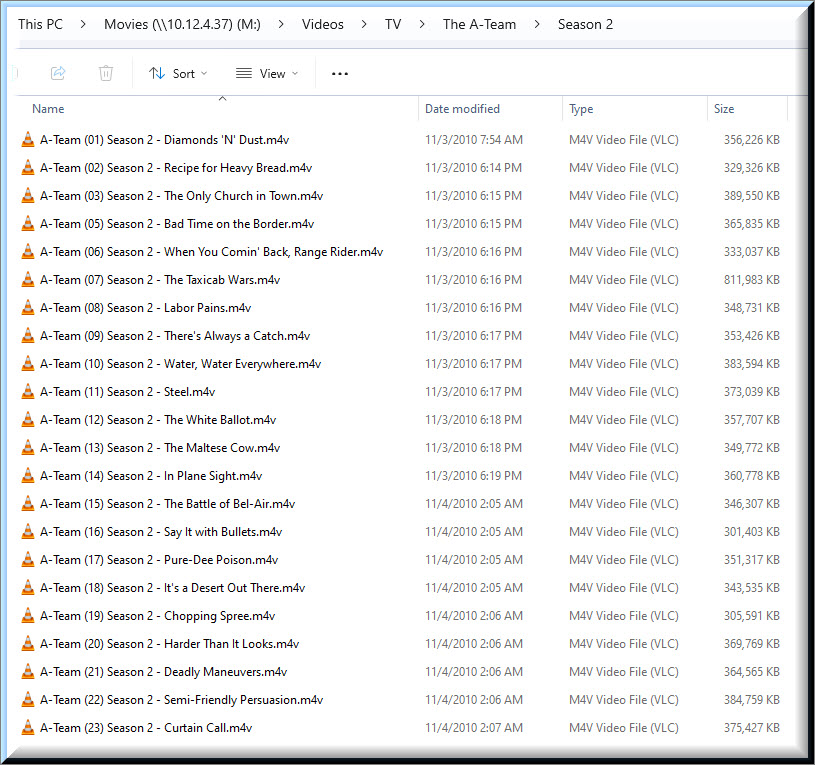
Filesystem - The A Team

Filesystem - The A Team

Filesystem - The A Team

Filesystem - The A Team

Under “Rename & Cleanup” you can choose the Dry Run option to see how TMM will rename things before actually changing the file names.

With respect to The A-Team, the parentheses around the episode number are throwing off TMM.

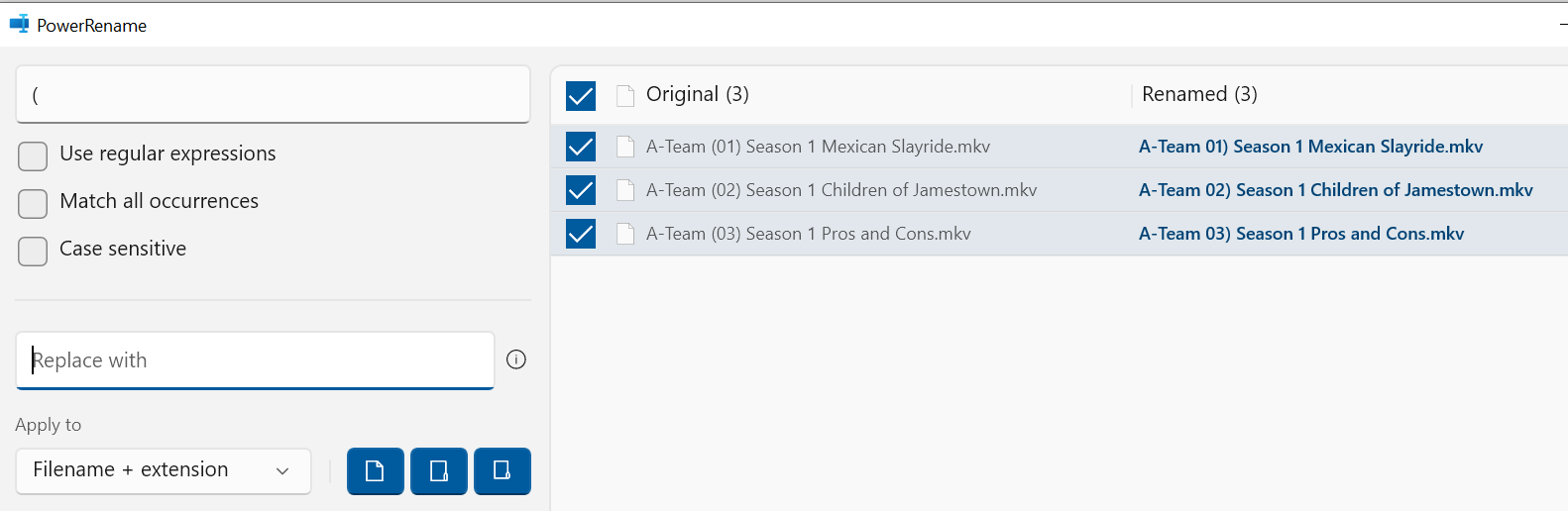
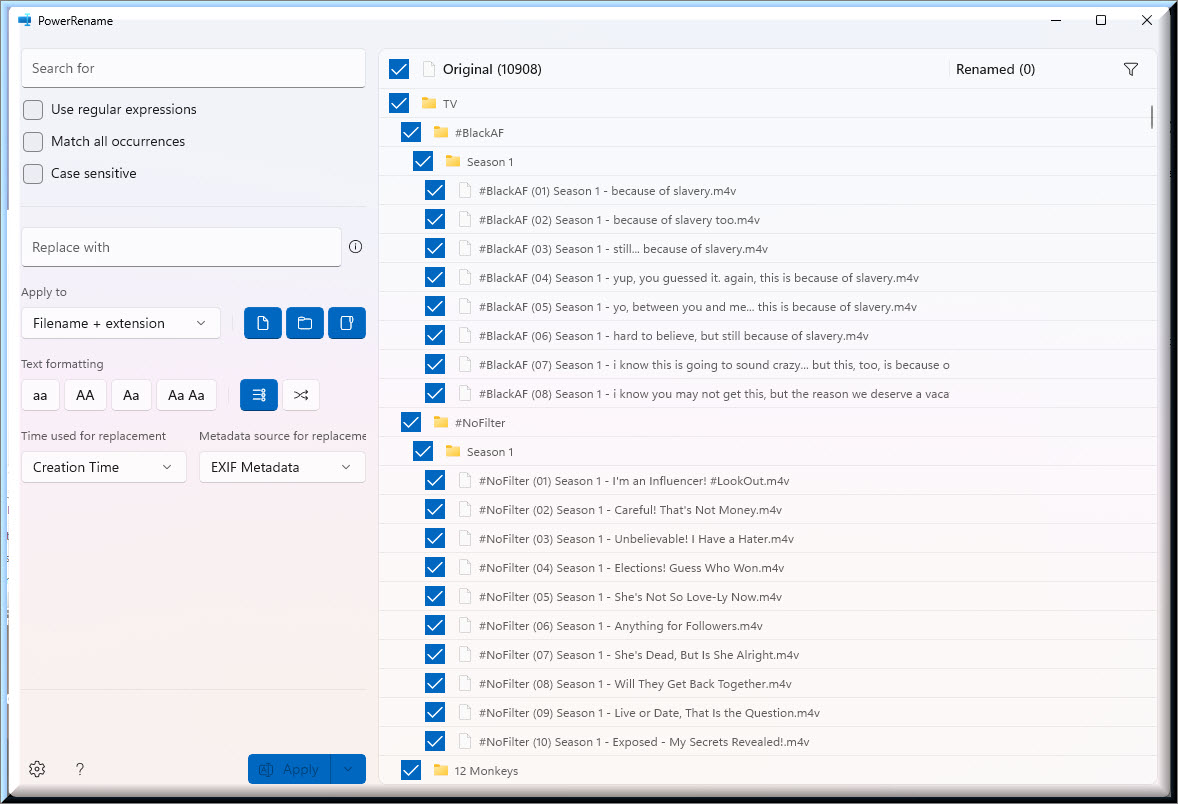
You can use Power Renamer from Microsoft Power Toys to remove the parentheses from sll the files. GitHub - microsoft/PowerToys: Microsoft PowerToys is a collection of utilities that help you customize Windows and streamline everyday tasks

Then, (a) under Update Sources, update The A-Team; (b) Search & Scrape; and (c) under Rename & Cleanup choose Dry Run.


Dry Run - With Parentheses

Dry Run - No Parentheses

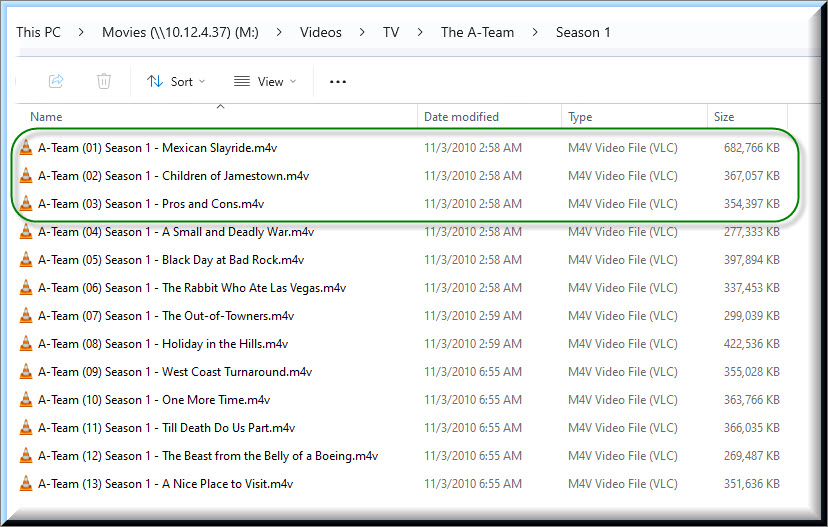
When I looked closer at my filesystem for The A Team, I noticed that I skipped Episode 2 in Season 1.

When I checked The A Team on IMDB, I noticed that all my episode names were matching had I not skipped episode 2.

It seems to have also confused PMS

Remove the parenthesis from the file names and re-run TMM.

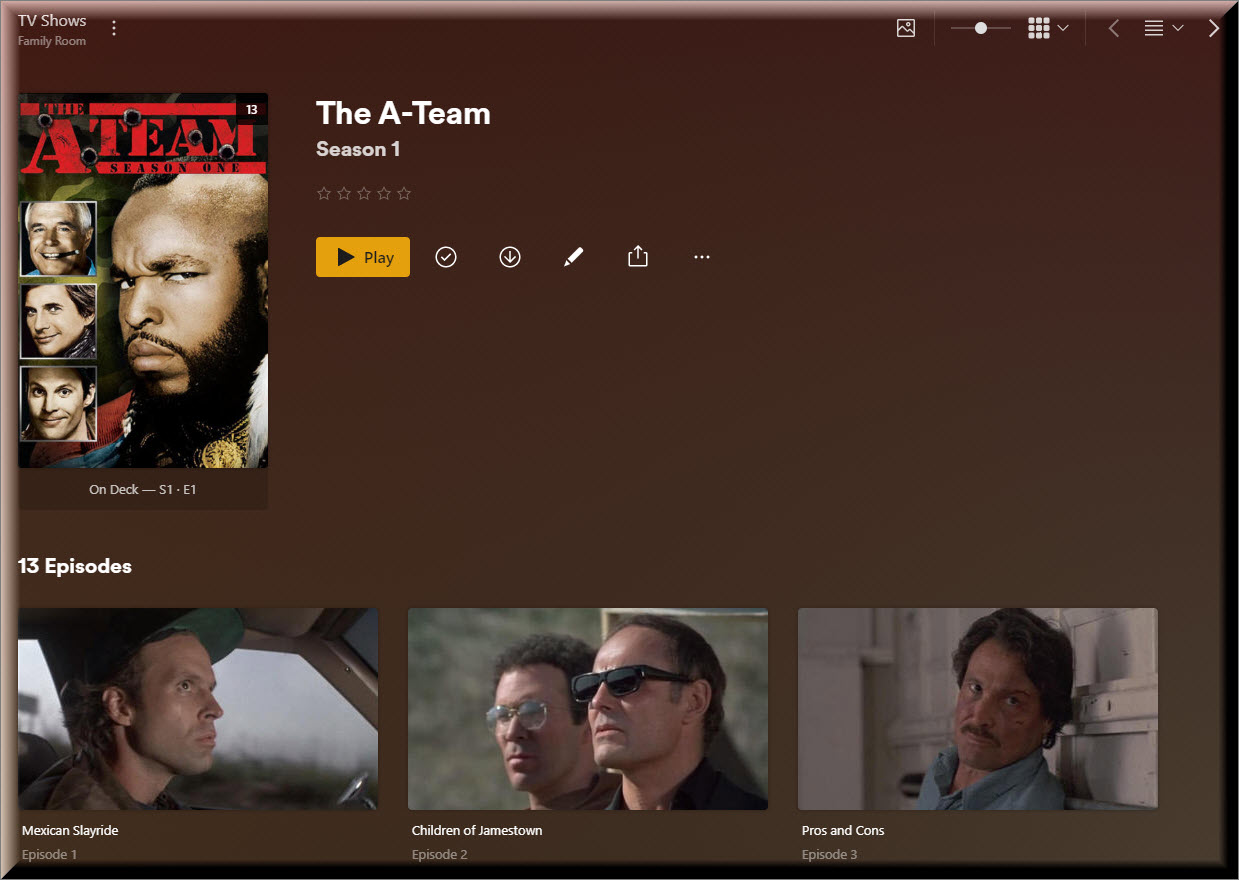
A-Team 01 will be renamed The A-Team (1983) s01e01 Mexican Slayride.
A-Team 03 will be renamed The A-Team (1983) s01e03 Pros and Cons.

If the numbers are wrong (ex: 03 is not really Pros and Cons) then you’ll have to fix that first.

Here’s how to use Power Renamer to remove the parentheses (see earlier post for download link):

Remove the left parentheses (replace it with nothing):

Remove the right parentheses

After fixing the skipped episode, PMS dropped Season 1.

PMS after fix.

Once I did the PMS Agent Dance, Season 1 returned and the episode names in PMS became correct.

i think he’s got a few episodes that are merged into one. He says he has 94 episodes, According to the one episode listing I looked at, it said there were 98. Looks like there are 4 “episodes” that are a part1 & a part2 and merged into a single longer episode. At least that’s my guess. That’s the case with Season 1. S01E01 shows as Mexican Slayride p1, S01E02 is Mexican Slayride p2.

Would I be better off just using PowerRename?

It looks like I will have a steep learning curve with this tool, but it may be faster than me having to try to correct every anomaly that I’m going to encounter with tinyMM.

That’s a good observation. It’s been over a decade since I put this TV series on Plex but based on the size of the file, I’m assuming that you are correct. Therefore, my skipping episode 2 was probably deliberate and not a mistake. However, the IMDB doesn’t seem to support a Part 1 & Part 2.

If you look at the IMDB entry for their S01E01, it does show it as 2hrs. Perhaps that is how it originally aired. I am guess it must have. TVDB & TMDB are showing it as one episode. TMDB says 1hr, 35 min. TVDB says 45 min, but I’d say they might be confused or have some other reason for showing that runtime.

This is specific to “The A-Team.”

In PowerShell, navigate to each season folder (in PowerShell), and run the following:

Get-ChildItem -File | ForEach-Object {
    if ($_.Name -match '^(.*) \((\d+)\) Season (\d+) - (.*)\.(.*)$') {
        $newName = "The {0} - S{2}E{1:D2} - {3}.{4}" -f `
            $matches[1], $matches[2], $matches[3], $matches[4], $matches[5]
        Rename-Item $_ -NewName $newName
    }
}

Obviously (hopefully), back up each directory before running this.

You can perform a dry-run beforehand with this, if you’d like:

Get-ChildItem -File | ForEach-Object {
    if ($_.Name -match '^(.*) \((\d+)\) Season (\d+) - (.*)\.(.*)$') {
        $newName = "The {0} - S{2}E{1:D2} - {3}.{4}" -f `
            $matches[1], $matches[2], $matches[3], $matches[4], $matches[5]
        "$($_.Name)  ->  $newName"
    }
}

Just to make sure the output looks reasonable.

This will turn your, umm, creative filenames into what Plex expects.

As I look deeper, I’m noticing that I also skipped an episode in Season 2. I skipped episode 4.

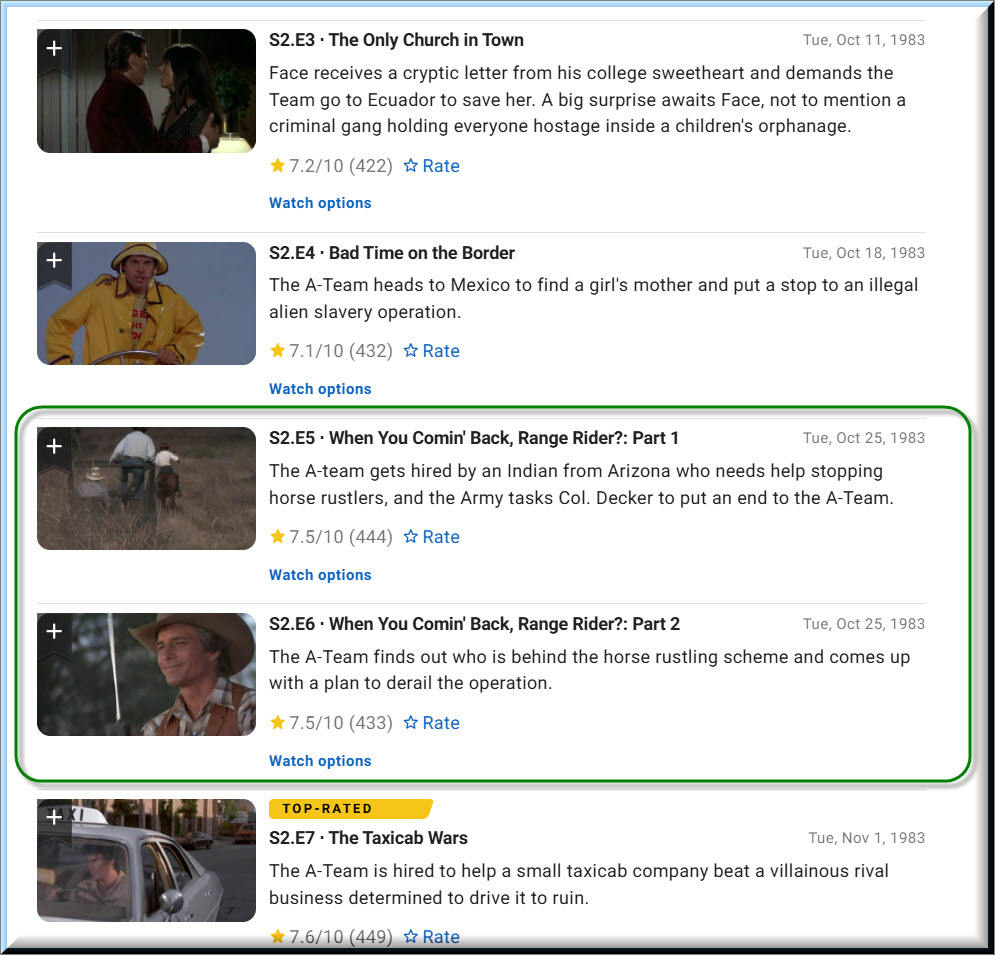
My theory in Season 1 doesn’t line up in Season 2 because the only file that is larger is episode 7. When I check IMDB the part1 & Part 2 is episodes 5 & 6.

Those are also the same episodes that PMS is naming with part 1 & part 2.

The more I look, the more problems I’m finding (and that’s just A Team).

Yeah, these 2 parter episodes are pain in the butt. I’ ran into them with Hawaii 5-0, Star Trek TNG, Voyager, Enterprise, DS9. What’s frustrating is the matching is often not consistent, so you do have to keep an eye on it.

Pick either TVDB or tmdb as your ordering source, and stick to it. IMDB isnt supported by Plex. But yes your naming is really bad. I have written a couple of tools for fixing libraries as bad as yours but they rely on EOL python 2.

Today is my first time ever logging into TMDB.
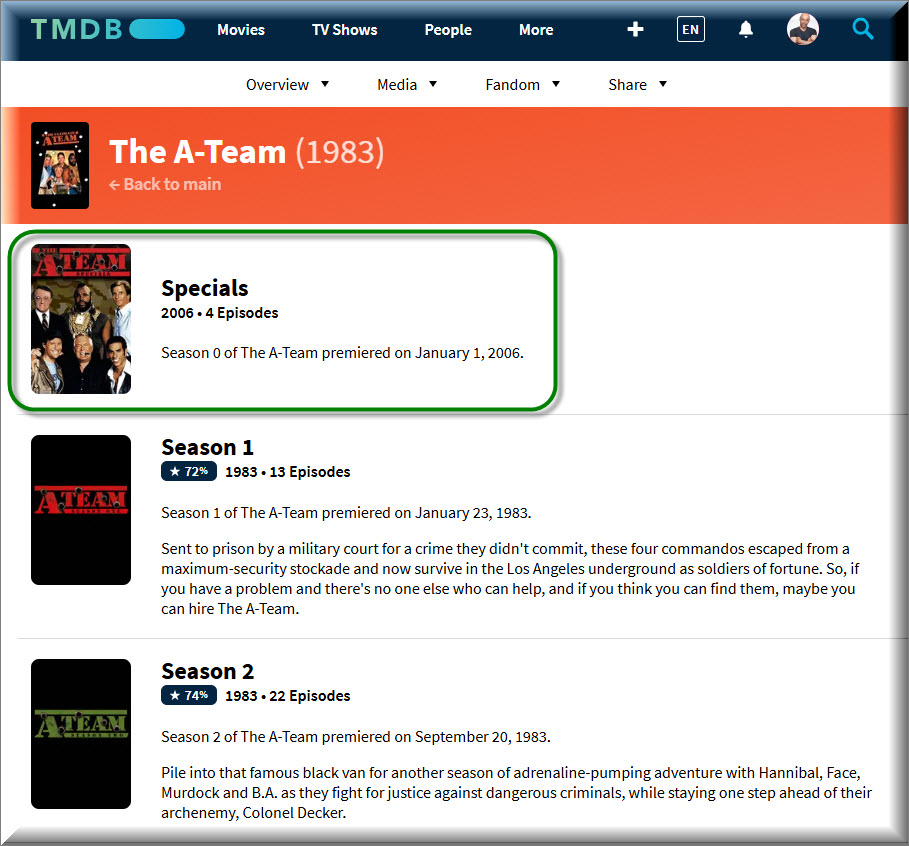
I think I see where the additional 4 episodes are coming from that you are seeing. There are 4 episodes under Special. I’ve never included any special content on my Plex server.

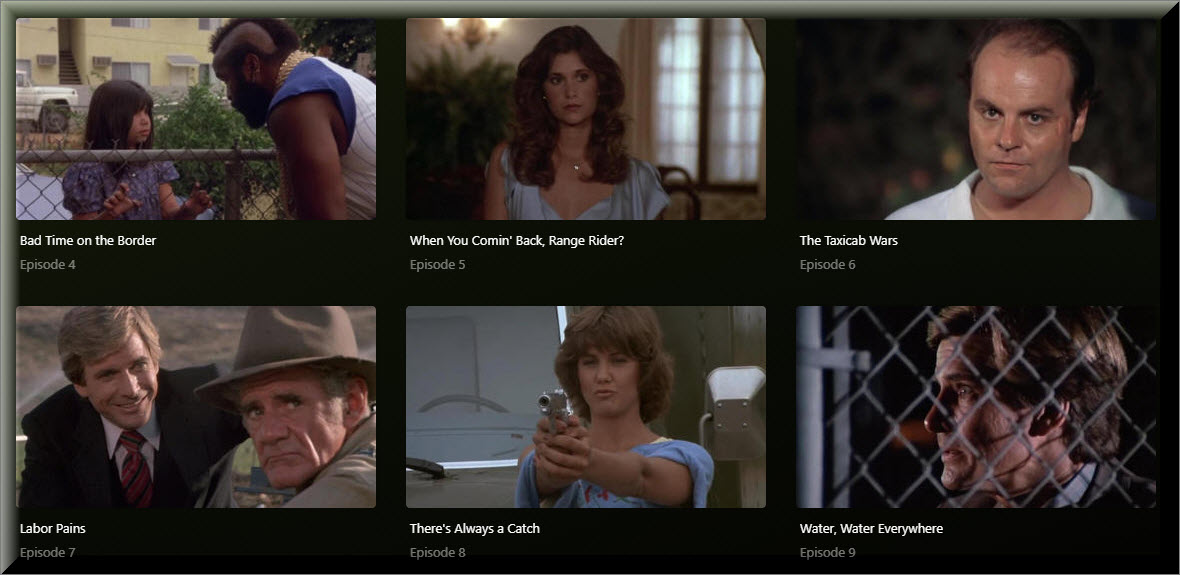
Something else that I noticed is TMDB doesn’t have a part 1 & part 2 for Episode 5.

But IMDB does.

Actually, I was looking at this site.

Can you clarify your comment for me? You said, “IMDB isn’t supported by Plex.”.

I’m confused by that comment because when I select TheTVDB, …

… the naming of my episodes aligns with what I see on IMDB.

However, if I select The Movie Database, …

… the naming of my episodes aligns with what I see on TMDB.