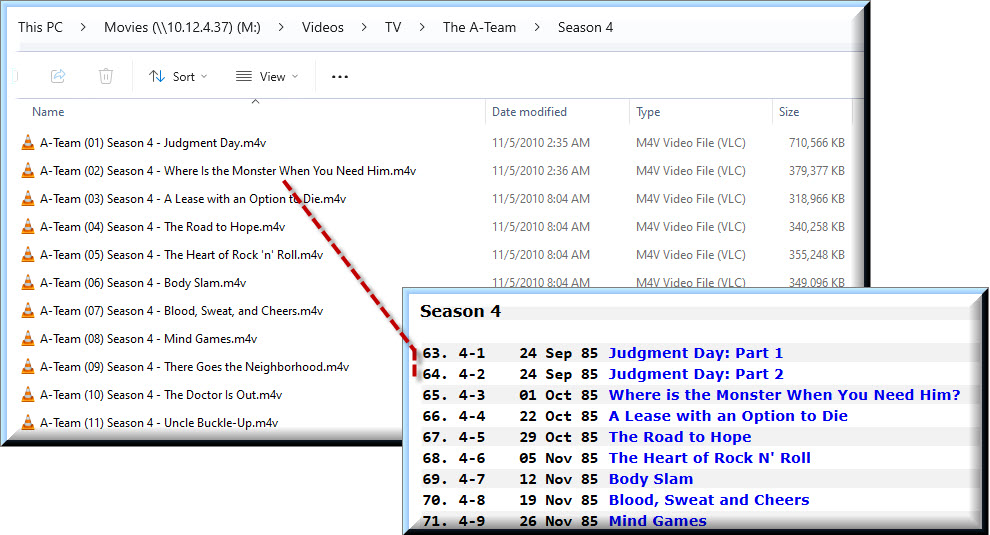
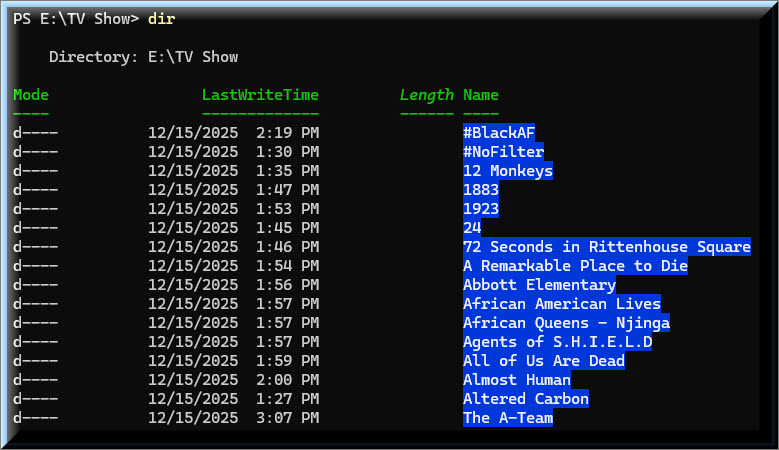
This is Brutal!!!
Based on that website, it explains why I skipped episode 3 in season 3.

However, it does not explain why I didn’t skip episode 2 in season 4.
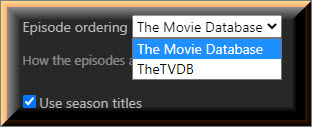
Plex supports 2 sites for episode ordering the movie DB and the TVDB. IMDB isnt supported for TV shows. Sometimes all three sources have the same order, sometimes 1 is different, sometimes 2 are different, and sometimes all 3 sources are different. I dont have good examples at hand, but the differences can be frequent.
I would pick either the TVDB or the moviedb as your guide (I use TVDB myself) and match my files to that order.
Thank you for the clarification. Until you mentioned it, I never paid any attention to that setting. Once you brought it to my attention, I have started using The Movie Database only because that setting matches the names of my A-Team episodes.
Since I’ve made the switch to The Movie Database, I’ve noticed that the setting will switch back to TheTVDB so when I notice a change in my Season icons, I check that setting. It appears that TheTVDB is the default, and the setting will switch back to default, on its own, in certain situations.
To give you an example:
This is how A-Team appears with TheTVDB.
This is how A-Team appears with The Movie Database.
I stated very specifically that the script was just for The A-Team. I added “The” because you left it out.
So, yes, leave out “The” for other shows..
If you’re interested, here’s a Python version:
import os
import re

pattern = re.compile(r'^(.*) \((\d+)\) Season (\d+) - (.*)\.(.+)$')

for filename in os.listdir('.'):
    match = pattern.match(filename)
    if not match:
        continue

    name, episode, season, description, ext = match.groups()

    new_name = f"{name} - S{season.zfill(2)}E{episode.zfill(2)} - {description}.{ext}"

    # Dry run
    print(f"{filename}  ->  {new_name}")

    # Uncomment to actually rename
    # os.rename(filename, new_name)
You can run it as-is to see what the output will be. If it looks good, you can uncomment the os.rename(filename, new_name) line to actually implement the changes.
No. Only the top-level show folder needs to include it (and, optionally, the metadata provider ID), if necessary. Technically, the only thing that is needed in the file name is the season and episode information (S01E01), and the extension, of course. So, it would be perfectly reasonable to just have the following hierarchy:
test_tv  <--- Library points here...
└── The A-Team (1983)
    └── Season 01
        └── S01E01.m4v
All the other bits in the filename are not used by the Plex series scanner/agent.
Sure, dry-run:
Get-ChildItem -File -Recurse | ForEach-Object {
    if ($_.Name -match '^(.*) \((\d+)\) Season (\d+) - (.*)\.(.*)$') {
        $newName = "{0} - S{1:D2}E{2:D2} - {3}.{4}" -f `
            $matches[1], $matches[3], $matches[2], $matches[4], $matches[5]
        "$($_.FullName)  ->  $newName"
    }
}
To make the changes:
Get-ChildItem -File -Recurse | ForEach-Object {
    if ($_.Name -match '^(.*) \((\d+)\) Season (\d+) - (.*)\.(.*)$') {
        $newName = "{0} - S{1:D2}E{2:D2} - {3}.{4}" -f `
            $matches[1], $matches[3], $matches[2], $matches[4], $matches[5]
        Rename-Item $_ -NewName $newName
    }
}
Make sure to run this from the show’s folder.
Did I use the wrong PS script because my filenames had S1E01 instead of S01E01?
Sorry.
Dry-run:
Get-ChildItem -File -Recurse | ForEach-Object {
    if ($_.Name -match '^(.*) \((\d+)\) Season (\d+) - (.*)\.(.*)$') {
        $season  = [int]$matches[3]
        $episode = [int]$matches[2]

        $newName = "{0} - S{1:D2}E{2:D2} - {3}.{4}" -f `
            $matches[1], $season, $episode, $matches[4], $matches[5]

        "$($_.FullName)  ->  $newName"
    }
}
Commit:
Get-ChildItem -File -Recurse | ForEach-Object {
    if ($_.Name -match '^(.*) \((\d+)\) Season (\d+) - (.*)\.(.*)$') {
        $season  = [int]$matches[3]
        $episode = [int]$matches[2]

        $newName = "{0} - S{1:D2}E{2:D2} - {3}.{4}" -f `
            $matches[1], $season, $episode, $matches[4], $matches[5]

        Rename-Item $_ -NewName $newName
    }
}
How are the source files named for each?
Both results are expected. The regex’s are designed to match specific patterns.
What is tinyMM supposed to do for me?
I copied a few of my TV Shows to a Test Folder.
I then utilized @pshanew recursive PS script to rename all the files in that Test Folder.
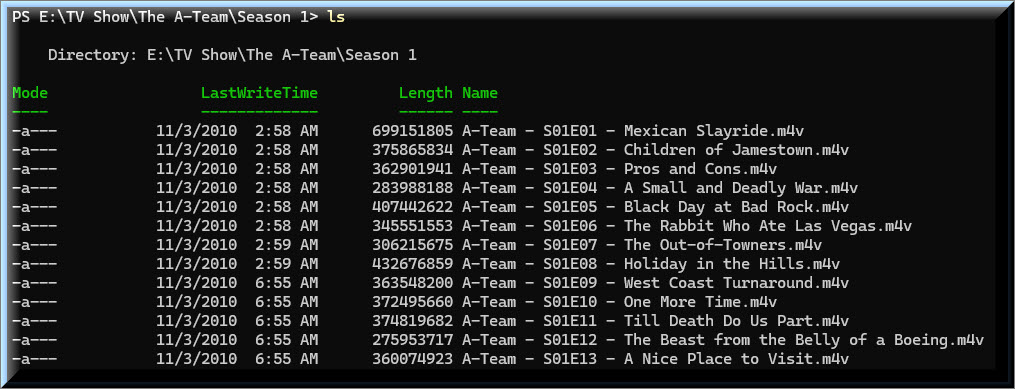
I confirmed the filenames in the The A-Team folder.
I then pointed tinyMM to the Test Folder.
But I still don’t understand what value tinyMM is supposed to offer.
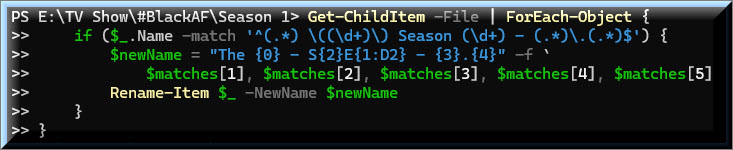
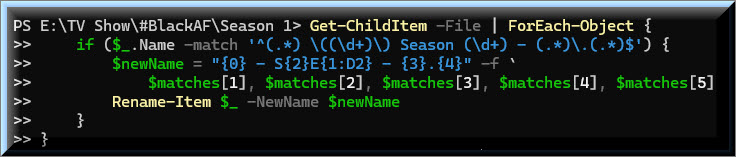
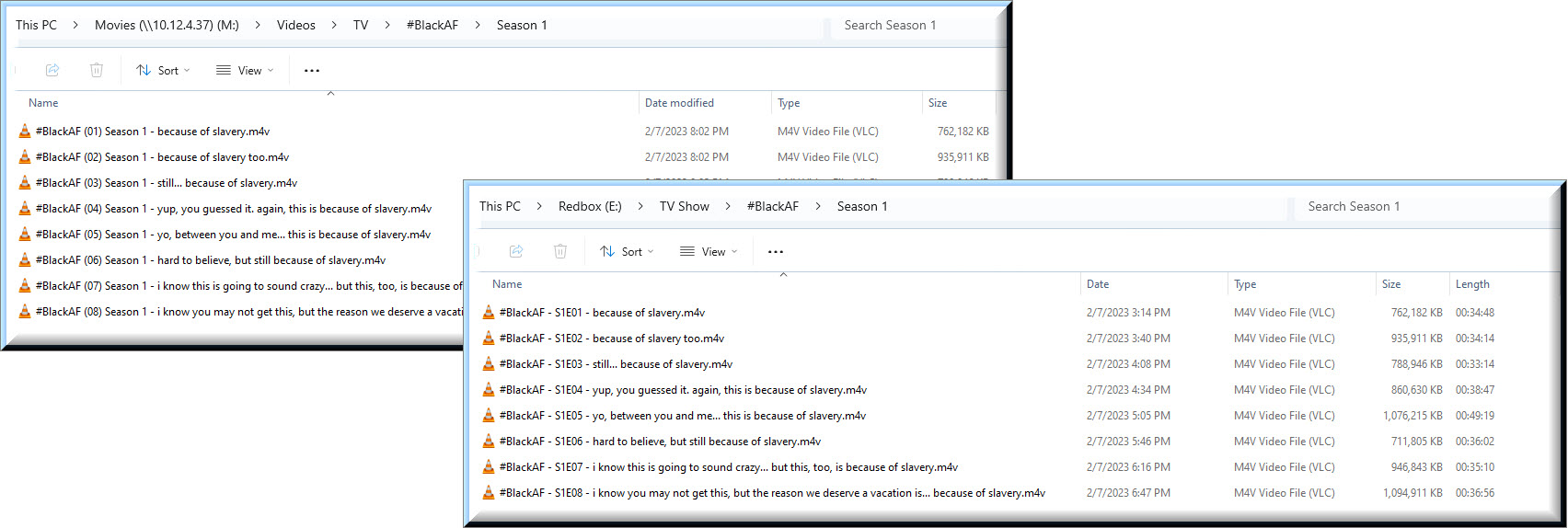
I’m not sure what you are asking for. I included a screenshot of the folder before and after running the PS script.
If you’re using @pshanew’s scripts, then you do not need TMM.