I’ve previously used Plex servers for a few years on different Windows desktops over the years, but just recently have been trying to setup a new server on a new Windows 11 build.
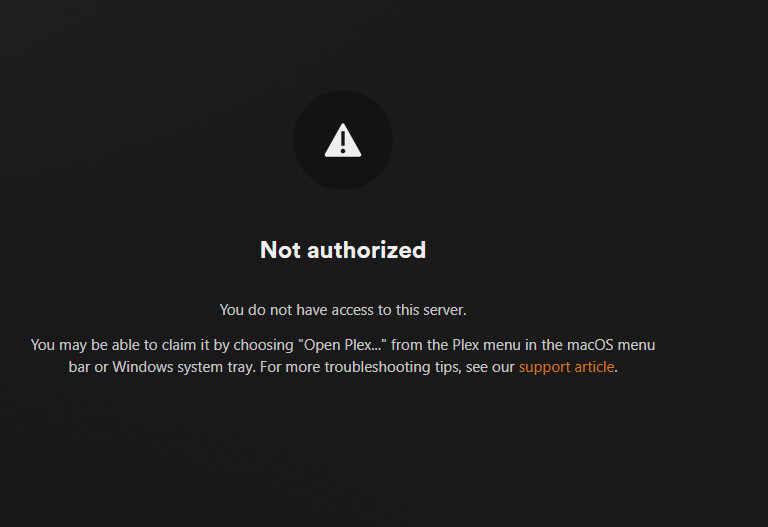
I installed the Plex Media Server and it’s unable to open when it redirects to 127.0.0.1. Using alhost:32400/web I’m able to get to this screen:
However, I have not been able to access the server to claim it. I’ve cleared the registry, uninstalled, reinstalled the PMS, but still come to the same error. I’ve disabled windows firewall, changed browsers from Edge to Chrome, even forwarded port 32400.
Any suggestions on why I’m unable to access a seemingly brand new Plex Media Server?
I did go through that support article when I reinstalled the media server. The registry entries specified in the article don’t currently exist in the registry after the clean install.
When I access plex.tv/web it tells me to download the PMS to add my media.
Thanks Otto, that allowed me to claim the server. However, it failed to initialize the server and I got the error message that “Something went wrong. Make sure the server is available and try again.”
After working on this a little more today I’m still stuck with a problem with remote access. It initially connects to and port 32400 appears always open on canyouseeme.org. I disabled all ad blockers and VPNs, but I still lose remote access connection. I haven’t actually been able to connect to the PMS from any device… I can’t even access any of my content on the computer that the server is running on.
Antivirus is just default Windows Defender and I’ve even tried to allow Plex manually through Windows Firewall as well. I did install uBlock Origin as an Edge web extension. I disables this extension and still had issues, but could it have changed anything that persisted after disabling it?
I just checked that virtualization based process isolation is disabled.
Network connection is private in Windows settings.
Game mode was enabled, disabled it and restarted but server issue remains.
I’m in a bad spot for hard wiring at the moment, currently refinishing the home office and then will be back to hard wired. That said the current connection is very stable on WiFi running 500 Mbps up and down.
Is it possible that your VPNs even when they’re disabled, are doing something bad? That’s the only idea I have left.
(apart from the Microsoft account)
C: still has several hundred Gb of free space. I uninstalled the VPN, but no luck.
I uninstalled Plex, removed the %AppData% Plex Media Server folder and reinstalled through the Windows Store. When PMS tried to initialize I received the error “A Problem has been detected with a core component of Plex Media Server”
I’d never noticed that either. Turns out it is available, at least in the US.
There’s a “Get it from Microsoft” button on the plex.tv download page. Or just search the Microsoft store.
It installs PMS 1.32.5.7368 64-bit (PC is running Windows 10 Pro). You can then update to the current public or beta release via the normal methods - the Update button in settings or manually downloading & installing a newer version.