I was watching a youtube video on Collections and the video shows using the Advanced Filter to filter say movie titles based on “multiple” words or phrases… i can’t see to get this to work. i’ll try to simulate the UI via text here… so If i have
Match all of the following +
Title contains AVENGERS
once i type avengers it displays movies with Avenges in the title, but i’m not able to add say HULK or “IRON MAN” to the list of words or phrases, if I type in AVENGERS and hit enter nothing happens. in the youtube video the guy was able to add multiple words/phrases to get the filter to show those other movies.
am I missing something here ? it seems like it should be working.
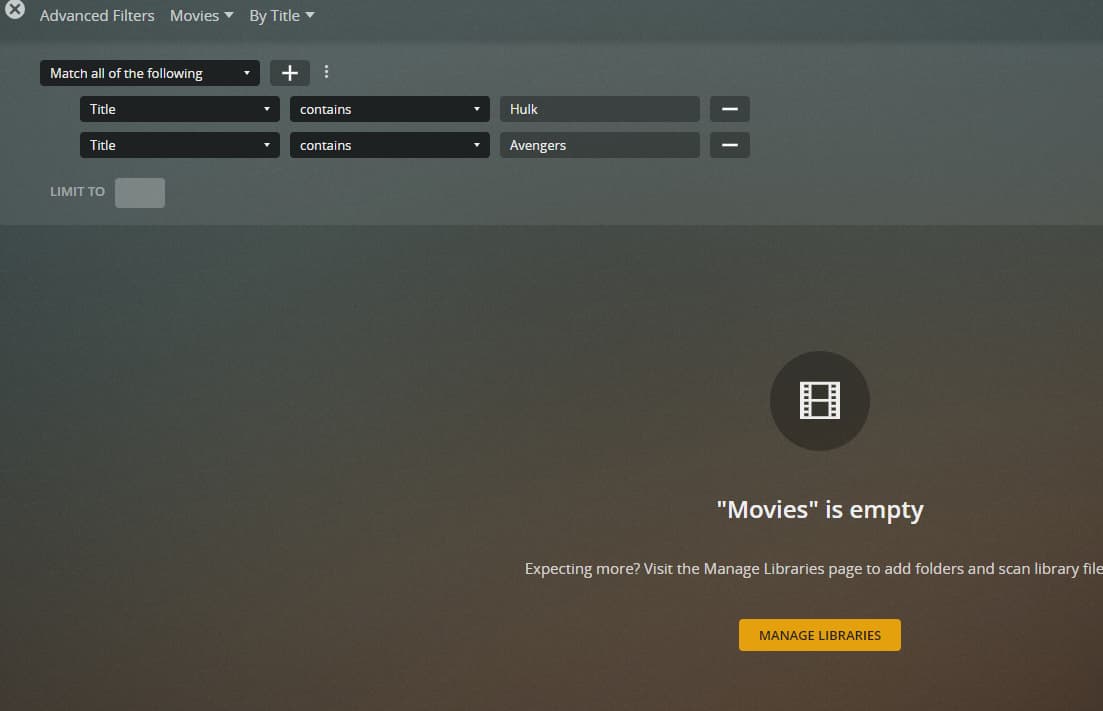
oh after posting the message i uploaded an image of what i’m talking about to this link Capture — ImgBB
i did try that, i should have said so my fault, see it’s not working either… If i remove Avengers line Hulk shows up, and vice versa … so in that youtube video i think from 2019/2020 so a few plex versions back you were able to put words/phrases in the same filter but either way yeah it’s not working, i just update plex yesterday too, to version 1.23.5.4862 so i’m not behind on builds.
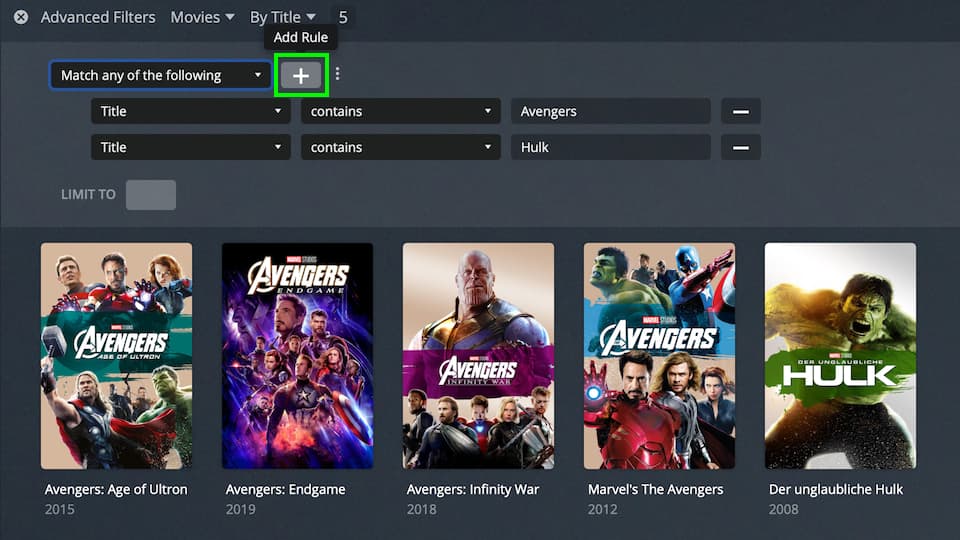
See the drop-down at the top of the filters:
You have currently selected Match all of the following criteria. Right now you’re asking Plex to look for items which have a title that contains both terms. If you switch to Match any of the following, the result will show all items that contain at least one of the terms.
 ? it seems like it should be working.