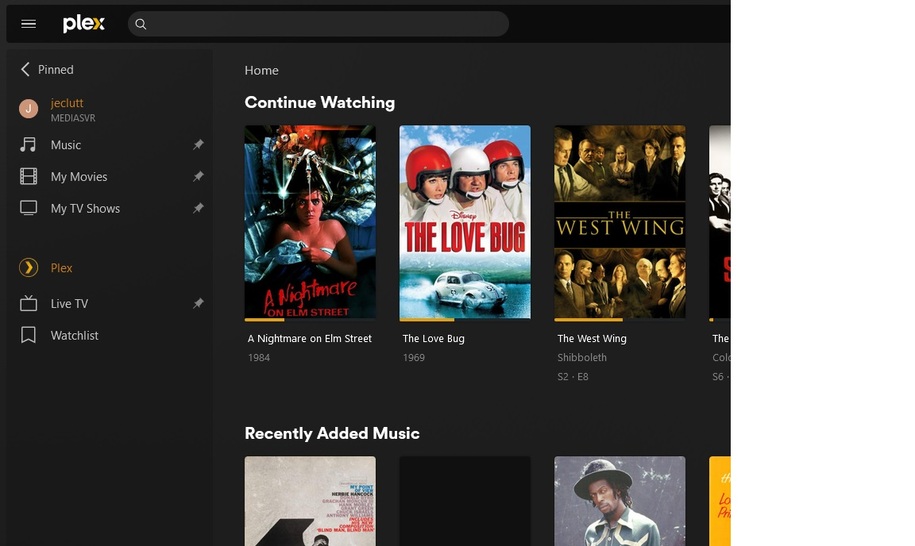
My goal is to have 2 PMS’s in different locations:
1 with all my media (movies, music, downloaded tv shows).
and a 2nd at my parents home in NJ. they have verizon fios and have regular cable tv.
My goal is to use my hd homerun prime (3 tuner, cablecard) and set up a nuc at there house with pms and the tuner. this way when someones watching movies/tv shows/music, it streams from my place, and whenever they wanna watch live tv, they select “Live TV” and it streams from their place, all under one interface. This would help us all save a LOT in useless cable boxes and bs that we just don’t need.
I set it up tonight, but my problem is with the accounts on the nuc. i created a new PMS with a separate name, all seemed to be going perfectly… however it only works under my admin account.
whenever i attempt to grant access to Live TV under the nuc, i see the accounts and clicking on them does nothing, and hitting ‘continue’ says “nothing was selected”
as i said, all works perfect under my admin account but i’m unable to grant any other accounts access to the nuc/liveTV box.
My understanding is that you’re using two PMS which are on your account. I’m assuming that your parents are on a separate Plex account?
In order to access Live TV & DVR from a PMS, users need to be members of your Plex Home, which means they are within the same Plex account. So if your parents are on one account, but you’ve set the PMS up on your account, then they won’t see Live TV and DVR.
You can add their account as a member of Plex Home (see https://support.plex.tv/articles/203815766-what-is-plex-home/), however this means the Plex accounts are merged. While they will still have their own Plex login, they will be considered as belonging to your account and will have admin rights to your account.
If you don’t want this, you would need to set up the PMS with the tuner at their house under their account name, and share your PMS Libraries with them. You wouldn’t be able to watch Live TV but they would. You could create a second Plex account as part of their Plex Home so that you can login to admin the PMS.
All of this is under MY plex account, no one else in my family has a plex account. It’s just my plex account with all their individual profiles. Also, my plex admin account is different from my personal plex user account… so, when i need to admin, i use my plex admin account, but when i’m watching my media, i use my individual account.
Reason why i bring this up is because again, my admin account is the only account where this works, however if i try to use my ‘user’ account, the live tv isn’t there for use.
if i enable LiveTV on my “MediaServer1” all works perfectly for everyone.
However, if i disable it, and enable LiveTV on “MediaServer2”, only user1-admin can use live streaming via the hdhomerun… all others just get the “plex tv” and preprogrammed stations.
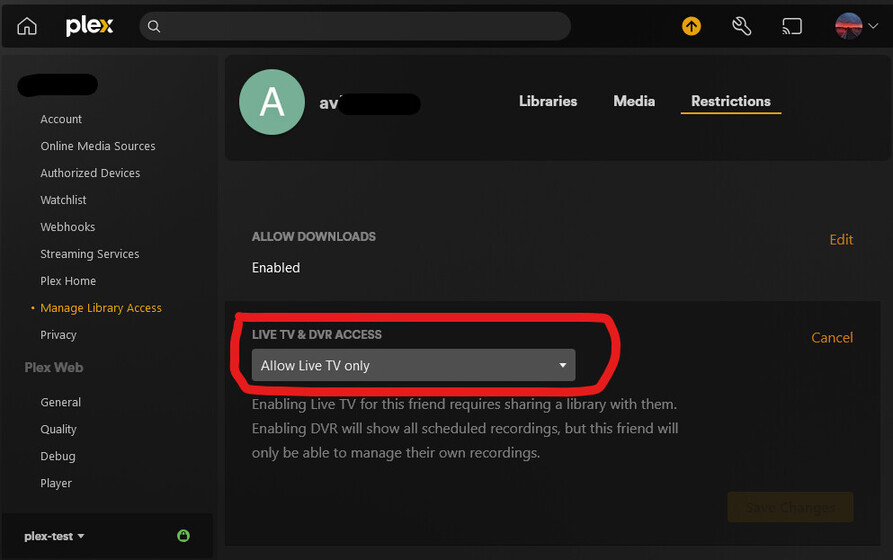
If you go to manage library access in the settings, select the user you want to grant Live TV access to, and then select the restrictions for that user, does it allow you to enable live TV there?
Can you provide some screenshots showing what you see?
Try adding a blank library to your parents server. It won’t be visible under Manage Library Access without a library and therefore you won’t be able see the Live TV server on it.
There’s no need to remove Live TV and DVR from the first server. It’s a common library that isn’t specific to one Plex server.
A home user will not see OTA Live TV unless there is a library on the same server and it is shared with the user.
Get a screen shot showing the side bar in the home screen with the libraries listed. Make sure that it’s expanded with the more button to show all libraries and servers.
Also get screenshots of all three tabs in your manage library access screen for the user your trying to share with.
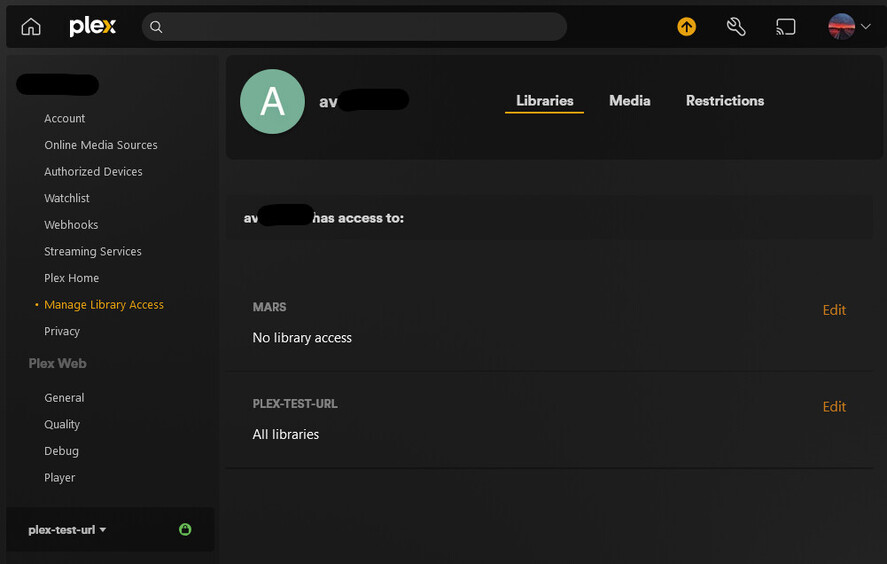
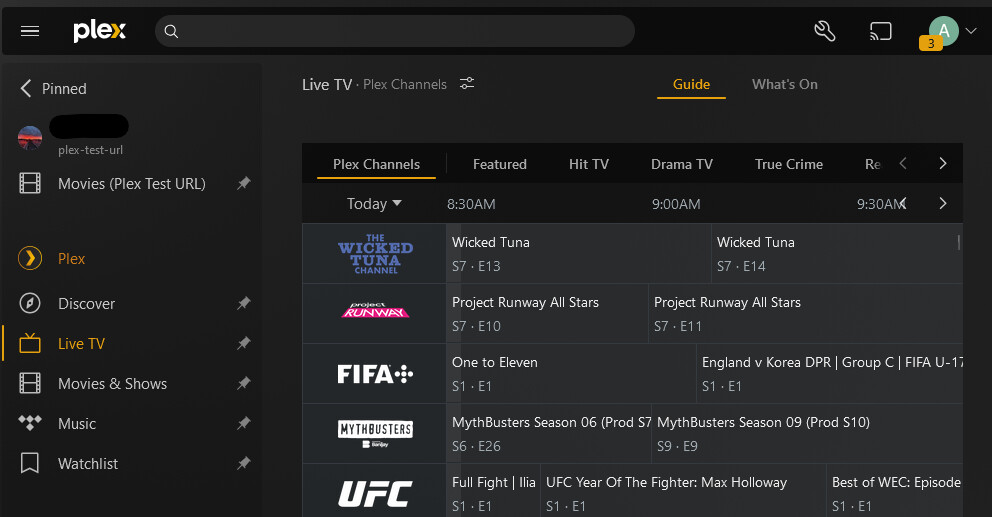
When you click on it does, it expand to show all of your servers and libraries? In my example below I have three servers running across separate docker containers:
MARS is my production server (and also has the HDHomeRun Connected)
plex-test has my HDHomeRun Connected, but no libraries
As you can see, since plex-test doesn’t have a library it can’t be shared and therefore plex-test will not appear for the normal user in the Manage Library Access screen even is Allow Live TV only is enabled under Restrictions
i dunno what is going on because I logged in as my admin account, created a generic “library”, granted access to my user account, and all it did was say it was sending a link..
i dunno why i would have to create a local library just to grant access to the live tv & dvr.. either way, it didn’t work.. i figure “well, if i just create an empty library and then just don’t pin it to the side, ok i’ll deal with that..” but even that didn’t work..
just to reiterate, there’ s only one email address associated with all of this… just mine for the admin account… everything else is just a profile and that’s it. every time i attempt to grant access it wants to send a link or email address to one of the users…
I did all that you said and was finally able to get my user account to see the testserver but when i click on live tv it still says “no live tv sources enabled”…
this just doesn’t work i guess… i dunno what you’re doing that’s so different, i know my setup is far simpler. up until now it’s been perfect… between the 4 houses of my family and my gf’s apartment in NYC, ya walk up to a tv, turn it on, click on the plex app, choose your profile name, and there you are… it’s mindlessly simple… no multiple emails or plex accounts and all that.
i created a dummy folder for a library… it shows up for my user account, so it’s finally seeing the testserver but won’t stream live tv… this is stupid
I’ve just tested mine using a managed account under Plex Home, rather than a plex user that I’ve invited to my home and they can access both the libraries and FTA live TV.
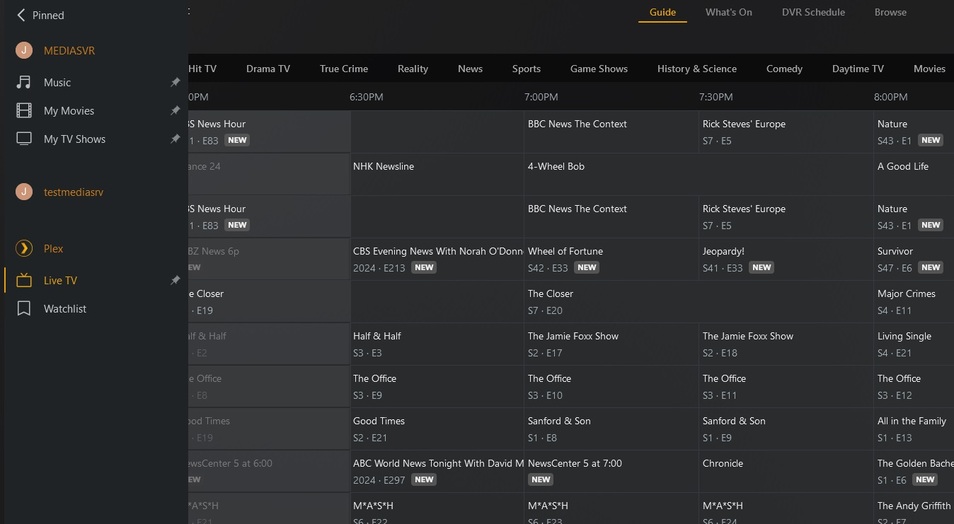
I’m a bit perplexed as to what’s causing the issue in your case. I can see that the user JCEC has been granted access to Live TV under restrictions and has access to all libraries on MEDIASVR and TESTMEDIASVR. However, in your post above the libraries for TESTMEDIASVR aren’t showing for user JCEC.
You definitely have created a blank/generic library for TESTMEDIASVR?
Have you check the Windows file persmission issues on the blank/generic library and that the Plex server has access to it?
well, looks like i got it… I must say, plex user management leaves much to be desired… i find myself clicking around, stumbling to find what i need as opposed to one single, clean admin screen…
so i experimented by simply deleting the one ‘dummy library’ and all was lost… so i recreated the library and all came back… it wasn’t very well thought out…
anywho, thank you VERY VERY much for your guidance, i definitely would NOT have figured that one out on my own… VERY much appreciated!