Server Version#: 1.32.3.7089
Player Version#: 9.24.0.1908 (a5102c3)
This is the folder structure of my photo library on my Linux box. My photo library points to the ‘dcim’ folder:
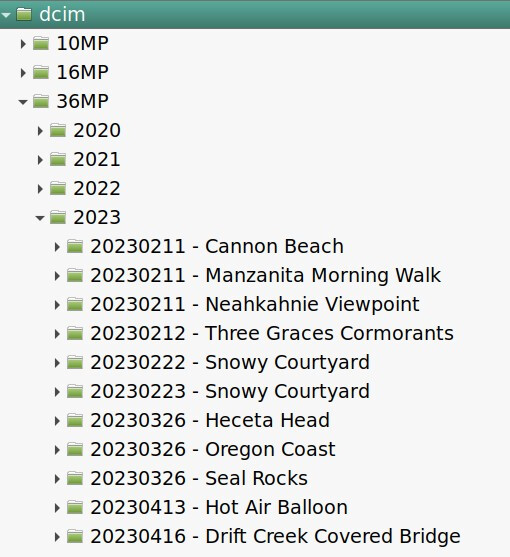
On Android Mobile, viewing this library in Library mode, I can open the first level (“36MP” for example), then I can open the second level (“2023”) but I cannot open any folder below that level.
If there are photos in the second level folder, I can open them to view. But I cannot open a third-level folder. Tapping on the folder icon simply doesn’t do anything (aside from visual feedback that I tapped it).
Switching to Timeline view, images that are in 3rd-level folders are viewable. I just can’t get to them in Library view.
It has been a while since I tried this on Android Mobile, so I can’t say how long this problem has existed. This is not a problem on Android TV.
