Version 1.21.1.3842
I got a new external HDD and copied all library contents across as per the articles.
No issues with 2 of my 3 folders, Movies & TV Shows worked without issue
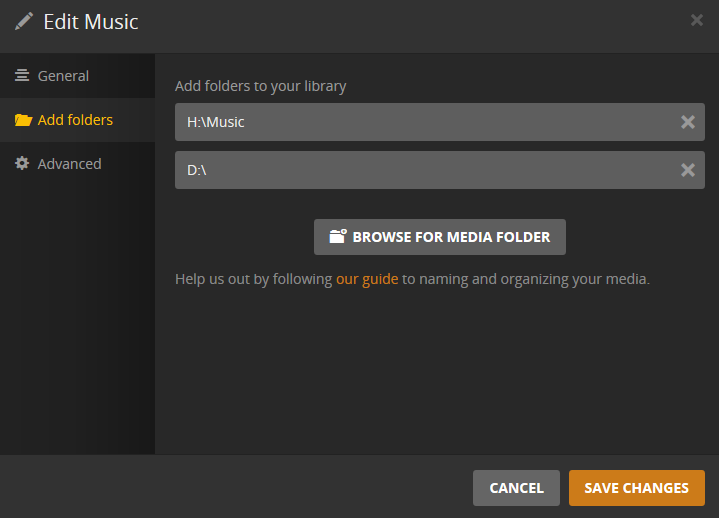
I was unable to remove the old location of the Music Library, it just told me that the changes could not be saved.
Having confirmed that all the data was successfully copied across to the new disk I formatted the old one, and did a library scan, the old data still remained,
I also tried copying in one album folder to the old location, still not working.
I can delete each album individually without issue, but how to I get rid of the albums that are now orphaned?
Thanks,
G
You cannot remove the last storage location of a library. Add the new location first, then remove the old.
Sometimes it helps to reload the web app in your browser (F5) before editing libraries.
Never point Plex to the root of a drive. Always use subfolders.
You don’t appear to have Artist folders in your music storage. This won’t work for long.
Always use this folder hierarchy:
Music -> Artist -> Album -> tracks
That’s what I did and it fails, F5ing the browser doesn’t help either
Do you currently have a drive with the letter H: ?
That’s the new one, with all the artist folders in the Music directory,
The D:\ was the old formatted location, that I could not remove after adding H:\Music
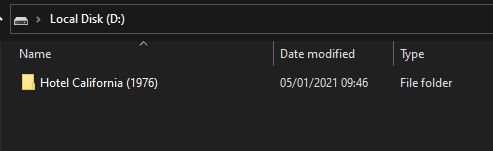
So I copied one folder back in to the previously empty D:\ and did a scan again, thinking that would remove the old references to anything in that location, but no cigar
You’ll have to check your database for damage:
-
activate debug logging (not ‘verbose’!)
- quit Plex Server
- wait 1 minute
- start Plex Server
- wait 5 minutes
-
fetch log files and attach them here
Or inspect them yourself. Take a look at the Plex Media Server.log file and seek for messages about database corrupt or malformed.
If you find these, you may have to repair your database.
(File removed)
I don’t see corrupt or malformed here
Indeed, there is no sign of database damage in your log.
Is the date and time setting on your server machine correct?
Do you have any active Sync jobs which are downloading music to your Android device? Try removing them first.
Just for clarification: which drive and path is currently assigned to your music library?
Are you using a clean, stock web browser? Browser add-ons can sometimes disturb the web app in serious ways.
Have you considered removing the whole library and creating a new one?
Yeah date & time are correct,
No sync jobs,
it’s H:\Music
I’ve tried incognito Chrome & Edge, along with Waterfox
I guess that is the next step