Server Version#: FreeBSD (TrueNAS) 1.27.2.5929
Player Version#: Plex Web 4.88.1
Each time I press “Save Changes” while updating the folder list (or any settings or none) for my TV Shows or Movies library, the dialog says “Your changes could not be saved.”
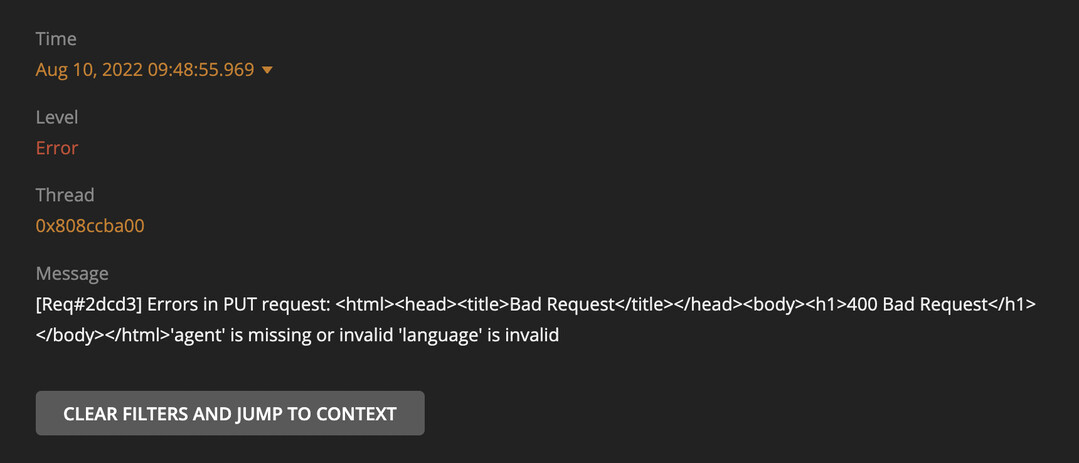
Inspecting the response in the browser dev tools I see:
'agent' is missing or invalid
'language' is invalid
I just installed Firefox and tried there and I get the same behavior and same messages, both in logs and in the browser.
I also noticed I have no Plex Agents in my Agents settings pane. Under TheTVDB and The Movie Database, I have “Plex Theme Music” as the only “Plex” Agents.
Then there might be an issue with your server installation in general.
But unfortunately I am absolutely not familiar with your server platform, so I’m not able to give you any tips how to debug this.
That being said, there is nothing irregular about your screen shot of the old agent settings page.
Hmmm, yeah. It appears there’s some problem with the agents. I switched Movies and Shows to The Movie Database and TheTVDB respectively. After finishing the scan, I got the “Upgrade Library” option, but it fails with the exact same error.
Or inspect them yourself. Take a look at the Plex Media Server.log file and seek for messages about database corrupt or malformed.
If you find these, you may have to repair your database. https://support.plex.tv/articles/repair-a-corrupted-database/
I don’t see any corrupt or malformed lines, but I do see errors with plugins:
Aug 10, 2022 11:07:35.222 [0x80d936400] ERROR - [Req#33f] Timeout or error reading status line from plug-in pipe [tv.plex.agents.movie], we're killing it.
Aug 10, 2022 11:07:35.222 [0x80d936400] DEBUG - [Req#33f] Stopping [tv.plex.agents.movie].
Aug 10, 2022 11:07:35.222 [0x80d936400] DEBUG - [Req#33f] [tv.plex.agents.movie] Killing.
Aug 10, 2022 11:07:35.222 [0x80d936400] ERROR - [Req#33f] Error received reading configuration for tv.plex.agents.movie
Aug 10, 2022 11:07:35.222 [0x80d936400] DEBUG - [Req#33f] Stopping [tv.plex.agents.movie].
Aug 10, 2022 11:07:35.226 [0x807fd6e00] DEBUG - Completed after connection close: [192.168.159.94:60170] 500 GET /:/plugins/tv.plex.agents.movie/prefs (15 live) TLS G
ZIP 273956ms 0 bytes (pipelined: 12)
Aug 10, 2022 11:07:35.229 [0x8065cd600] WARN - JobManager: Could not find job for handle 52263
Aug 10, 2022 11:07:35.292 [0x80c9f5a00] ERROR - Timeout or error reading status line from plug-in pipe [tv.plex.agents.series], we're killing it.
Aug 10, 2022 11:07:35.292 [0x80c9f5a00] DEBUG - Stopping [tv.plex.agents.series].
Aug 10, 2022 11:07:35.292 [0x80c9f5a00] DEBUG - [tv.plex.agents.series] Killing.
Aug 10, 2022 11:07:35.292 [0x80c9f5a00] ERROR - Error received reading configuration for tv.plex.agents.series
Aug 10, 2022 11:07:35.292 [0x80c9f5a00] DEBUG - Stopping [tv.plex.agents.series].
Aug 10, 2022 11:07:35.292 [0x80952c800] DEBUG - Updating the list of agents known by the system.
Aug 10, 2022 11:07:35.292 [0x80952c800] DEBUG - [com.plexapp.system] Sending command over HTTP (GET): /system/agents
Aug 10, 2022 11:07:35.292 [0x80952c800] DEBUG - [HCl#4a] HTTP requesting GET http://127.0.0.1:61574/system/agents
also, adding the library:
Aug 10, 2022 11:12:18.365 [0x807fd6900] ERROR - [Req#7c3] Library: Couldn't create section: 'agent' is missing or invalid
Aug 10, 2022 11:12:18.365 [0x807fd6900] ERROR - [Req#7c3] Library: Couldn't create section: 'language' is invalid
Aug 10, 2022 11:12:18.365 [0x807fd6900] ERROR - [Req#7c3] Library: Couldn't create section: new scanner needs to be paired with new agent
chown -R plex:plex "Plex Media Server" (the PMS data path)
I’m not certain which of those two fixed the issue, but when looking at the plugin logs for those two providers there were a ton of python stacktraces in both. “Network missing in FoundationCore” etc. (Sorry, I nuked the logs in the process of my debugging, so no exact error messages.)