Brother…
take a look.


Okay, my apologies…I didn’t realize it was that bad on the Linux side. Windows 10 was having issues too…seems you have it worse!!!
It’s 02.30 here. We can pick up tomorrow and get everyone running again.
So friend … I confess that I’m new to linux. This is my first machine running linux and I’m with it running this ubuntu just from January to here. I learned a lot, but I still have a long walk ahead.
And so far, everything had been working well, to record this feat.
but let’s go…
seems to be the case … 
Ok … but I really do not have a clue what I’m looking at or even what I should be seeing. 
Or I’m not finding the correct location (I think I am, but I may be completely mistaken) or there is not here in this folder (/etc/systemd/system/) this file (plexmediaserver.service). 
Wild move for a newbie like me … but let’s try…
[minutes later…]
I did every one of the remaining steps with the heart coming out of my mouth … But for the general happiness of the nation, here we are !!!


Many thanks ChuckPA!
I compulsorily owe you a beer.
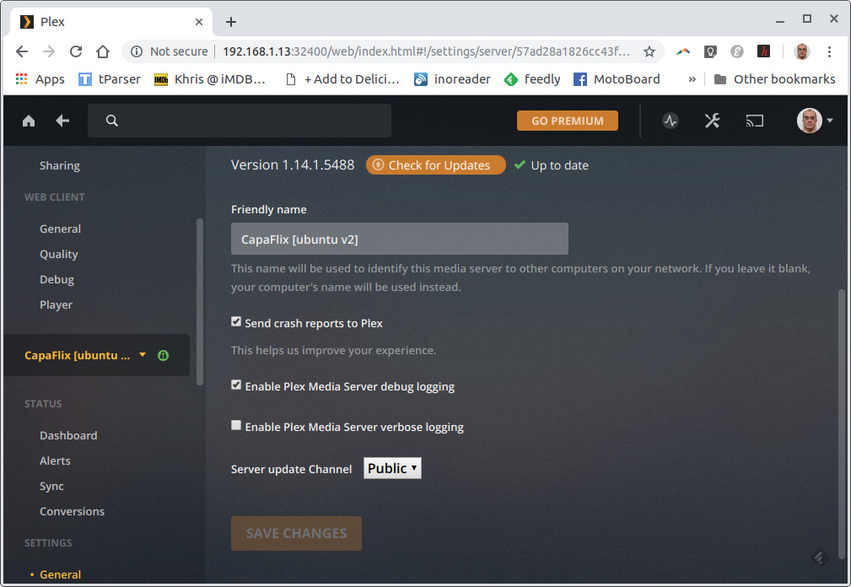
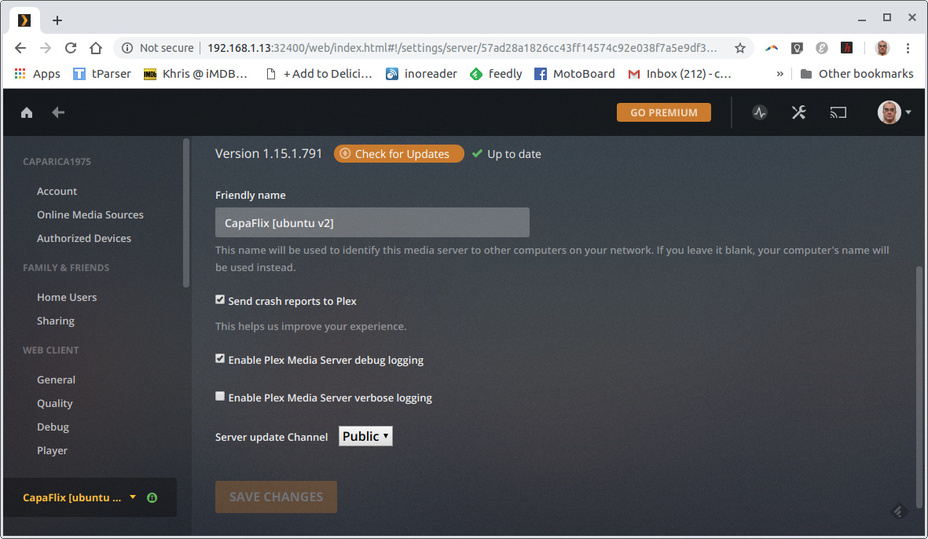
It appears that we are running version 1.14.1.5488.
I’ll wait a few more days - maybe weeks - to get up the courage to try to update this here again. I understand that after the steps taken today, I probably should not have this fear again … But prudence and parsimony are always recommended. 
Thank you one more time!
just show me your /etc/systemd/system/plexmediaserver.service files
I will help everyone craft whatever is needed. It’s easy to do and you’ll  when you see it.

Presto! Welcome to our side of the mountain!

we only have this around …
and it was things that I created following the steps that you went through.
and…
this override.conf is exactly what you ordered put, replacing only by my user and group.
Again!
Thanks!
That is it. Perfect.
Now, no matter what we do, your customizations will remain.
If I need make changes to the base service in /lib, it will not impact you.
Anything you do will not impact me.
This looks beautiful.
Even though I’m not completely sure if I understand what you’re saying.


/lib/systemd/system/plexmediaserver.service is the common base for everyone
/etc/systemd/system/plexmediaserver.service.d/ tells systemd you have something to customize.
override.conf is what makes your installation yours.
The variables and values you put in there are applied to the Base configuration right before launching PMS.
Upvoting this comment! Logging out of Plex before stopping/upgrading on Ubuntu 18.04 fixed the persistent crashing. Thanks @Verminator14
This was the solution to the problem. Server came back up in 1.14, ran the installer for 1.15 once more and restarted the service and we are back and running the latest version. ChuckPA you are a Plex hero and I thank you very, very much (and I’m sure many others will, too) for the help.
Side note, I did disable debug logging for the server… needless to say that is now re-enabled.
Edit: Time to run a backup.
After installing the latest update yesterday on my Windows 10 PMS, I am also seeing remote access randomly being unavailable. If I select and deselect the manual port option it will become available again for a short time before then going unavailable. The very odd thing that I am seeing is that some users are actually able to connect and they show a lock next to their session. I then had a few users connected with an exclamation (unsecured) connection. Then I had other users that could not connect at all. Prior to this last update this has never been an issue.
People have mentioned rolling back the version. How is that done for Windows?
Good Morning. I as well am having this issue. I just recently installed plex and purchased the plex pass when a friend showed it to me. This morning I went in and was going to add a new folder to my plex server and saw that there was an update do I took it. Now I can’t log in. I looked on the support site and it said to make sure that I had the current version installed so I downloaded it and it downloaded 1.15.1.791-8bec0f76c and I installed that and restarted my computer. When it came up I had the same issue. I then saw a post saying that the newest version was this 1.15.2.739-782228f99 so I downloaded and installed this version and again I am still having the issue. I tried restarting my computer again and still no luck. I am both new to plex and new to Linux with just under a year experience with both. I am currently using linux mint 19 on my computer. Any help would be appreciated.
@ChuckPa Here are my logs:
Logs.tar.gz (2.4 MB)
@ChuckPa After reading through all of your comments with the others from last night I looked in the /var/lib/plexmidesserver/Library/Application Support folder and it appears that everything in that folder is owned by plex and the plex group. Do I still need to create the override?
To all following along here: “Me too” posts, without the log files, are not helpful. I cannot help what I cannot see.
I do not know what’s going on with your computer but I strongly recommend you check your ethernet adapter wiring and cabling.
The logs are filled with the ethernet adapter configuration changing state (Up / Down / Up again).
Mar 19, 2019 17:09:36.122 [0xaaffeb40] DEBUG - NetworkInterface: Notified of network changed (force=0)
Mar 19, 2019 17:09:36.122 [0xaaffeb40] DEBUG - Network change notification but nothing changed.
Mar 19, 2019 17:09:56.315 [0xaaffeb40] DEBUG - NetworkInterface: received Netlink message len=64, type=RTM_NEWLINK, flags=0x0
Mar 19, 2019 17:09:56.315 [0xaaffeb40] DEBUG - NetworkInterface: Netlink information message family=0, type=1, index=4, flags=0x1003, change=0x0
Mar 19, 2019 17:09:56.315 [0xaaffeb40] DEBUG - Network change.
Mar 19, 2019 17:09:56.315 [0xaaffeb40] DEBUG - NetworkInterface: Notified of network changed (force=0)
Mar 19, 2019 17:09:56.316 [0xaaffeb40] DEBUG - Network change notification but nothing changed.
Mar 19, 2019 17:10:37.540 [0xaaffeb40] DEBUG - NetworkInterface: received Netlink message len=64, type=RTM_NEWLINK, flags=0x0
Mar 19, 2019 17:10:37.540 [0xaaffeb40] DEBUG - NetworkInterface: Netlink information message family=0, type=1, index=4, flags=0x1003, change=0x0
Mar 19, 2019 17:10:37.540 [0xaaffeb40] DEBUG - Network change.
Mar 19, 2019 17:10:37.540 [0xaaffeb40] DEBUG - NetworkInterface: Notified of network changed (force=0)
Mar 19, 2019 17:10:37.541 [0xaaffeb40] DEBUG - Network change notification but nothing changed.
Mar 19, 2019 17:10:39.090 [0xaaffeb40] DEBUG - NetworkInterface: received Netlink message len=56, type=RTM_NEWLINK, flags=0x0
Mar 19, 2019 17:10:39.090 [0xaaffeb40] DEBUG - NetworkInterface: Netlink information message family=0, type=1, index=3, flags=0x1003, change=0x0
Mar 19, 2019 17:10:39.091 [0xaaffeb40] DEBUG - Network change.
While PMS sees no values have changed, every time it goes off and back on, it must reset.