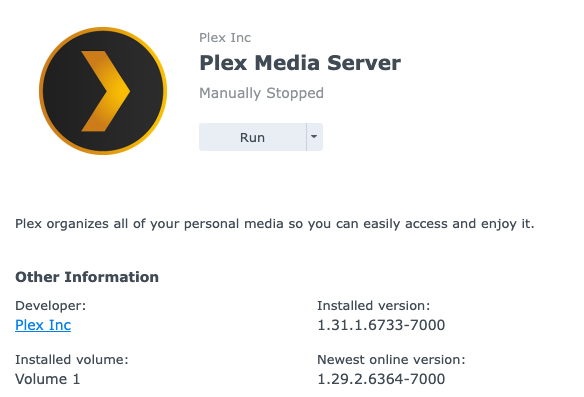
Upgraded from 1.30 to 1.31 and PSM now refuses to stay running, shows "Manually Stopped" [Solved]

Server Version#: DSM 7.1.1-42962 Update 3
Player Version#: PlexMediaServer-1.31.1.6733-bc0674160-x86_64_DSM7.spk

The upgrade completed successfully (using manual install through Package Center with the above spk provided by Plex)

However, I noticed that the PMS was not running and I was not able to access the server from the app.plex.tv

Every time I click “Run”, it starts Running for 1 second and then stops on its own and shows “Manually Stopped”

image

Logs.zip (290.1 KB)

Please provide a set of server log files.

  1. In Synology File Station, navigate to /PlexMediaServer/AppData/Plex Media Server.
  2. Right click on the Logs directory and choose Compress to Logs.zip.
  3. Download the zip file and upload it to the thread. Drag it into the message window. It will insert at the cursor location.

FAQ 13: Manually obtaining log files

Here you go, though they don’t look too interesting hmm
Logs.zip (290.1 KB)

Thanks for the log files.

Try rebooting the DS420+.

Then see if Plex Media Server will start and stay running.

Feb 28, 2023 21:25:27.161 [0x7f98ede9eaa0] DEBUG - HttpServer: Listening on IPv6 as well as IPv4.
Feb 28, 2023 21:25:27.162 [0x7f98ede9eaa0] ERROR - HttpServer: Error binding acceptor: Address in use
Feb 28, 2023 21:25:27.162 [0x7f98ede9eaa0] ERROR - HttpServer: Error opening acceptor on IPv6, falling back to IPv4: Address in use
Feb 28, 2023 21:25:27.162 [0x7f98ede9eaa0] ERROR - HttpServer: Error binding acceptor: Address in use

I think that did the trick! It’s very rare that I need to restart my NAS haha

Thank you :slight_smile:

This topic was automatically closed 90 days after the last reply. New replies are no longer allowed.
