Hi everybody,
I have an issue with the “use original titles” setting. I check the box but it does not seems to work, here is exemple (I tried Plex Movie and Plex Movie (legacy)):

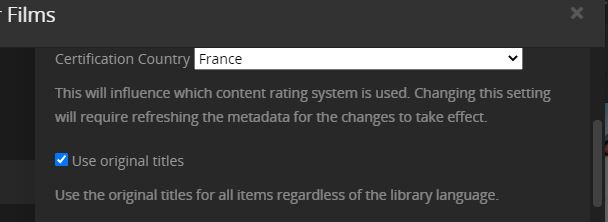
Do you have any idea? Did I do something wrong?
Thank you
Is the file type mp4 / m4v?
If it is, do this:
Go to
- Settings - Server - Agents - Shows - TheTVDB
In there, grab the line ‘Local Media Assets’ with your mouse and drag it downwards, so it ends up being at the bottom of the stack of active agents.
Repeat the same under
- Settings - Server - Agents - Shows - TheMovieDatabase
- Settings - Server - Agents - Movies - Plex Movie (Legacy)
- Settings - Server - Agents - Movies - TheMovieDatabase
Afterwards, Refresh Metadata of the affected items.
If your movie library already uses the new “Plex Movie” agent, do this instead:
Edit your movie library
go to the ‘Advanced’ tab
clear the check mark out of “Prefer local metadata”
Afterwards, Refresh Metadata of the affected items.
Hello, thank you for your answer but it does not seems to work. It’s not specifically on this movie but on every movies. They all have original titles in their settings but the library is still using the “french” titles regardless the settings I choose.
Edit: Oh it finally works when I refresh the Metadata! Thanks
