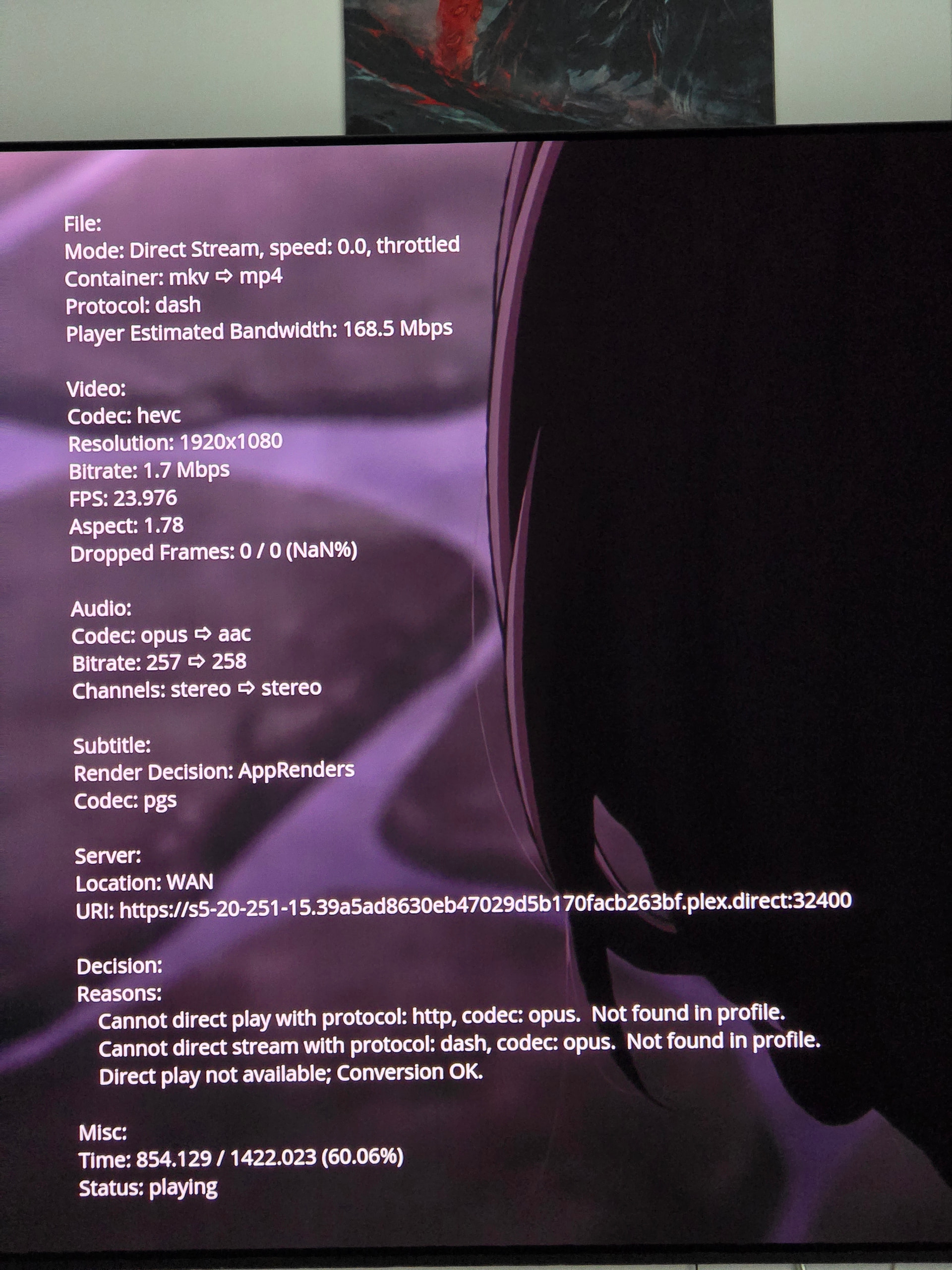
Hi, I have used synology ds224+ for a while to stream plex content and it was working fine.
As a side project, I built home server using true nas on intel 2500k cpu and other old hardware
Now I know 2500k doesn’t support hevc and is too weak to transcode it, but my understanding is that all it has to do is send bytes to client which is my samsung s95f tv (2025) which supports hevc. But for some reason no matter what settings I change, it always transcodes.
Here’s same file playback on synology (intel atom cpu)
You’re on a remote connection.
Either you’ve manually configured a remote bandwidth restriction in the server’s Remote Access settings (though, IIRC this is a Plex Pass feature), or your remote connection isn’t working properly and traffic is routed through a Plex Relay server (indirect/relayed connections are limited to 1 Mbps, 2 Mbps for Plex Pass members).
You should be able to confirm this in the server dashboard‘s „Now Playing“ section (there’ll be an indicator of traffic is local, remote or indirect).
Another scenario is the client configuration.
Many clients support different playback quality settings for local / remote streaming — if you’re on a remote connection and remote playback quality is set to 1 Mbps, that’ll also explain your restriction.
I was indeed streaming through indirect connection.
Not sure how this works, as both tv and my server are on same network, but after I exposed my plex to internet in remote connection settings, connection no longer shows indirect and I’m able to directly stream whole content with no transcoding.