I am on Plex 1.32.8.7639, though I believe that doesn’t matter since the watchlist is presumably stored on the account not on my media server.
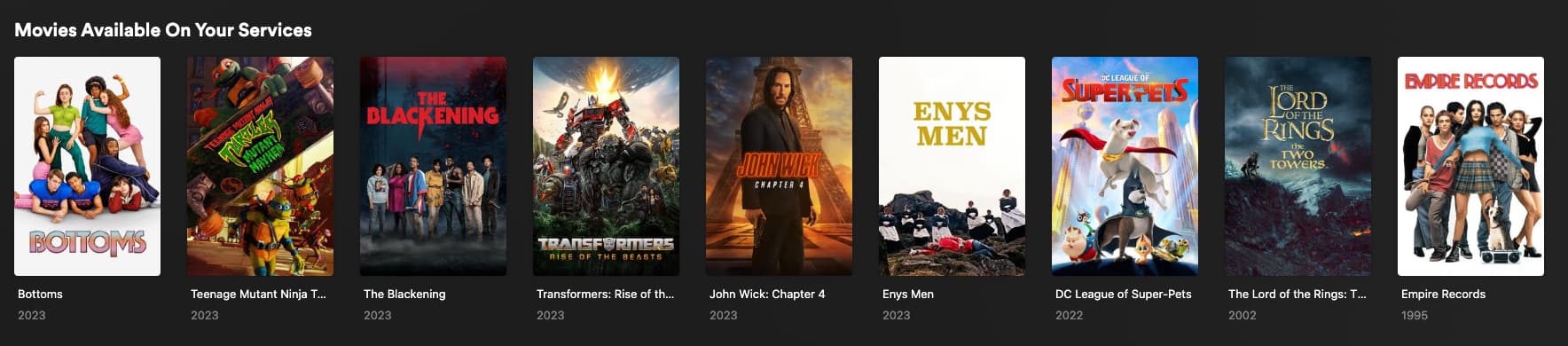
I have multiple movies showing up as available on my services that are not available. I will post some examples:
The first one is available on FuboTV and the other two are available on Starz, none of which are services Plex thinks I have. I tried adding them and removing them but not change.
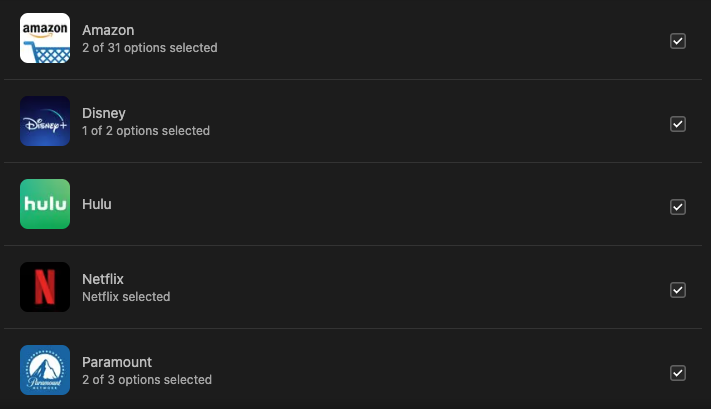
Here are the streaming services I’ve told Plex I have:
I’m sorry just so I am clear. You are saying those movies show up in the “movies available on my services” row but when you click on them they are not showing as avail on those services?
Are you by any chance using a VPN? or are you traveling?
You got it BigWheel, I should have provided a screenshot of my list. Here’s one that shows Bottoms but as you can see in my original screenshot it is not actually available on my services.
I am not using a VPN and not traveling, this started happening a month or two ago where movies just started popping in there that aren’t actually available on my services.
@OttoKerner I don’t mind that it’s telling me what other services are available for a movie, my issue is it’s showing up on my “Movies Available On Your Services” list when the movie is not available on any of my services.
Thank you so much for your help! In an attempt to narrow it down I removed all of my services, thinking I’d add them back one by one. However with all of them removed, I’m still seeing these movies in the list:
As you said, I removed one of them and then added it back. After that, I’m seeing all of the ones I reported no longer on my “Movies Available On Your Services” list. It looks like it is fixed.