Watchlist

I am having something of a problem with the Watchlist feature.

I understand that for TV Shows, only shows can be added, not Seasons, nor Episodes. But…

Shows for which I only have a single Season CANNOT be added to the Watchlist as the Watchlist icon/badge is simply not displayed. This is either a mistake on Plex’s part, or was a dumb decision, or I’m dumb for not being able to figure out how to do it (clue: I don’t believe I am).

I noticed this with some (Motorcycle) Sport that I recorded. For these, I will delete a Season once I’ve watched as I have no interest in re-watching the same races. So for these I will only ever have a single Season, which as far as I can tell means I can never add these to my Watchlist. Am I wrong?

Then there is another of these Shows for which I do actually have 2 Seasons. That is in fact an error as I forgot to delete last season, but that’s irrelevant. So the Watchlist icon appears and I can add the Show to my Watchlist. Er nope.

That show now indicates it is in the Watchlist and offers the option to ‘Remove from Watchlist’ (which I don’t). Here’s the problem:-

When I go to my Watchlist, it is empty. Nothing in there. Just some words (I forget what) displayed basically saying the Watchlist is empty.

So the Watchlist feature is really not working well for me. I cannot add any Show with only a single Season and when there’s more than one Season and I am allowed to ‘Add to Watchlist’, it does not actually appear in the Watchlist.

Any suggestions?

Single-Season shows can be a bit tricky. The watchlist option is showing just fine… if you actually access the show.

If you access it through a „Recently Added“ hub, you most likely ended up on the (single) season, instead of the show.

However I access the single season Shows, I am unable to see ‘The Show’. It automatically takes me to the Season page where there is no Watchlist icon.

Maybe I have that Library set to operate like this when there’s only a single season, but notwithstanding that, seems to me that Plex should deal with this appropriately and if there’s only a single season, display the Watchlist icon so the Show can be added.

However many seasons there are, it should be possible to add a Show to the Watchlist.

Then there’s still the question of why when a Show (with multiple seasons) has been added to the Watchlist, the Watchlist is empty?

Depends on the UI to access the “Show” itself and not the single new season. On a controller UI (TV, Shield, Roku, etc) you long click the “accept” button on the entry, and the menu that appears you pick “Go to Show”. I believe you can do the same thing in the Season view as well if you long press on a single episode, but I haven’t checked.

If you are in a mouse-based UI (browser, Plex-for-Windows), then you need to first click into the Season by selecting its poster. If at the top under the show title, you see “Season 1”, then you are still in Season view. Click the title of the show above that and you will be on the “Show” level, and can watchlist it.

Yeah, I SEVERELY dislike Plex putting “season” entries in the “recently Added” hub. It’s worse for single-season shows, it still lists that you added a “Season” rather than the show and the number of episodes.

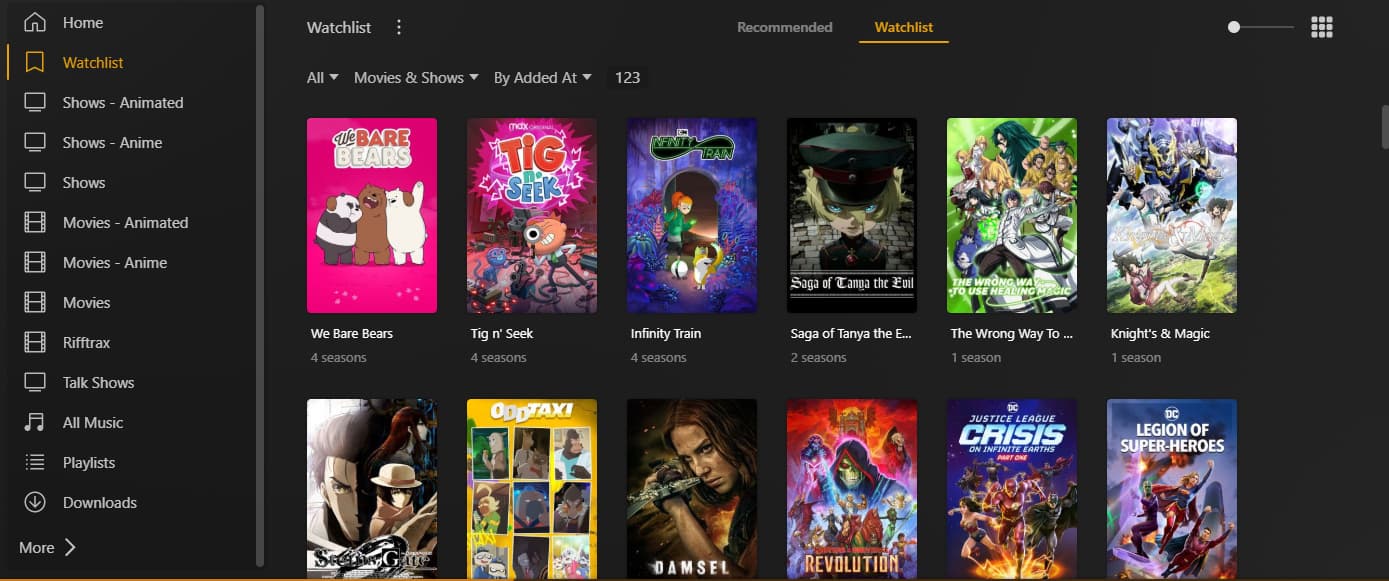
Works for me. Once you add a show to watchlist, are you going to “Watchlist” in the left-hand side and THEN clicking “Watchlist” along the top? The “Recommended” pane should show some items, but I find it way less useful than the full list itself:

There is an “Add to Watchlist” button on all show, season, and episode pages. All three buttons do the same thing - adds the show to your watchlist.

Only items which are fully matched with the modern Plex agents (Plex Movie and Plex TV Series) can be added to the Watchlist. Does your “Motorcycle Sport” show matched? Show us a screenshot of the page.

Ah, it does appear to be a ‘matching’ problem.

I first noticed the problem on the AppleTV, but I do this sort of admin in the Mac app which exhibits the same problem and is where I’m looking at it now.

I have ascertained that for normal shows (downloaded or recorded), the Watchlist icon IS displayed at all 3 levels and if clicked, that show IS added to the Watchlist. So the problems all relate to these recorded MotorCycle racing shows and I think their matching (or not) is the root cause.

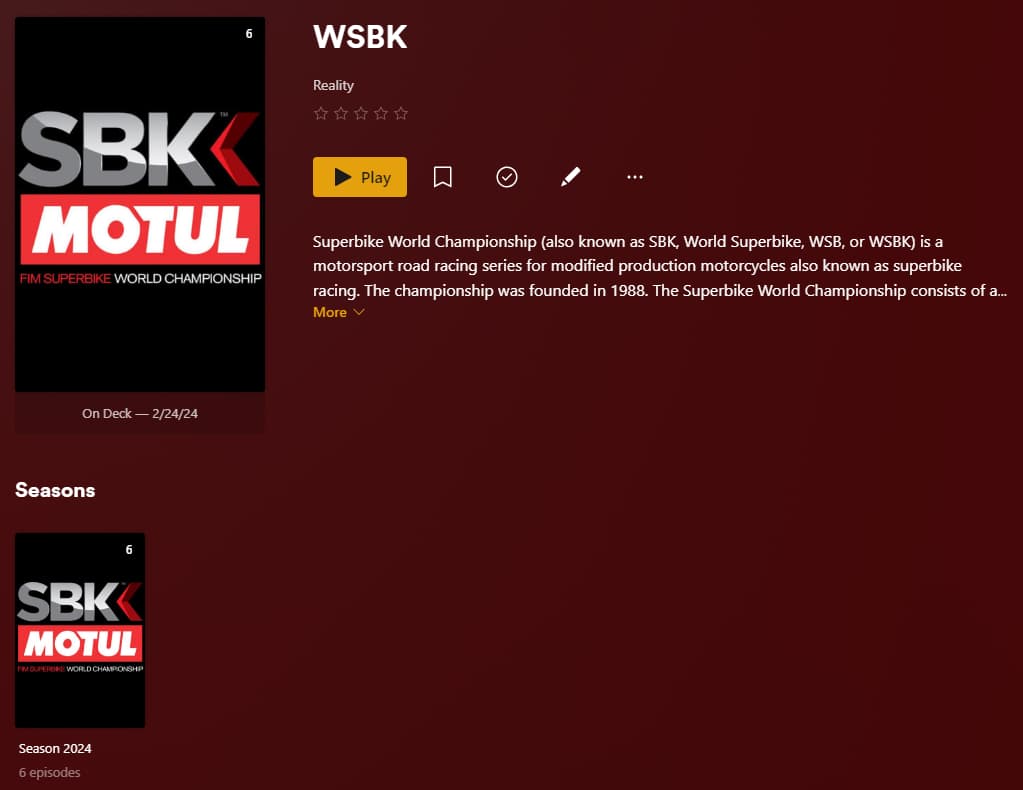
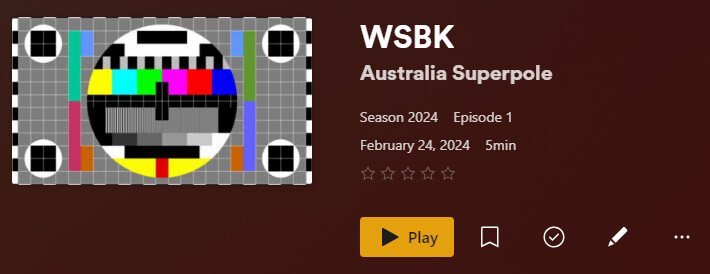
One of the shows that displayed no Watchlist icon is the SuperBike World Championship and I realise it was not matched. I managed to match it and I now see the Watchlist icon at the season level. As a single season show, there is no show level but there is no Watchlist icon displayed at the Episode level. If I click the Watchlist icon I can see, this show is NOT added to the Watchlist. I see no reason for this as like the shows which worked, it is now matched, but that missing icon at the episode level indicates to me there is still some issue with it. But what?

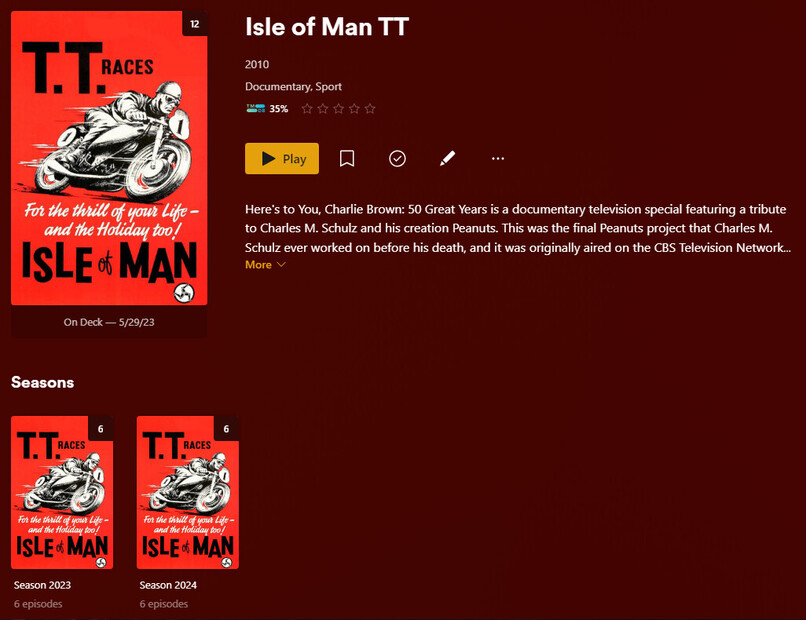
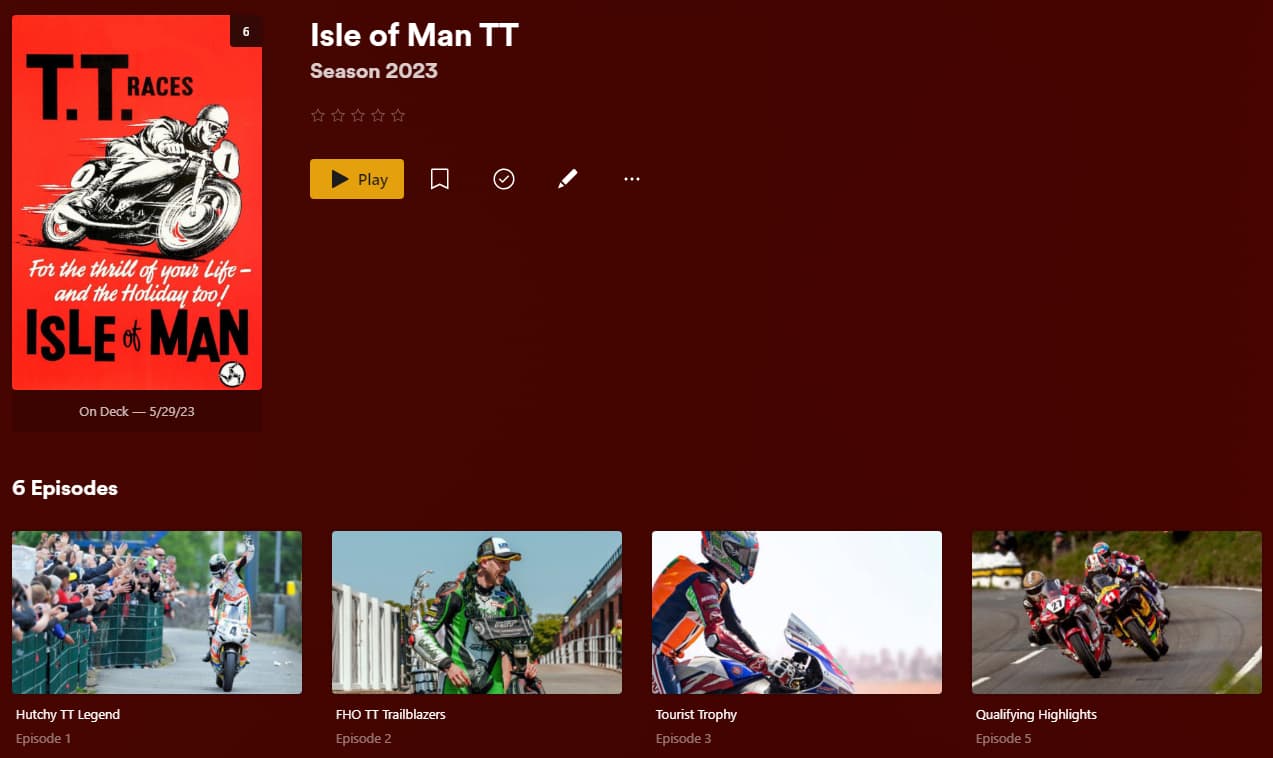
Another of these problem shows is the Isle of Man TT series. For this I have 2 seasons and can view the show level, at which there is a Watchlist icon. However, there is NO icon at the season or episode level and if clicked at the show level, this show also is NOT added to the Watchlist, even though it displays that it has been.

This show is apparently matched, but it’s nonsense:-

The title and poster appear correct, but the description is for something else entirely and the year has no relevance whatsoever. In fact, there should be NO year as there can be (are in fact) multiple seasons/years.

I’ve tried searching for other better matches, but nothing close that I can find and although this does display a decent poster, there is obviously a problem as the Watchlist icon is not displayed everywhere it should be and in any case, I am unable to add it.

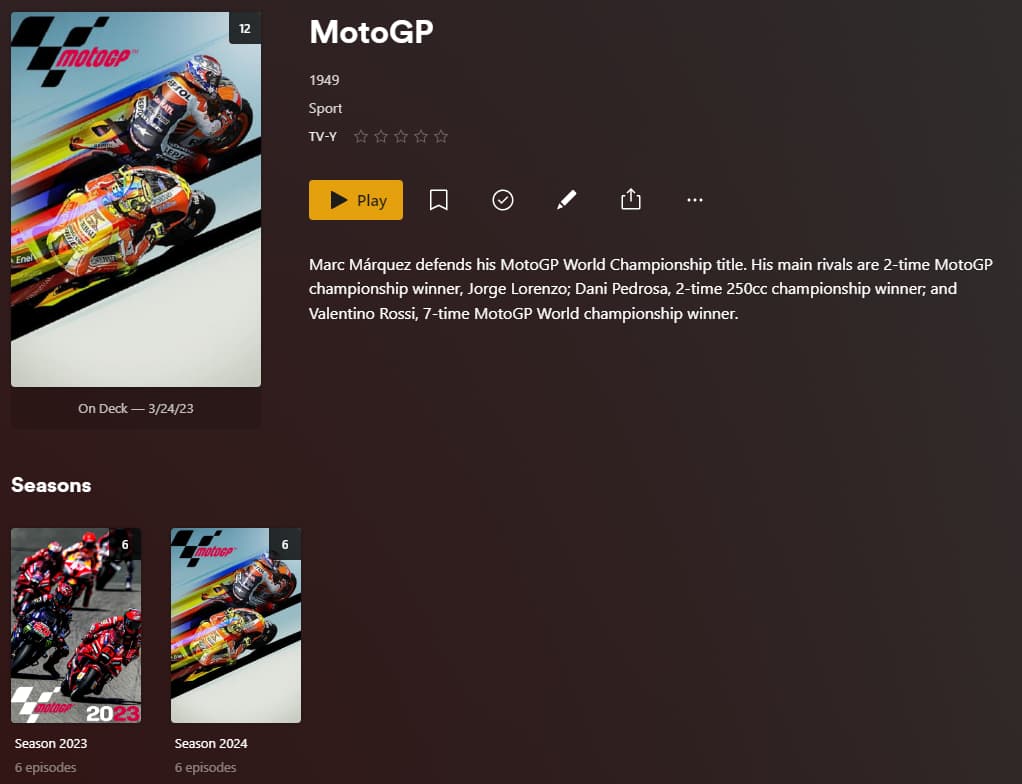
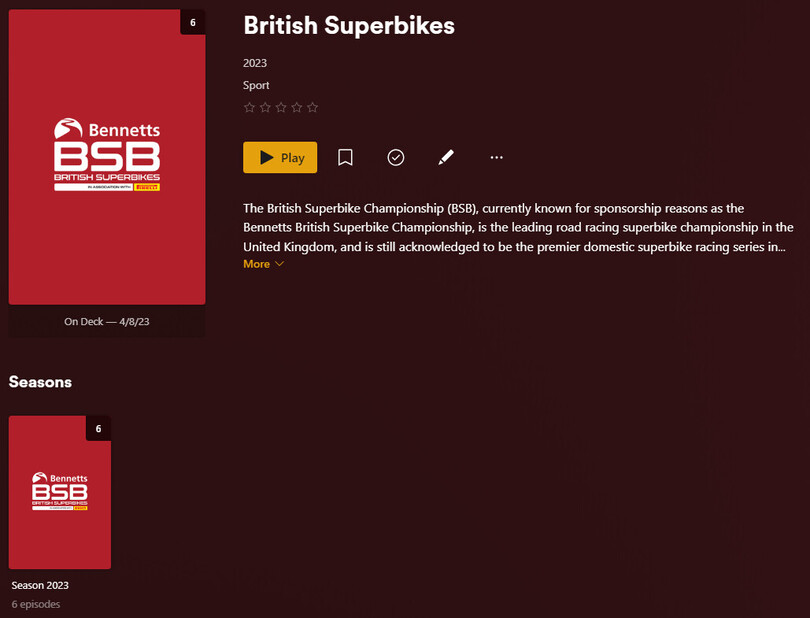
MotoGP and British SuperBikes cannot be matched. Something of a surprise for the former which is THE premier race bike series worldwide, yet nothing even vaguely relevant can be found and in both cases, no Watchlist icon to be seen anywhere.

I understand it is hard to get all this sort of functionality working perfectly and I am prepared to put my own effort into correcting it, but this is hopeless. Not least of all because the tools with which I am provided are incapable of fixing the problems.

Whatever the technical reasons, this is a fundamental failure of Plex. I have Shows with episodes I can watch. I should be able to add them to the Watchlist. Period. Any difficulties of doing so should simply be handled by Plex.

I am also more than a little irritated that when I view the Watchlist which is actually empty, the Watchlist tab shows the same as the Recommended tab. Seems Plex has decided to stuff that with garbage in which I have NO interest and my Watchlist is apparently full of what I do NOT want to watch and which is contrary to the very definition of ‘Watchlist’.

As soon as I add even a single item, that is then the only item displayed in the Watchlist tab. Take that one item out and again, all the ‘recommended’ crap of no interest to me.

This is a bad interface decision by Plex. The Recommended tab is there for what Plex want to, er, recommend and I do NOT want to have that duplicated in the actual Watchlist tab if I haven’t yet added anything to the Watchlist. This is simply terrible design. It’s bad enough that ‘Recommended’ tabs are always first and hence are the default. I don’t mind having that tab, but I want it AFTER those that contain MY stuff, that I have chosen.

It’s an imposition of the will of the Plex designers which implies their choices are more important than our own. In truth, it’s the other way around.

Poor design aside, anyone suggest how to correctly match these shows and enable me to add them to the Watchlist?
There is much that is still confusing about the Agents.

Apparently, the default is now to use the Plex (TV) Series agent (confusingly inconsistently named sometimes with and sometimes without the ‘TV’). Ok and that is set as the Agent for that library.

So what are the choices for Agents in the main Settings?

Choose the ‘Programmes’ library type (another term that presumably means ‘TV Shows’ but that is not used for that anywhere else that I’ve seen) and there are tabs for ‘Personal Media Shows’, theTVDB and The Movie Database. When are these choices used?

The new Plex (TV) Series agent is not offered, as apparently that is configured per library. In which case, the main Settings for Agents is in fact completely irrelevant? Or do they get used sometimes and if so, when?

I also read:-

" * Plex Series : The default agent in current Plex Media Server installs. More info on its settings can be found in our [Advanced Settings Plex TV Series Agent] …article. …

By default, metadata gathered will be based on info from The Movie Database, but you can adjust that for the library or a particular show, as desired."

I studied the ‘Advanced Settings’ page and then the Plex app itself and nowhere can I find any indication that the source can be changed from The Movie Database, either for the Library or the Show. There is NO option to do so that I have been able to find.

I am no stranger to negotiating computer interfaces and have written my own code for many things over the course of many years. However, when the instructions for something are completely at odds with reality, it makes trying to figure out this sort of conundrum hard to impossible.

My TV Shows library is set to use the Plex Series agent (no ‘TV’ used there) and although the option to change the source is not provided, apparently it uses The Movie Database by default. When I try to match my IoM TT show (as shown in image previously posted), it does NOT find the show that TMDB has listed, but instead it would appear it finds one listed in theTVDB (year and poster identify that) and then it adds some spurious and unrelated description (that neither of those sources appear to have), the Watchlist icon is only displayed at the show level and although that indicates when it thinks the show has been added to the Watchlist, it in fact never is.

So maybe there is something very simple I am missing here. If there is, it’s well hidden. Whatever the reason, it is not working and so far I’ve been unable to fathom why.

Unless Plex is simply not working how it is supposed to. Surely not. :scream:

Plex uses The Movie Database (TMDB) and TheTVDB as the two main sources for TV Show metadata.
Shows, seasons, and episodes, can only be matched if the metadata exists and your folder and file naming matches the online database of your choice.

Your TV Show library should be configured as follows:

  • Scanner: Plex TV Series
  • Agent: Plex Series
  • Episode ordering: TheTVDB (my preferred default for the library, but you can choose your own)


SuperBike World Championship

SuperBike World Championship (I’m assuming is WSBK) only exists on TMDB.

https://www.themoviedb.org/tv/123711-wsbk

TMDB uses years as it’s season numbers so your files must be named accordingly for the seasons and episodes them to match correct. However, the metadata looks incomplete so you will only be able to match what is in the database. You can create an account on TMDB to add/correct the metadata if you wish for it to match in Plex.

Example:

TV Shows
  └ WSBK (2024) {tmdb-123711}
    └ Season 2024
      └ WSBK (2024) - S2024E01 - Australia Superpole.mp4
      └ WSBK (2024) - S2024E02 - Australia Race 1.mp4
      └ WSBK (2024) - S2024E03 - Australia Superpole Race.mp4
      └ ...

Because the show is using TMDB episode ordering, which is different from the library default, you must edit the show to change it’s episode ordering.

Show:

Season:

Episode:


Isle of Man TT

Isle of Man TT exists on both TMDB and TVDB, but TheTVDB metadata looks more complete so I have used that in my test.

TheTVDB uses years as it’s season numbers so your files must be named accordingly for the seasons and episodes them to match correct.

Example:

TV Shows
  └ Isle of Man TT (2022) {tvdb-249992}
    └ Season 2023
      └ Isle of Man TT (2022) - S2023E01 - Hutchy TT Legend.mp4
      └ Isle of Man TT (2022) - S2023E02 - FHO TT Trailblazers.mp4
      └ Isle of Man TT (2022) - S2023E03 - Tourist Trophy.mp4
      └ ...
    └ Season 2024
      └ Isle of Man TT (2022) - S2024E01 - Qualifying Highlights.mp4
      └ Isle of Man TT (2022) - S2024E02 - Monster Energy Supersport TT Race 1.mp4
      └ Isle of Man TT (2022) - S2024E03 - 3wheeling.meida Sidecar TT Race 1.mp4
      └ ...

Show:

Season:

Episode:


MotoGP

MotoGP only exists on TVDB.

TheTVDB uses years as it’s season numbers so your files must be named accordingly for the seasons and episodes them to match correct.

Example:

TV Shows
  └ MotoGP (1949) {tvdb-81083}
    └ Season 2023
      └ MotoGP (1949) - S2023E01 - Grand Prix of Portugal (Moto3 Practice 1).mp4
      └ MotoGP (1949) - S2023E02 - Grand Prix of Portugal (Moto2 Practice 1).mp4
      └ MotoGP (1949) - S2023E03 - Grand Prix of Portugal (MotoGP Practice 1).mp4
      └ ...
    └ Season 2024
      └ MotoGP (1949) - S2024E01 - Test Shakedown MotoGP (Day 1).mp4
      └ MotoGP (1949) - S2024E02 - Test Shakedown MotoGP (Day 2).mp4
      └ MotoGP (1949) - S2024E03 - Test Shakedown MotoGP (Day 3).mp4
      └ ...

Show:

Season:

Episode:


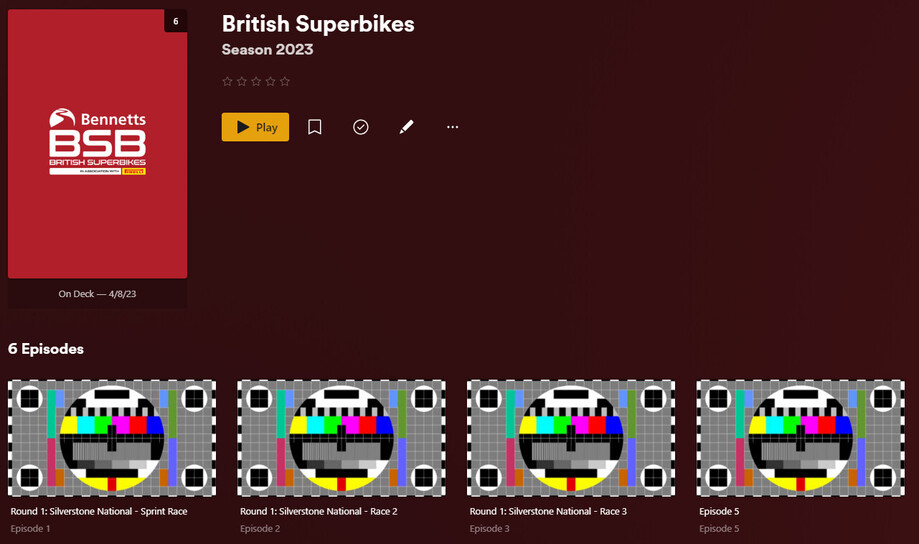
British Superbikes

British Superbikes only exists on TVDB.

TheTVDB uses years as it’s season numbers so your files must be named accordingly for the seasons and episodes them to match correct. However, the metadata looks incomplete so you will only be able to match what is in the database. You can create an account on TheTVDB to add/correct the metadata if you wish for it to match in Plex.

Example:

TV Shows
  └ British Superbikes (2023) {tvdb-433461}
    └ Season 2023
      └ MotoGP (1949) - S2023E01 - Round 1 Silverstone National - Sprint Race.mp4
      └ MotoGP (1949) - S2023E02 - Round 1 Silverstone National - Race 2.mp4
      └ MotoGP (1949) - S2023E03 - Round 1 Silverstone National - Race 3.mp4
      └ ...

Show:

Season:

Episode:

1 Like

That is very helpful of you, thanks. However, a couple of points:-

These shows have all simply been recorded by Plex, so the file naming should be correct. If it’s not, well, that’s Plex’s fault.

Secondly, you flip between data from TVDB and TMDB. I know what they are, but does the Plex (TV) Series agent use both? I can only find reference to it using TMDB, but that it can be set differently at the library and the show level, yet I can find no actual settings for either of those. So what is my agent using? I have no idea and apparently no way to see that or control it.

Thirdly, the IoM TT race series you show from TVDB, due to its more complete metadata, clearly illustrates one of my other points. The description is all about Charlie Brown, the Peanuts comic strip and this is absurdly wrong. I was unable to find any such description on either site, so exactly where is Plex getting that garbage from?

Finally, I am completely unable to troubleshoot this any further right now as I decided last night to update PMS and it will no longer start up. Sigh! :frowning_face:

So first I need to figure that out. Then I can look at those TV series again.

One more thing though. You are adding the source show ID to the show folder name. Seems like a good idea and I was going to try that, but was unable to find the ID on TMDB. Is it actually displayed anywhere or does one have to extract it from the URL?

Sorry, even one more point. My question was originally just about the Watchlist. These shows are transitory in that I record them, watch them and delete them at the end of the season. However, in the meantime I do want to be able to add them to my Watchlist, for easy access during the season and I have no desire to futz around renaming all the files just to allow this. I don’t really care how they are named on disk. Plex does that when it records them and I simply need to watch them in order of the date they were recorded. As I said, ultimately they will be deleted so it wastes my time having to do all this work of renaming etc. Particularly as having got it all correct, the next episode Plex records will be out on a limb and I’ll need to waste more time munging that into shape so it fits where it should. And then the next episode and so on.

Plex needs to record the episodes, save them on disk where it can find them, present them in the UI grouped for the Show and Season and allow me to add them to the Watchlist. Anything less than that is a failing of Plex.

I spend a huge amount of time correctly naming my media (especially music) so it is all displayed correctly in Plex - for media I intend to keep. I should not have to do that just to be able to add temporary recorded shows to my Watchlist.

Actually there is something else that bothers me.

Why is it necessary to do all this fancy file renaming? Just so Plex can ‘Match’ to a show automatically.

Instead, there is an option in the menu to ‘Match’ (or fix or unmatch first) and that allows one to manually enter the title and year on which to search and having found the show you want, select it and all is good. The show is now matched without any file renaming required. Yes?

That however is not working. E.g. enter MotoGP and no year and the search finds NOTHING relevant. Where is it searching? It apparently exists on TVDB and the name is unequivocally MotoGP, yet it is unable to find it. Why not? That is nothing to do with file naming. It’s just a textual search based on what was entered.

Surely in that case Plex should have retrieved everything that matched MotoGP in both TVDB AND TMDB. Then the user chooses to which show they want to match.

Searching for the ‘Isle of Man’ was equally frustrating as although it did find the TVDB show, the metadata is garbage and it did NOT find the correct show on TMDB. Why not? How hard can it be to search for a bit of text. It does find a multitude of shows that are only vaguely related, or mostly not at all, but the exact text on which I was searching? Nope. Nada. Nothing.

As a former database developer I am quite conversant with searching databases and I struggle to understand how this could be coded so badly as to produce such poor results.

Which suggests that perhaps I am not understanding what it is actually doing. So in which case, I would appreciate it if someone could explain exactly what that manual search is doing when trying to find a match as it makes no sense to me.

Plex aggregates metadata from TMDB, TVDB, and IMDB into their own combined database. The Plex agent is getting the metadata from this aggregated database, not from any of those sites directly. When you match a show, you are matching it to Plex’s database.

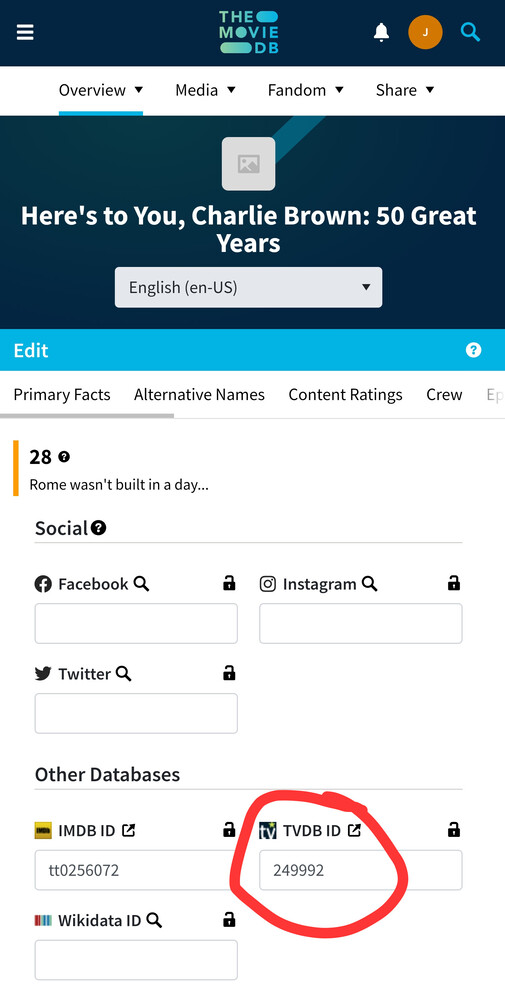
A Charlie Brown show on TMDB had an incorrect TVDB ID linked to Isle of Man TT. I have corrected this on TMDB and Plex should correct itself in a few days when it ingest new metadata from TMDB.

TMDB IDs are in the URL when you go to the page on their site.

I don’t use Plex DVR so I can’t comment on any of that, but my initial guess is the EPG guide data doesn’t match with TMDB/TVDB metadata so it’s causing matching issues.

Yes you can use “Fix Match” instead. Having the folders and files organized properly means you never need to use the “Fix Match” option because everything matches correctly from the beginning. Like I said, I don’t use DVR so I created dummy folders and files to demonstrate my tests. However, “Fix Match” still may not match season and episode data if it cannot determine the correct season and episode numbers. For example, if your file gets saved as S16E01 but there is no such thing as season 16 on TMDB/TVDB, no amount of fixing the match will match that episode.

Don’t leave out the year. Searching for “MotoGP” and “1949” finds the correct match.

If a result doesn’t show up when you try searching for a match, you can search using the specific IDs. Refer to the tips at the bottom of the support page.

https://support.plex.tv/articles/201018497-fix-match-match/

For example, to find MotoGP you an also search for tvdb-81083 in the title field.

Your can also add items to your watchlist through Plex’s Discover feature. However, Plex is very overly cautious to not surface any adult and/or unrated content in Discover, so you can’t always find them even though they are in Plex’s database.

Example for MotoGP.

https://app.plex.tv/desktop/#!/provider/tv.plex.provider.discover/details?key=%2Flibrary%2Fmetadata%2F5d9c0878e98e47001eb113f5

Or

https://watch.plex.tv/show/motogp

The other 3 shows don’t have content ratings so they cannot be found through Discover. With that said, even though you can add them to your watchlist from your own server, they won’t actually be visible on you watchlist because the Watchlist feature is based on Discover. This is unfortunately a limitation of the Watchlist feature at the moment.

That is news to me and explains a lot. Shame I’ve had to go all around the houses to discover that.

However, Plex docs say we can adjust the source at the library and at the show level and I still see no way to do that. All I can see is to adjust the sort order of the episodes, but nothing about the metadata which is what the docs are saying.

I guessed it was something like that. Well done for providing the correction.

So yes, one does have to extract them from the URL as I thought. Just wondered if they were actually displayed anywhere.

I have found that the year definitely does affect the results returned.

That’s a very good tip, I did not know that. But…

A straight textual search on ‘MotoGP’ should return any show of that exact name from TMDB, TVDB or IMDB, but it does not.

That is possibly the most important info. of all. No matter what I do, some items will simply never actually appear in my Watchlist.

I’ll stop beating my head against that particular wall. :slightly_smiling_face:

Looks like a lot of your questions you asked have been covered before I could get to it, but here are a few more bits of info:

Plex DVR relies on the guide data for metadata. As far as I can tell, it will never set the shows to “match” against online databases in the library that it records to. This is because it cannot rely on the data in the guide to be 100% correct for matching purposes. So, since any show recorded will not be matched, I suppose that may make them impossible to use with watchlist until you correct that.

If you edit a show and select between TVDB or TMDB, that is purely for episode ordering. Whichever you use, it still pulls the actual episode metadata from its own aggregate database on watch.plex.tv. Picking between TVDB or TMDB is only if the episode numbers themselves vary between the two databases. This isn’t as much of an issue for shows lately as they all tend to be VERY linear in how you watch them. But in older shows (Firefly, Doctor Who), there is a lot of arguing between fans over the true proper order, so the two databases have diverged in some places. Both databases tend to have the same episodes, just a different number for each, so you should be able to just use one of their numbering systems and rename your files to match them. (Note: This may not be applicable to what issue you are having. Something recorded recently is unlikely to have numbering issues, but I feel that this is an interesting bit of information for you to keep in mind for the future)

I agree that the show/movie search is pretty unreliable. It almost seems like that unless you already know exactly how the show is named and the year, the search won’t provide proper results. After a while of this, I give search exactly one try to find the item, before I go and find the ID and use that instead.

More good info, thanks.

Just spent a worrying few hours rebuilding the database as it somehow got munged. Working fine (well, apart from these issues under discussion) until the update and then, won’t run. The database had somehow been corrupted and PMS wouldn’t start and no db fixes worked except a complete export and recover. Now it’s working and seems fine, but as I said, worrying.

I have been playing some more with these shows and there are certainly still unresolved issues, but at least I have a better understanding now.

I’ve matched ‘Isle of Man TT’ to the TVDB show as that uses the year for the series, whereas TMDB uses numbers which have no relevance that I can determine.

MotoGP highlighted the basic search failure. The show exists on TVDB with that exact name, but Plex is unable to find it to match using that title. Entering the TVDB ID and if finds it immediately and all is well. So as I’ve said before, the search is pretty hopeless if it cannot perform such a simple text search.

Outstanding issues are:-

Both the above shows are correctly matched. But neither display the Watchlist icon at the season or episode level, which they should as it IS displayed at the show level.

Isle of Man TT does not appear in the Watchlist when it should, although MotoGP does, but as we’ve discussed, that’s down to Discover and seems to me Plex need to make this better. If it cannot do something, Plex needs to let the user know that and the reason why. Not just simply leave the user without any idea why things are not working as they apparently should.

Poster art. For the show there are several to choose from once matched and the seasons simply display the same if nothing is otherwise specified, which you can do, but nothing is offered. Yes a URL can be provided and that image can be used, but in one case, the show offered an image I wanted to use for one of the seasons. Can’t do it. Show posters are not offered at the season level and if you don’t know the origin of a show poster, you can’t use it for a season. If I could drag it from the show to the desktop and then upload into the season, that would help, but you cannot access that show poster in any way to be able to use it for a season.

Seems to me Plex should simply offer at the season level any artwork that is already available for the show. Annoyingly, it does not.

Apart from that, I’m making headway. Mostly just incredibly relieved PMS is running again after Plex managed to munge its database.

Something else always occurs to me.

If I have to rename files and folders to better match, I’m thinking that when Plex records the next episode, it will simply create a new show folder with the old name, i.e. the one it gets from the Guide. So then I’ll have 2 different folders and episodes with different naming conventions which is a mess.

So what if the naming is left as whatever Plex uses when it records the episodes, but with the {??DB=ID} added on to the end?

When Plex is looking for the folder to store the recording, it should ignore that extra {ID} in the show folder name and place the recording in that folder with the other episodes.

Matching can be done directly (possibly using the ID to get it correct) and it should then remain correctly matched.

This method should then solve both problems. New episodes will continue to be recorded into the same folder, but the show will be matched even if the name from the Guide is not exactly the same as used by ??DB.

Any reason why this would not work and be the best option?

I doubt it will work that way. I believe Plex will create a folder for the show based on the guide data. It should then record all episodes for that show to the folder. If the folder vanishes from where it was (a rename will make the old path invalid), Plex may just shrug and recreate the old folder. I could be wrong, and would be interested in knowing so, so it wouldn’t hurt to try it.

I think the reason why you cannot add episodes or seasons to the watchlist on a matched show (but one recorded) is because of the guide metadata. I see this a lot on late night shows, which claim to air for a particular date, despite airing after midnight (when the date changes). For example, a Seth Meyers that is recorded from my DVR sometimes has the filename of the particular date it recorded. Since that date is for the day AFTER it aired, Plex will mistake it for the episode that airs that night.

To avoid this, Plex simply gives up and doesn’t match the episode. Oh, yeah, interesting bit of info, Plex can also kind of “match” episodes against the ones in its own database. If you have an episode number that does not match its database, the episode is considered “unmatched”, just like a show. However, unlike a show, you cannot manually “match” the episode against a specific episode. So if an episode is unmatched, I will bet anything that Plex will be unable to add it to the watchlist, and if an entire season is unmatched (because it was recorded off the air), there won’t be a add to watchlist button for the season either.

A fix for this is… and this is scary, but “Refresh Metadata”. (This is scary, because Plex ordinarilly will NEVER refresh metadata for online recorded media. This is because of Plex not trusting guide data. Heck, if the guide says it is “Jurassic Park”, it can’t even trust that it is “Jurassic Park (1993)”, so it simply fills the metadata from the guide, and leaves the movie unmatched. If you force a metadata update, and it matches the movie/episode wrong due to the name, then you lose all the metadata that the guide provided, which might have been more correct) Doing so should cause plex to look at the episode filename, and attempt to match that to its own database. If your TV Guide data was accurate enough that the numbers are correct, Plex should match them to the correct episode and fill in the metadata correctly. If this happens, I bet you would be able to add them to watchlist.

This is, however, a manual process. I think these episodes are locked from periodic metadata refreshes unless you manually run it, and all future episodes will also be locked. I may have a workaround, which involves creating a DVR library, and telling shows to record to that library. This records episodes to a folder, and this library will lock the metadata fields. However, you can then create ANOTHER library that points to this folder, and this second library will have no idea that the episodes are sourced from the DVR. So when this library scans the content, it will do its normal matching and (fingers crossed) match the episodes.

Thanks, I guess I’ll find out if the {??? ID} at the end of the show folder name will cause it to create another without it. Probably another recording due in the next few days. See what happens.

I fully understand (and sympathise with) Plex finding it hard to match stuff. Until content creators and broadcasters create a unified ID scheme that will uniquely identify everything (which is never going to happen) it will always be tricky and for temporary recordings, i.e. that will be discarded once watched, this is not a big deal. For stuff I want to keep (and is then unlikely to change) I don’t mind putting in the effort to manually match etc.

My main issue is still with the title of this thread. Watchlist. There is limited value of this feature if it is as temperamental as it is. Some shows can be added no problem, others appear to offer it at the show level only but never appear in the Watchlist and others that also only offer it at the show level do appear in the list. It is so inconsistent and that can make it virtually useless, or at least, a lot less useful than it could and should be.

I understand there are technical reasons for this due to the way the Watchlist is based on ‘Discovery’, but really, that is not my problem. I have a show with episodes I can watch. I want it in my Watchlist, even if it is not matched at all. That’s the whole point of a Watchlist, it’s a list of content I want to watch. If I am unable to do so, then Plex is not doing a good enough job.

Whatever those technical reasons, Plex needs to handle them. Change the way Watchlist works if necessary. As I said, if a show exists in my libraries, matched or not, I should be able to add it to my Watchlist. Period.

It’s not only about matching the show as a whole, but also about episode orderings.
Many a broadcaster is changing the order of shows. (More often when they’re re-broadcast, but not only).
Moving seasonally-themed episodes to a different date where it suits their programming.
Chopping up double episodes, or merging two single eps in to a double one.
Or simply leaving out episodes completely, which have some controversial issue (for the broadcaster) in them.

Yes I know, it’s a mess and always will be.

Ah. With the way the Watchlist is currently structured, it seems as if what it does is it registers the PLEX-ID (like TVDB-ID or TMDB-ID or IMDB-ID) as on your list. Once you click on the item in the watchlist, the page then-and-there checks all servers you have access to in order to display if you can watch them there. Watchlist seems more to me like an integrated IMDB wishlist feature, that also can then refer you to your own content after a few seconds. It’s due to this structure that in order to add an item to the list, the item MUST be matched to an exact show and episode number.

I’m not saying I agree or like this at all. It’s likely the best method that they could come up with for a list that could be accessed anywhere in the world, while also not revealing whether your server contains the content. Since you can add items not available to you to this watchlist, it means that it cannot be relied upon as proof of your ownership of an item.

I do wonder why Plex hasn’t implemented more server-based methods though. Since when you log into your account, Plex locates all servers you have access to, it can (theoretically) access these servers right then to retrieve a server-stored watchlist and display those items to you.