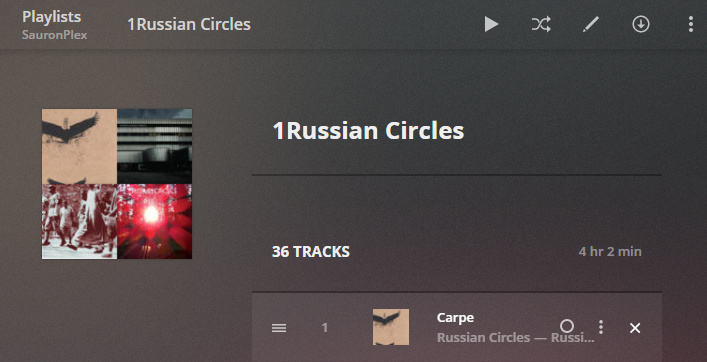
Server: Version 1.16.5.1554
It’s easy to create a playlist and add songs. I don’t see an option to remove a song from the playlist. There’s a song option called “Delete” but that deletes the song from disk.
Where’s “Remove” option?
hmm, I see the remove X when hover over a track ?
Note however, you cannot remove tracks from an ‘auto’ playlist, ie saved from a FILTER.
auto playlists are dynamic and will always match any tracks which are included in the filter.
unfortunately you cannot edit auto playlists either, you must create a new one and delete the old one if desired.
1 Like
I marked it as a solution, but I was looking at the Play Queue. I do not have the X option on the playlist screen.
hmm I don’t use the web app for playback, but on IOS you can ‘edit’ (at the top of the queue list) and remove tracks or rearrange the queue.
edit: on ios queue it does say delete, but appears to be just remove from queue.
edit2, on the web player it looks like you cannot remove a currently playing/paused track, but you can remove others
Your picture appears to be an AUTO playlist? which cannot be edited.
if the playlist has a GEAR in the top left corner, then it is an auto playlist and cannot be edited.
I see. You’re right. This list was made long ago. Didn’t realize it was an auto playlist.
Thanks for the help!
system
December 31, 2019, 5:03pm
6
This topic was automatically closed 90 days after the last reply. New replies are no longer allowed.