Server Version#:1.21.1.3876
Player Version#:4.47.3
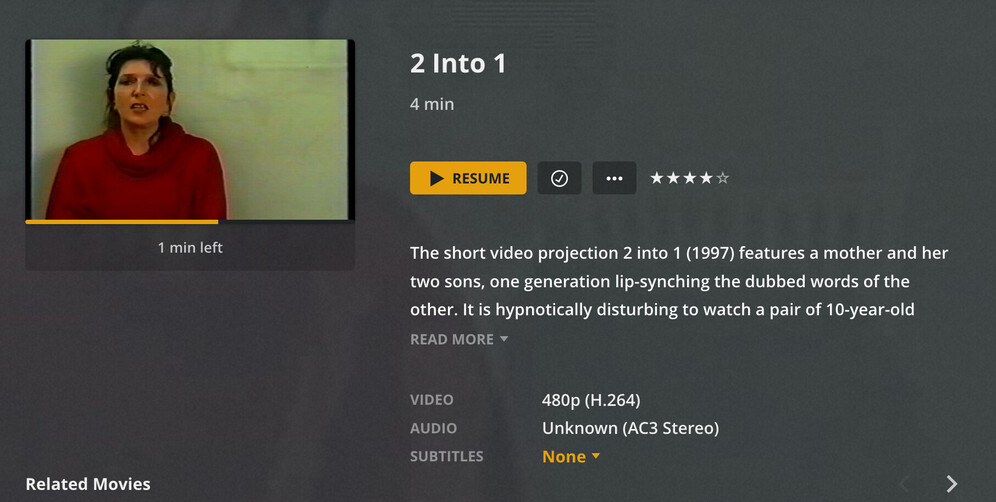
On localhost, metadata such as Directed By and Genre are displayed, but when viewed via the web app, these items are excluded. I’m probably missing something easy. Suggestions? TIA
Edit:
apparently the forum doesn’t like pictures in tables… and apparently the forum is smart enough that the pics don’t show a difference, therefore it decided to merge my 3 files and only upload 1… weird
Yeah, I would think there’d be other reports if it was a general issue but couldn’t find any via search. Any ideas why I might be experiencing this? Places to look? I’ve refreshed metadata…checked my agents (these are personal films, so the library type is “Other Videos” and the agent is “Personal Media”). At a loss…the data shows up when I select edit…it just isn’t displayed via the web app.
Any content blockers / add-ons that might interfere with some changes in the HTML code? Maybe there’s been some “under the hood” changes to the pages that conflict with one of those?
What browser are you using? Same result in a different browser or with add-ons disabled?
Interesting…I just tried Safari from my server machine and Plex web showed properly. Then, tried Safari, again, from my workstation, and the Director/etc is missing.
Will try from a third machine and see if it’s just my workstation that’s having the problem. Strange!
Looks like the ONLY machine that will display that metadata (Dir, Genre, etc.) is the server, itself. On all other machines and browsers (tested Chrome, Firefox, Safari) that data is missing in the web app view.
Server Version#:1.22.0.4163
Player Version#:4.53.0
Just upgraded to the Lifetime Plex Pass, updated the server, and now NONE of my Directed By/Genre metadata (see above) appears via localhost OR remotely when viewed via a web browser on a computer. If I select a film, choose More → Get Info → View XML I can see the “Director id” and “Director tag” with the appropriate info. It just isn’t displayed by the browser (any browser). I can view the library via my iPhone, and it properly displays the Directed by and Genre metadata. I’m baffled. I’ve dug through all the settings and there doesn’t appear to be any setting to filter the display. I’m afraid to reset things because I don’t want to lose all of my playlists or summaries, etc.
Have you tried the basics like restarting your server after you got your Plex Pass?
If the libraries are showing alright on your phone, that implies nothing is gone… just some hiccup when showing it in the web version
I FINALLY figured out my issue. My library was set to type, Other Videos. The agent was set to Personal Media. In that mode, on the Pre-Play/Details view, the Director/Genre was not displayed. I changed the library to Plex Movie and the agent to Plex Movie…checked my agents, and all is good again.