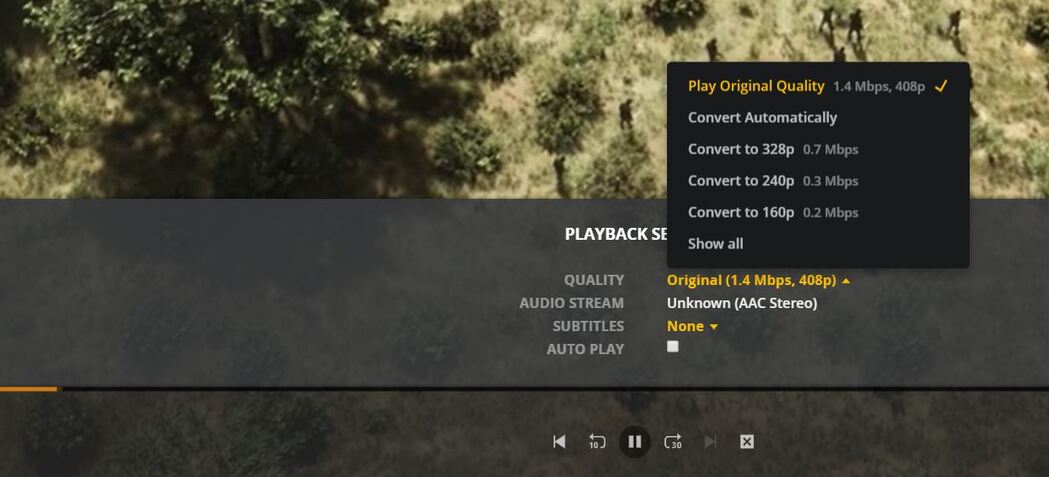
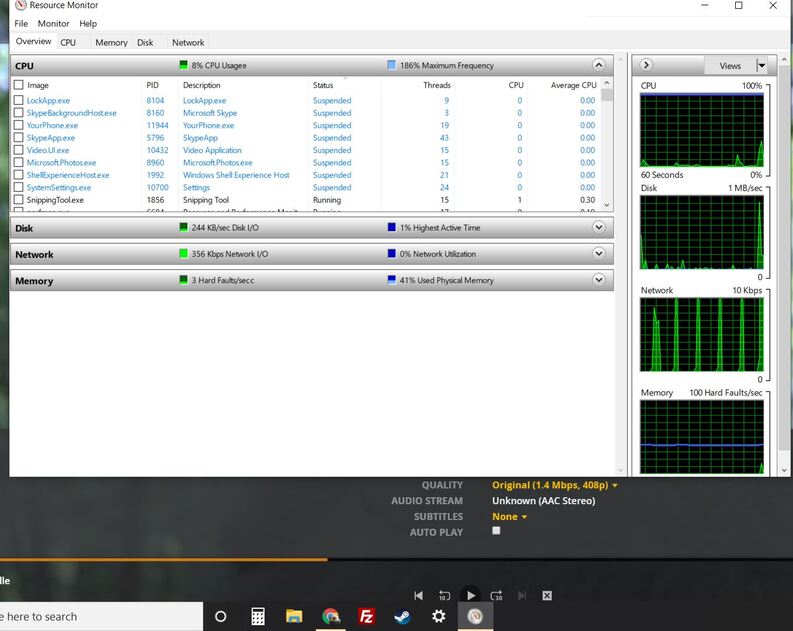
I have not had this problem with years of using plex but now, some files are playing at “408p 1.4 mbps” and the quailty looks like 1080p or more, the cpu and ram usages are low on the server and device, but it always buffers.
I try to use the automatic quality setting but we all know that code is fail. I click the “Show All” in the quality choices and because it is “1.4 mbps” my next option down is “0.7 mbps”. If I choose this the buffer has no problem for sure but the quality is so horrible I would rather urinate on the screen instead of look at it with my eyes.
Like most bugs with plex, it just doesn’t make any sense. I search this forum and google only to find 1 post that even mentions 408p, it is years old and not relevant in anyway.
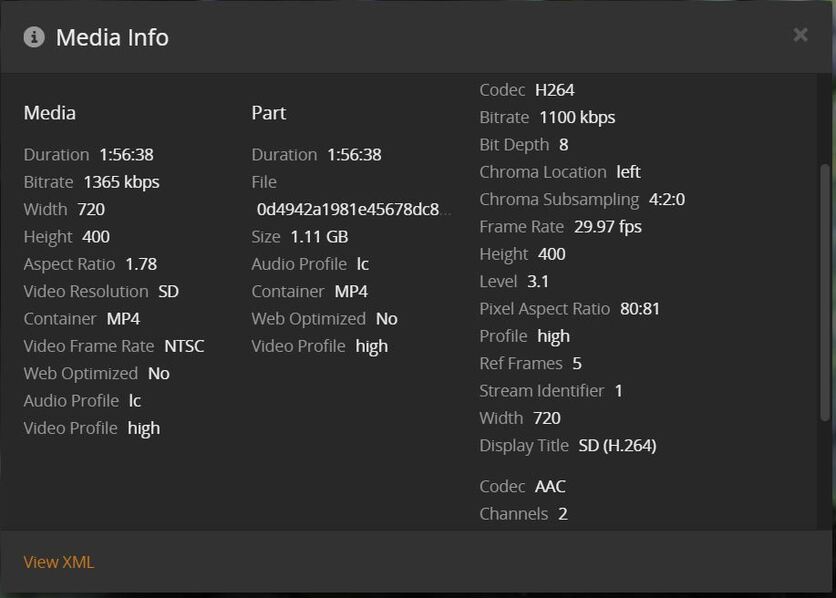
Can you show us the XML of the file?
Go to the file, click the 3 vertical dots, click get info, then click view xml. Please paste the resulting information here.
I can sit here all day and I don’t believe plex is actually going to do any buffering or transcoding or whatever it is supposed to be doing… it’s just waiting for me to hit play again so it can decide it needs to think about maybe buffering or transcoding or whatever it is supposed to be doing…
I hope that helps but this is just 1 file… it does it on half my downloads now.
If you look at that. The width is 720 and the height is 400, it’s SD but widescreen, and it’s at a video bitrate of 1100 kbps. According to that XML.
If you want to check the information, also use MediaInfo (another app) to check it against what plex has. But that file is a Standard Definition file, at 30 frames per second, and the resolution is correct, so 408p @ 1.4Mbps is correct for that particular file. If you have multiple files like this, I suggest you find a better source.
hahahhahaha, you are so basic and obviously can’t understand this.
Or you’re incapable of articulating what the actual problem is?
You may be right, I tried shoving my own head far enough up my ass to see what plex is doing but, I just couldn’t see it the way you want.
I can play media at 1080p or higher or lower, whatever, but these files that make it “408p” don’t play correctly, my only option is to go to 0.7mbps even tho I can do way more, but that doesn’t matter as I have proved the images proving it just sits there… because it has a bug…
I spent years paying monthly for plex then got the VIP and it has gone downhill, even this forum is a disaster.
What I am supposed to tell or show you? it doesn’t work!
That media is not IN 1080p, that’s why you can’t play it in 1080p. According to the deepscan analysis of the file it’s 408p. Plex does not upscale content. Plex plays either the original quality of the original file OR it transcodes the file to a SMALLER resolution to conserve bandwidth or play smoothly. There is no upscaling.
This is why I recommended looking at it in MediaInfo (An app you need to download from the internet) to verify that Plex has the correct information for this file (and others you own). It MAY be that the deepscan of the file failed and gave an incorrect value, that does happen. But that needs to be verified first before we go down a rabbit hole that doesn’t need to be gone down.
So I need to find better quality files, so plex can play them? because it would rather have 1080p at 10mbps?
Do you understand the fact this is some bug and your basic logic is useless?
Is it that it can’t play them, or that it looks like crap when you move to .7Mbps? That’s the part of your conversation that is unclear. It says very clearly in your first post that you can play them, and they “look” 1080p. So which is it? Is it just the fact that it buffers at 1.4Mbps? If so, we can look into that… But you’re not being very clear on what the actual issue is
I never said this media was 1080p, I said I have no problem streaming 1080p, the quality of these “408p” files LOOKS like 1080p even though it says 408p.
Years I have used plex, I have spent many of dollars before going VIP.
That said, if I didn’t make my self clear, I can stream 1080p or higher, it doesn’t matter, these files that are supposedly 408p are making plex stop transcoding or buffering or DOING WHATEVER PLEX SHOULD BE DOING
these are just downloaded NZBs, I can’t provide each source, I can only tell you this problem is obviously a bug! ONE THAT NEVER USED TO EXIST AND I HAVEN’T CHANGED ANYTHING ON MY SERVER, JUST UPDATED PLEX!
This whole time I have been sitting here pulling my hair out trying to explain to you that PLEX IS NOT PLEXING, it has not buffered 1 second of this file, I am going to post this, hit play, and watch it as it does not play any further.
Like I said, my only option is to go to 0.7mbps, which will buffer it’s heart out and play at a quality that is only worth urinating on. But, as I explained, this 408p plex thinks these files are, rather they are or not, have an amazing ability to look like 1080p or higher, they sure look better than 720p, despite what that xml code shows.
You calling people trying to help you “basic” is not going to get you very far in life. I totally get that you’re frustrated, and that’s fine. But to throw stones at someone that came in to help you… It’s going to make people not want to help you.
That’s first and foremost.
PLEXING is not a thing.
Here you say “Some files are playing” and then you say “But it buffers” and then you just said, it’s not playing at all… BE MORE CLEAR.
If it’s not playing AT ALL… and the files look excellent… That brings me back to my INITIAL thing. USE MEDIA INFO TO SEE WHAT THE ACTUAL FILE IS.
You are clearly here just to complain rather than solve a problem, I will help you solve a problem, but I will not be your verbal punching bag…
So choose, which do you want to do?
why am I even having to explain this? It isn’t like I stream netflix or youtube and it just decides not to work, it is only plex and the horrible code that always fails into some random bug that is impossible to explain.
And this pathetic excuse for a forum is the only place to go.
I haven’t programmed since the 90’s in visual basics 3 but I feel like hanging up my keys as a truck driver and learning how to program a plex alternative worth a crap.
It is the only application in my life that just decides not to work after updates. This isn’t my fault as a stupid truck driver, it is your guys fault as stupid programmers.
I am a regular user, just like you… Not a programmer… and I don’t work for plex… HOWEVER, I have about 20 years in technology, video compression, and visual effects… So, I CAN help you… if you’re actually open to being helped rather than being “a stupid truck driver”
Here’s an idea, go complain to the people who made those crappy files you downloaded from some crap site.
you mean the files that play just fine outside of plex? Okay, good idea.