Server Version#:1.17.0.1841-d42cfa161-x86_64
Player Version#: 1.3.1.916-1cb2c34d
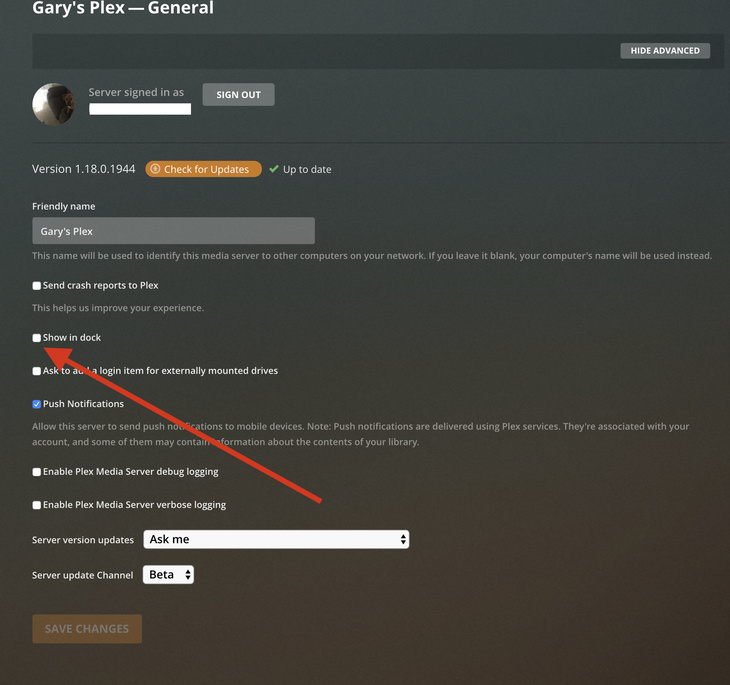
I’ve seen reference to a setting to keep or remove the server from the dock. I had been keeping it removed, but had a debugging problem tonight where I needed to shut down the server and had to use Activity Monitor. I’ve looked in the server settings and can’t find that dock icon setting, Can anyone tell me exactly where it is? Thanks!
The setting your looking for is in General settings, there is also a Menu bar Plex icon. For me I use neither and opp to access from a secondary Browser like Chrome with the home page set to