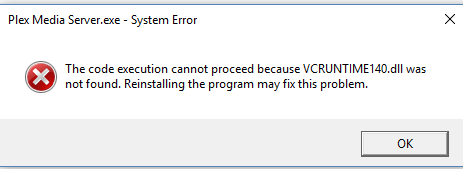
I just completed a fresh installation of Plex Media Server 1.7.2.3878-8088811b8 using the installation file presently available to Plex Pass members from plex.tv, to a clean installation of Windows 10 64-bit Individual Preview Build 16199.0000. Launching Plex Media Server at the conclusion of the installation prompted the display of the System Error "Plex Media Server.exe - System Error. The code execution cannot proceed because VCRUNTIME140.dll was not found. Reinstalling the program may fix this problem.
I first attempted to repair the installation. That didn’t resolve the issue so I uninstalled Plex Media Server, restarted my computer, and the performed another installation. Same result.
This has never before happened with any previous installation of Plex Media Server to my desktop PC running under Windows 7, 8 or 10, or with the previous installation of Windows 10 Individual Preview Build 16199.0000.
I know that VCRUNTIME140.dll is used by Microsoft Visual Studio 2015, but why doesn’t the installation routine verify the existence of VCRUNTIME140.dll as a part of the installation, and install it if it is found to be missing as do most software applications that require such libraries?
What is the best solution to resolve this issue?
Thank you.