I have a Plex Pass. WTF is up with running ADS ON MY PLEX content!
Ok, for some reason, Plex replaced my ongoing season from my own content to a streamed version, with ads. I had to go into my library and re-select my own content. I still want to know why Plex replaced the Continue Watching with a streamed version.
If Plex’s streams are pinned, then they get all mixed into Continue Watching. Un-pin that source and this will never happen again.
lol like clockwork 
Some recent update does indeed seem to have screwed up ads on Plex; in the past week it has tried twice now to display an advert on my own content, but it seems to definitely be bugged as in both cases the video paused, I got a burst of loud music (and in the first case, something in German, so it’s not even an advert in the correct language) before my content resumed playing.
Like it tried to play an advert and failed to show anything, just played audio then failed. This is definitely not in the content itself, and Plex showed a visible “pause” symbol indicating this was something initiated by Plex itself.
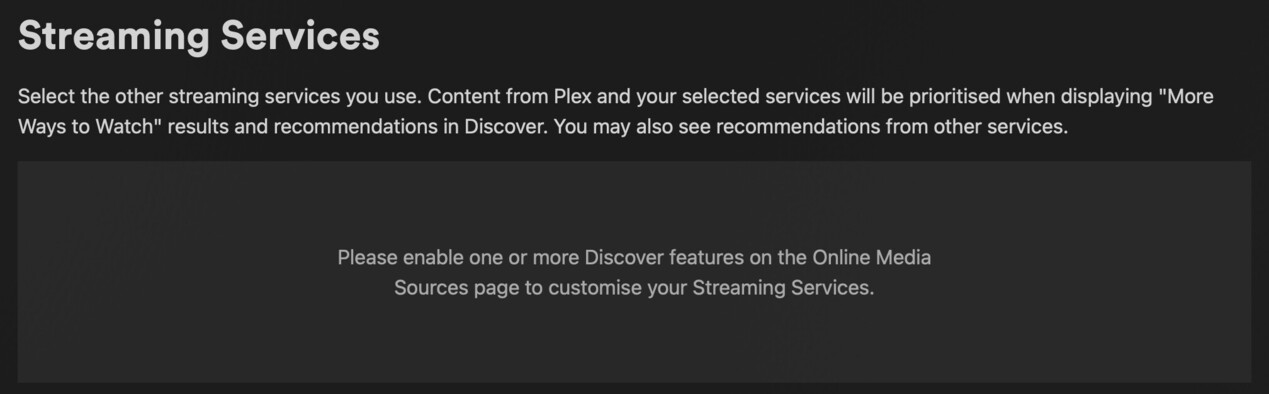
Under Settings → Online Media Sources I have everything set to “Disabled” except for friend activity on detail pages, and I have no services listed under the Streaming Services section. To be sure, I temporarily enabled Online Media Sources so I could verify that every possible streaming service is unchecked, before disabling them all again. However this is exactly as I expected it to be (I have never at any point used online streaming services, I use Plex only to stream from own server and nowhere else). I do not have any online source pinned, only my own local Movies, TV Shows and Music libraries.
According to all the snarky messages to be found on the forums about issues like this always definitely being 100% user error, there should be zero possibility that I am streaming from anywhere other than my own Plex server, and there should be zero chance of seeing any advertising. And yet it happened anyway.
I don’t think disabling Plex’s own streams is done under /settings/streaming-services. It’s a source on the sidebar.
If Plex is pausing playback of local files and trying to play ads, you will have the ultimate “I told you so” privileges. See if you can reproduce the problem.

I don’t think disabling Plex’s own streams is done under /settings/streaming-services. It’s a source on the sidebar.
As I already said, I have none of these pinned/enabled, only the personal “Movies”, “TV Shows” and “Music” libraries.
If Plex is pausing playback of local files and trying to play ads, you will have the ultimate “I told you so” privileges. See if you can reproduce the problem.
It happened twice in about a week, so it’s not a regular, easily reproducible problem – it has happened at a random time during two entirely different shows.
I should however have added that I observed this on the Android version of Plex on an Android TV device, fully updated. I haven’t observed it on the macOS version of the Plex app which I also use (but a lot less often).
It being on Android significantly limits my ability to capture anything, especially since there’s nothing to show as the episode is paused, audio plays as if an advert is trying to play, then it resumes. This is a new issue, though I can’t confirm when exactly the Android TV will have updated Plex (only that it’s currently the latest version as no non-beta updates are available).
SHow us screenshots of your setting screens and sidebar
The server cannot call ads it has no code to connect to the ad servers. It is likely just cinema trailers or a preroll
https://support.plex.tv/articles/202934883-cinema-trailers-extras/#toc-1
SHow us screenshots of your setting screens and sidebar
Which settings screens? There are a lot of them. Here is the sidebar and the two I’ve already mentioned.


The server cannot call ads it has no code to connect to the ad servers. It is likely just cinema trailers or a preroll
I don’t have trailers enabled either, and whatever this was occurred during an episode of a TV Show in both cases – it wasn’t ahead of a movie. I do not have extras enabled either.
Play the video files directly with a desktop video player app (e.g. VLC), thus circumventing Plex completely.
Are the ads still in there?
On my local PMS, I also disabled all online sources.
I still get online sources through search… is it a possibility that you used PMS search to play your own TV show and that you accidently started an online version of it?
Du disable search results from plex TV you would need to find and disable the following:

Trailers maybe? Cinema prerolls?
Play the video files directly with a desktop video player app (e.g. VLC), thus circumventing Plex completely.
I checked both affected files, there’s nothing in them. One of the shows is an older one I’ve watched before as well, and which I forgot to get the forced subtitles for, so it’s definitely my own copy that was playing.
I still get online sources through search… is it a possibility that you used PMS search to play your own TV show and that you accidently started an online version of it?
I don’t use the search with my Android TV because it’s a pain in the ass to enter anything from a remote; I get shows via the TV Shows library if I haven’t watched them before, or Continue Watching or Recently Added.
Even so, my only sources for search are my local media files.
I just don’t see any way that anything online should be playing, so with this in mind, if it happens again what do I do in order to debug it? What should I turn in with regards to logging and where do I look to see if there are any clues as to what happened? My server is on macOS btw, but like I say I also use an Android TV for access so getting logs or such off that is going to be difficult.
Did you perhaps play the content from the general Home page of the device (i.e. Google TV), before explicitly entering the Plex app?
I seem to remember that Google is experimenting with placing ads on that global home page. I’ve seen ad videos play on that page on my Shield (though without audio – but that may be influenced by a device setting or even the country you are in).
Did you perhaps play the content from the general Home page of the device (i.e. Google TV), before explicitly entering the Plex app?
My Android TV device doesn’t offer anything like that, I have to launch the Plex app before I have any access to my content.
