I can access the net form other apps but Plex is telling me I am offline. What gives?
This also happened while home when on WiFi.
If you quit the app and restart it, do you see the same thing?
That is the only way I could clear it. Twice so far.
1 Like
Next time this happens, could you DM me the app logs, please? That way I can pass them back to our team to look into 
1 Like
Same problem - says offline on the home page, yet I can navigate to a library and play something… Using the Android app v7.0.0.5371
@Anijake If you see it again, can you confirm if the offline browsing toggle is on or off?
1 Like
@DaveBinM said:
@Anijake If you see it again, can you confirm if theoffline browsingtoggle is on or off?
offline browsing has always been off.
Okay, thanks for confirming. If you see it again, can you please post logs?
1 Like
@DaveBinM so far has not happened again, will keep updated.
1 Like
I’m seeing this on Android, even restarting app cannot make offline message go away
4 Likes
Trying to find logs, all I can see is this:
Manufacturer: OnePlus
Device: OnePlus5T
Model: ONEPLUS A5010
Product: OnePlus5T
Version: 8.1.0
Description of issue:
Link to Plex.tv forum post:
1 Like
@DaveBinM happened again
Don’t know why one is different then the other
Lets see how many years this one takes, if ever, to fix.
1 Like
@DaveBinM and again
notice the full wifi.
Same problem here on iPhone 7 iOS 11.4
I made the mistake of uninstalling and reinstalling, now it doesn’t even list what media types I have on my server. How do I go about disconnecting my app from my account, and reconnecting. I don’t see logout anywhere.
1 Like
Don’t expect a answer or a fix guys, this is what Plex does. They engage for a short time and when they realize the app is so broke that they have no idea how to fix the problem they just disappear.
8 Likes
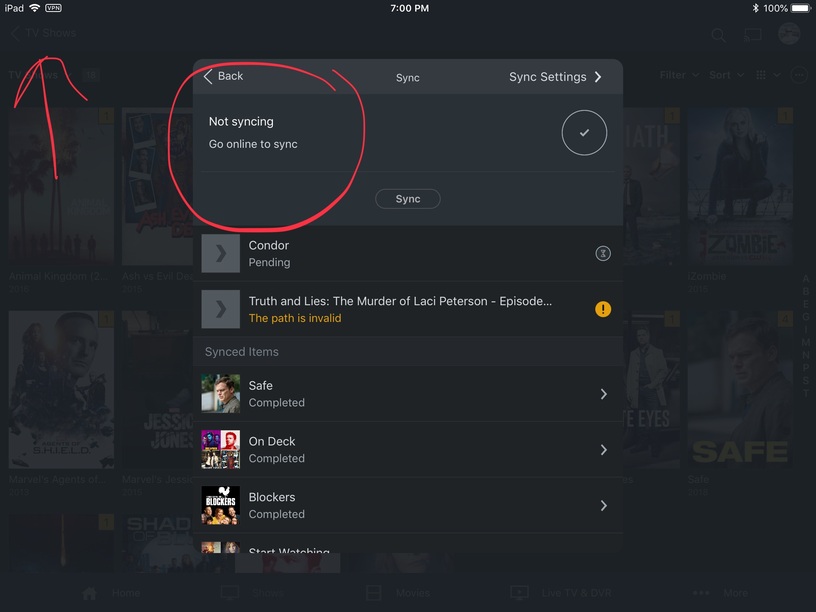
We’re not keeping our heads in the sand. I’ve reported the issue to engineering, and it’s actively being looked into. I just don’t have anything to add, because it’s still a work in progress at the moment. Once this is fixed, it’ll be noted in the release notes.
3 Likes
