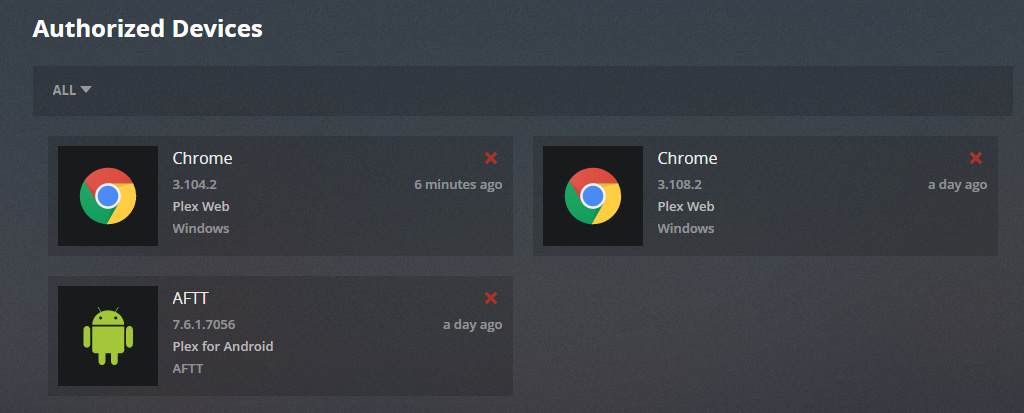
In the win 10 app store, I installed plex
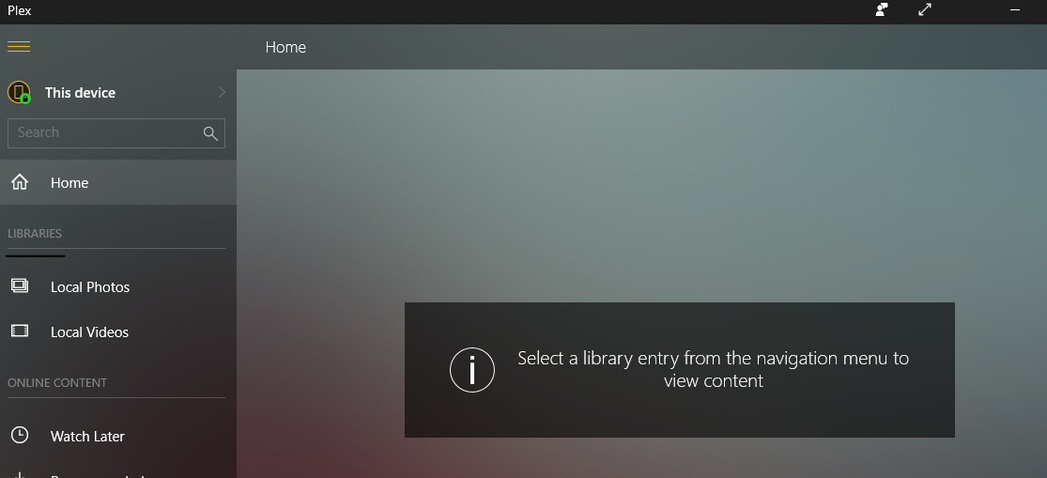
But it doesn’t have the same features as the web app to add libraries. Only Local video and pictures?
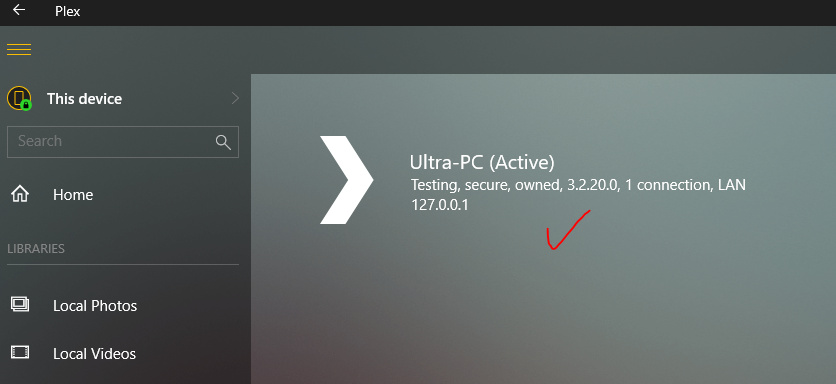
AND If I use webapp, I cannot connect to server then??
At the risk of misreading your post…
The app from the Windows app store is a Plex Client – it’s main purpose is to playback the media from your Plex Media Server. It’s not an admin interface for your server where you can add additional libraries etc.
Do you have a Plex Media Server installed and setup that can show up when you access Plex through the web app?
I believe he’s referencing that his libraries are not showing up. That’s what I took to mean from it. He stated he was in the “Web App” which can only be gotten to with a server installed. However, his server doesn’t appear to be showing up in the left-side menu, as the app cannot find it.
That’s how I read it, from the provided pictures, anyways.
Also, I did just try it, you can add libraries from within the Plex Client in Windows… At least that just worked for me…
Are you talking about the Plex app from the windows Store? You can’t or at least shouldn’t be able to from that app. If you are referring to the desktop mode in Plex Media Player, then yes, you can add libraries from there since that is more or less the same as Plex Web.
Hey! I learned something knew. I wasn’t aware there were 3 Windows Apps, plex server, plex media player, and straight plex. I was pretty sure I downloaded Plex Media Player from the Windows store, but it doesn’t appear to be there anymore if it ever was. Thanks for pointing that out. You are correct, after installing the correct app that he, the other moderator, and you were referencing, I cannot add libraries. I do see all my libraries though, which is good 
Actually the app in the Windows store isn’t and never was called Plex Media Player. It was generally referred to as the UWP app. It’s been dead a long time so not surprising if it’s no longer there.
Plex Media Player installs as an .exe file in the same way as Plex Media Server does.
What often causes confusion is that Plex Media Player has two different views. TV Mode and another mode that looks very similar (if not identical) to the Plex Media Server UI.
Do you mean the Windows Store? Now I am confused. The one I just downloaded from the Windows Store is actually updated with the new UNO interface.
The Plex Media Player app that I have had installed for a while (which I mistook for the Plex app that the above were referencing), I THOUGHT I got from the Windows Store, but I could be wrong there. However, that app I believe recently updated with the new UNO layout in TV Mode as well… So what do you mean by it’s been dead a long time?
I am interested in learning if you’re willing to teach. 
Yeah edited as you replied.
Interesting!!! PMP and the UWP store app were always totally different historically and the UWP store app just died a death about 2 years ago. Since then I never really paid much attention to the store app as even recently Elan himself made the comment along the lines of “we should be able to draw our own conclusions at the lack of development of the UWP app.”
May have to check out the Windows app store and take a look, so thanks for the heads up!!
EDIT: I just installed it from the store and to me at least it isn’t UNO. It is however UNO-esque.
Assuming you are seeing something like this.
Maybe my memory is playing tricks here but from what I recall when I used the UWP app its barely changed.
I guess this is why when I first saw UNO on my ATV 4K it really did look familiar.
Yep so confirmed the UI has never changed in the last 3 years.
The above was a scrrengrab after I just installed it.
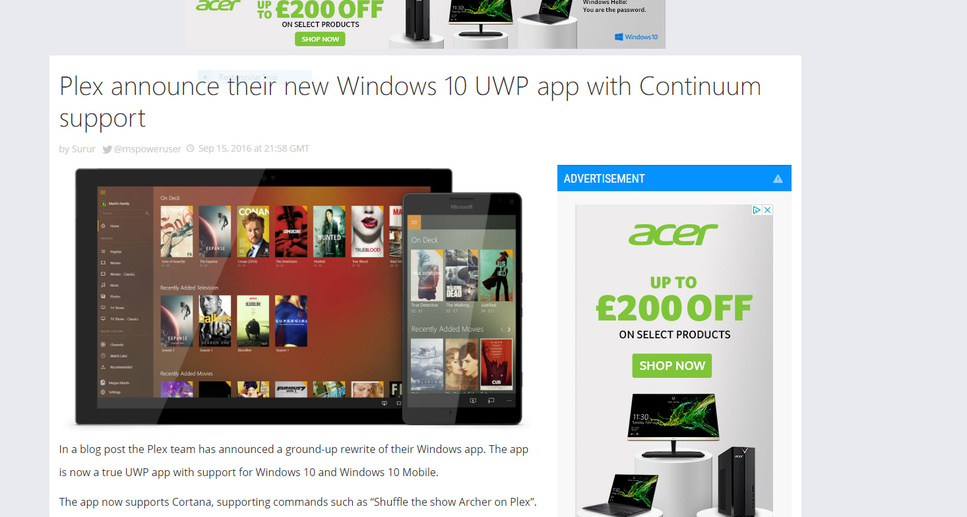
Below is a blog when launched in 2016.
So assuming you are seeing the same UI as me, it isn’t UNO but at least we know where some of the inspiration for UNO came from.
Ok thanks got the difference. Sorry bit confusing, yes it was combo question between 1) difference between win 10 app and media server AND 2) server not found on media server only on win 10 app.
That being said I’m not sure why it keeps saying media server not found on the web plex?
@asadwa650_hotmail_com
When you click on the “This device” from the top left, I assume your server is not listed, based on the imagery you posted earlier. Is your Plex server on the same Machine the Windows App is installed on? Or is it on a NAS on the same network? Or is it hosted off-site somewhere? Also, I know this sounds silly, but are you signed into the proper account? I have 2 plex accounts, one for my personal devices, and one for the other TV’s in the home… And when I hadn’t added my second account to the server, I got something similar in my Android TV app…
Yeah, I see what you mean, I just re-opened it and used it for a few minutes. The layout is similar, which is why it reminded me of the UNO interface, but none of the extra things Uno brings you are there (customized home screen, etc). My apologies 
That’s strange man, I dunno… the only difference is the app… Plex Web works just as well, though, you could download PMP, and see if that works…
Did you sign the server out from the old account first? If it is still signed in to the old account, you can’t access it with the new account. See this, https://support.plex.tv/articles/204281528-why-am-i-locked-out-of-server-settings-and-how-do-i-get-in/.