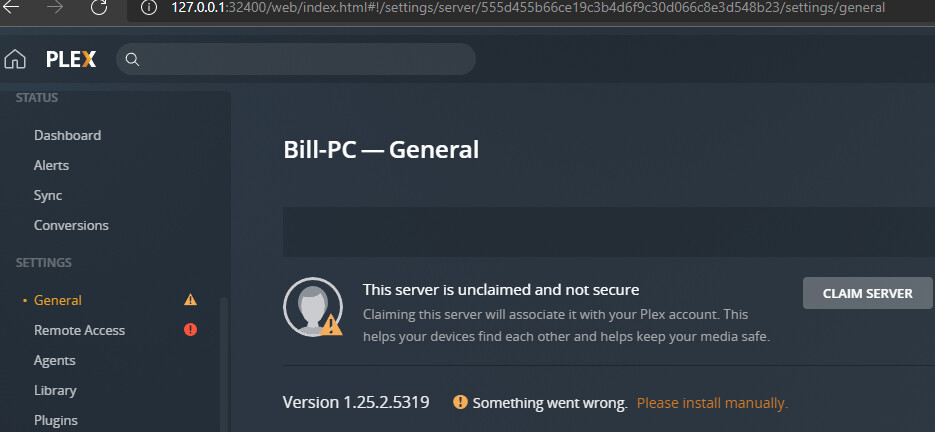
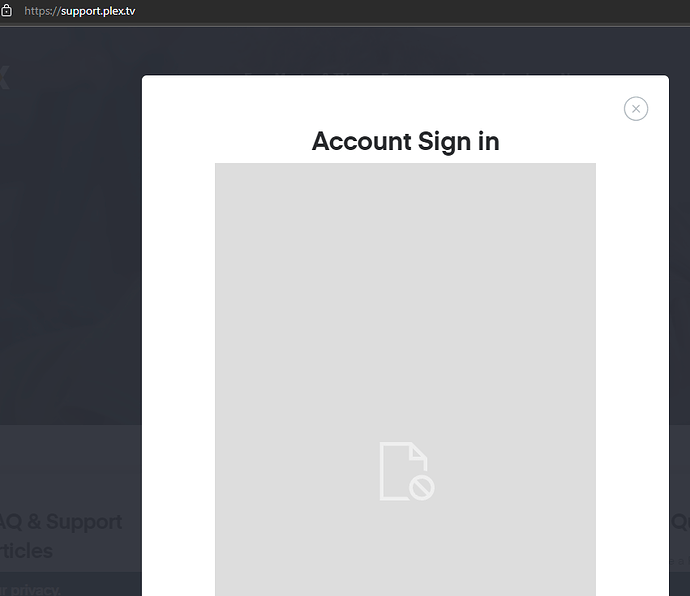
This one is beyond me and I haven’t seen similar topics lately. The other day PMS on my Win10 box went offline almost completely and I can’t access any plex.tv secure page on the same computer (multiple browsers). I’ve been running PMS for years and never had anything like this happen. I’ve disabled firewalls, cleared and reset internet cache and security settings. Same issue whether I’m connected to VPN (IP Vanish) or not. I’ve deleted the registry keys as suggested in another topic. Uninstalled/reinstalled PMS, including a previous version I still had the executable for. I’m having to post this from my Macbook, which I can access plex.tv from.
Extra perplexing is that my Fire TV Stick (wired connection) can play videos as they appeared at the time the server issue started. It’s not seeing anything new that I’ve added and doesn’t mark anything as played. Both the Win 10 box and Fire TV are wired off the same switch that’s wired directly to my router.
Latest server log attached, also. Any help would be appreciated. It’s driving me a little nuts. Plex Media Server.log (88.5 KB)
EDIT: I just noticed that Microsoft Edge on the Win 10 box says the secure plex.tv pages don’t have a certificate. On my Mac it says the certificate is valid. Not sure if this helps or not.
Here’s the crazy thing, I have one PMS on Synology DSM 7.0.1 and two on Windows 10. All three have the same issue you are experiencing. At first it started out as they were complaining about not being able to access either encrypted or non-encrypted, and now all 3 are completely dead and I can’t manage any of them.
EDIT: OK, the one I use for music now says “indirect” (Windows 10) but the one I use for recording (W10) and my main one (Synology) are both still dead.
After more research, things get even more strange. My laptop I’m using right now says it cannot connect to the server through plex.tv. If I try to go direct, it says the server isn’t responding. BUT, if I RDP to the Plex box I use for my music collection, it CAN connect to the PMS on the Synology. Keep in mind, these are all on the same subnet, no VLANs between them, all flat network between devices and servers. And now my wife just fired up a show on our bedroom’s NVidia Shield and it is working, but I’m still showing disconnected on this laptop, and also the server is showing inaccessible to the internet. Everything has been working right for a long time, my last Plex updates were on December 8th, and all the sudden everything the last few weeks has been wacky.
Another Edit: And now I’m seeing something else weird. I have a static IP on the internet, and everything has always worked fine, but now it’s saying my external IP is the wrong IP, and I don’t see a way to resolve this.
I was having a similar issue with Edge as my default browser I couldn’t access PMS website to make changes; it would come up with page can’t be reached.
I could start my media server and have access to my movies, TV shows, etc.
Switched default browser to Firefox and the page opens but very slowly.
Did you reclaim the server? Are you using any custom certs or reverse proxy?
Dec 30, 2021 11:25:07.306 [3368] ERROR - Error issuing curl_easy_perform(handle): 60
Dec 30, 2021 11:25:07.306 [3368] WARN - HTTP error requesting GET https://plex.tv/api/v2/user/privacy?X-Plex-Token=xxxxxxxxxxxxxxxxxxxxficate or SSH remote key was not OK) (SSL: no alternative certificate subject name matches target host name 'plex.tv')
Hi, nothing happens when I try to claim the server. I’m not using any custom certs or reverse proxy. I’ve tried looking up how to force a re-check of the certificate, but it’s not something I’m really comfortable with. Plex is the only site/service I’m having trouble with. Every other secure site I use is working fine.
I’ve tried my ISP’s DNS, which had defaulted in my router. I tried Google DNS as well as OpenDNS, to see if it changed anything. I tried the same DNS settings on the server box, too. Out of curiosity, I removed the static IP off the server computer but it didn’t help. All my devices are on the same subnet (wired and wifi) and the static IP is outside of the range of my DNS pool.
If you still see the certificate warnings when you visit any of the public webpages on plex.tv, then I’d say that something has inserted itself into your internet connection.
This can be some kind of DNS-based “security” or “privacy-enhancer” software. Think about what kind of software you did install lately (or which software did updates which might have introduced this kind of functionality).
A swapped router or an added “internet security appliance” might also be candidate for this.
Or it is malware which tries to intercept your communication with plex.tv, in order to gain access to your Plex Pass account.
Hey thanks for getting me thinking more on this. I remembered setting up a VPN bypass a couple months ago. I removed it and bam, everything’s back to normal.
Weird that it took months to cause a problem but I’m glad I’m back up and running.