Hi folks, apologies for the issues you’ve been experiencing with slow downs and crashes - we believe we’ve made some improvements that may help with version 7.28 that was just released on the App Store.
Please let us know if you still see these issues, and if you can, DM me logs if you continue to experience them.
My iPhone 12 updated yesterday to version 7.2.8; previously everything was working fine for me in 7.2.7, but now the app freezes for me after a few seconds and has to be force closed.
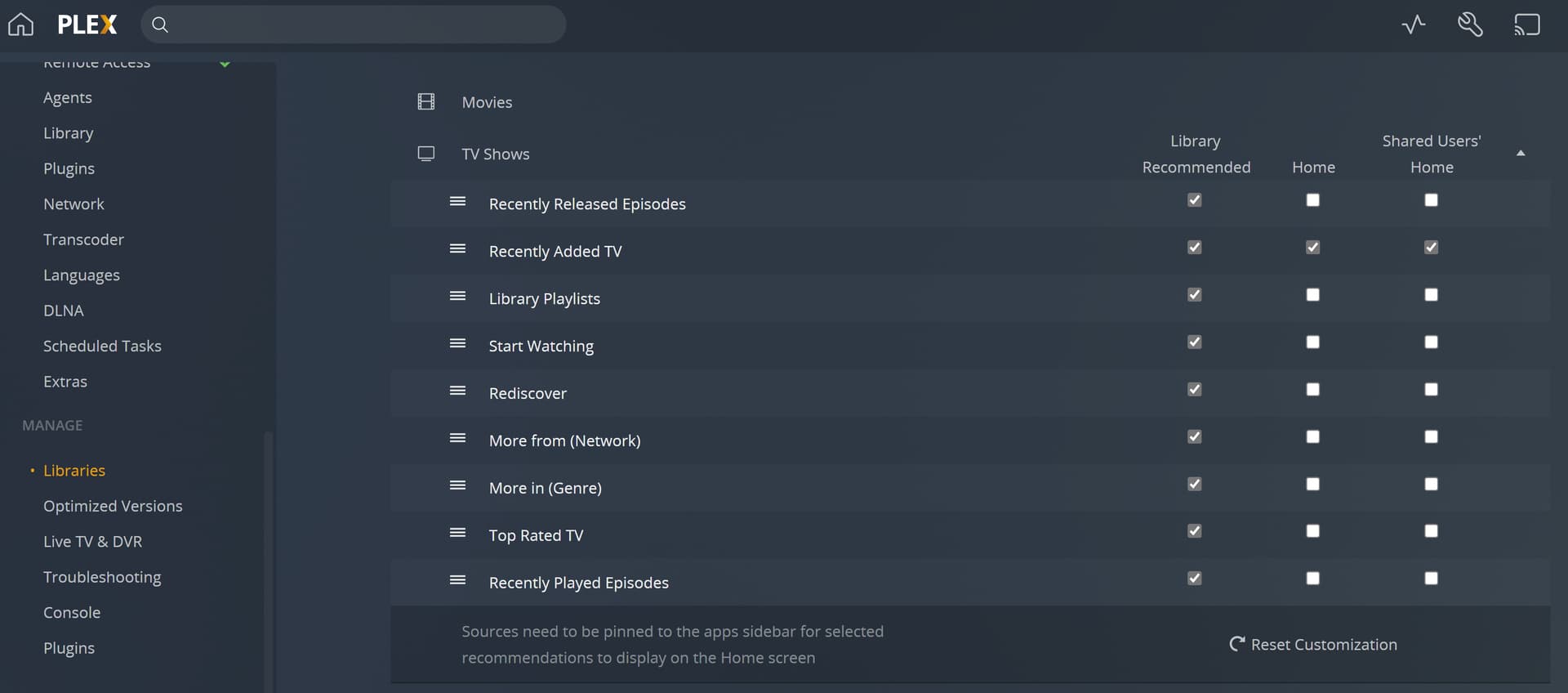
How does one send device logs when the app freezes upon opening? i’ve unchecked every customization which has seemed to stop the app from crashing, but now instead it just freezes upon opening and is not responsive.
I’m running PMS 1.25.4.5487 and Plex for iOS 7.28.
You are the bomb Koolo! You figured it out when Plex couldn’t. I took your direction, disabled everything except recents and it now does not freeze. Thank you! Incredibly frustrating…
BUT, the problem certainly isn’t solved. The 7.28 app freezes just as quickly as 7.27 without disabling all other customizations.
PLEX - you broke the 7.27 iOS app and haven’t yet fixed the problem!
Version 7.28 did nothing to stop almost immediate freezing. Disabling all but above customizations fixes the problem.
The problem certainly isn’t solved. The 7.28 app freezes just as quickly as 7.27 without disabling all other customizations. I can’t get logs from the app at all. Freezes too quickly.
I cannot figure out where the library customization options are for the workaround. Could someone post an image, or maybe a link to documentation that spells it out?
And why does it say this topic has been solved? It is still a software bug.
I noticed my quoted posts don’t show up in my replies either.
I went into my library settings and unchecked everything - when I launch the iOS app, I can see my Home page updating to reflect the library settings change, but the app freezes after just a second or two.