I used Xplay since a few years and always love using it, I updated today and I can’t say that I love the new version, the old version was faster and more user friendly. I really hope we can switch to the old version soon.
Bubilikoff,
I like a lot of the features of the updated skin, including the giant posters! However, I really miss the thumbnails for individual episodes.
Noticed the new version last evening. Yes, I liked the old classic design for its simplicity, but after some tweaks in the settings the new one isn’t bad at all. I like the small grid overview. Finally I can see my home-videos sorted by folders.
I’d prefer to use the scroll wheel in stead of having to click for the next or previous page number though, but it is no deal breaker.
A bug I noticed : when playing extra’s it loops the chosen extra instead of moving to the next extra.
In all, I like it. Thanks!
When you have more than 8 seasons on a tv show (simspson for example) you can’t go to the 9th season and so on because it doesn’t let you move with the controller or magic remote.
Also, Quick feedback:
App works perfect, but I miss some things.
Playlists
When I want to search a movie, i can’t use the magic remote because the keyboard dissapears automatic.
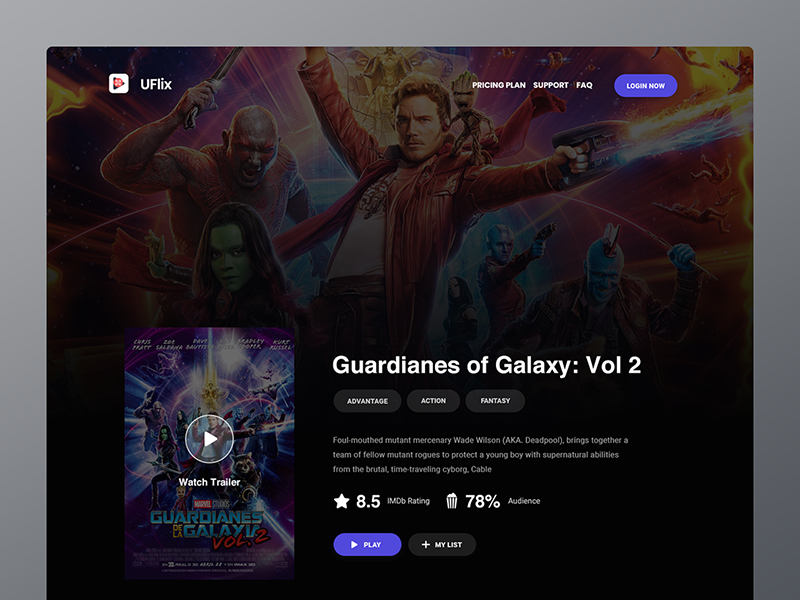
Smaller posters, give more space to the landscape. something like this: https://cdn.dribbble.com/users/1820876/screenshots/5092314/preview.png
Sometimes you can’t read all the synopsis of a movie.
Thank you so much for the app.
Version updated to 2.189.292 and now I can access my server. Everything in the menus work just fine. But I can’t watch anything. It just keeps loading and loading, but still nothing happens.
Is there a way to force the update, my TV still doesn’t offer me the latest version (2.189.292). br
I have this exact problem. Came onto the forums to find a solution. Wont even load trailers or anything =(
Yeah it’s quite annoying. It’s on my LG 55 B7.
I am stuck on inputting code after I link account. It just keeps asking for the code again even though it 100% the right code. It was fine until the update
Hi, today I installed new version of xplay. I have a lot of respect about your work of the previous years. But most things I loved on XPLAY is gone with this update. The complete UI is so bad like in all other Plex apps, all content and Icons are to big, so you dont get enough content on the screen. Also its unsharp compared with before, because images are to big. Where are the covers and description during play of movies? Also I dont like it that menu is not visible until you do mouse over. Please change it back or give us settings to change back to previous UI version.
Update: I read your post before. I looking forward to a change or new update. But I saw also that Im not the only one who dislike your new Ui, or should I say the Plex standard UI.
I was OK with most things in the new update, as I think I may get used to it… I think the UI still needs some work to make it easy and fast to use.
However, what I need to return is shuffle play… That is a must! We ofter shuffle play a tv series or season when we want something in the background, and that is gone for some reason.
Can you please bring this back?
I love the transparency. I assume the correct version will fix a few things. For me, the big thing is the ability to shuffle play, I hope that this comes back.
Thanks for all your hard work!
Thats my problem too, this new interface is too Plexy.
Is it possible to get back the “old” UI?
Otherwise the app is stable and the core settings are cool, but this UI …
The biggest issue i have with this app is the lack of any support at all… I have e-mail the author 3 times and zero response… When you ask money for something you should give something in return…
The app is not working… does not connect to the server… wrong version great, so how should we update, or roll back? if we uninstall the app will this force the update? Would uninstalling the app loses the “payed” status?
Hello? any support at all?
Same for me,
no response to mails. How is it possible to deploy a wrong version?
The app has several issues, starting from the Login Problem ( i have to enter the pin around 15-20 times till it accept it), the missing shuffle function, no way to save login, the lag of the whole Dashboard and so on.
Actually the App is not usable and needs to be fixed quickly.
I think you have to wait for the new version, some one here posted that he allready got it (sadly I’m still waiting). Uninstall the app does not force the update (at least not for me). When uninstalling the app your “payed” status will not be lost.
br
Hello!
Sorry I am new here, but i need your help guys!
Yesterday I updated my XPLAY on my LG webos 55b7
The new interface looks pretty crap. I hate this, this was one of the MAJOR REASON I changed from the PLex App to XPLAY. And now looks about the same. PLease link the old version from sept-august if someone have it still.
I really hate this one, and I would like to get back the classic look which I payed for.
Thanks!!!
So it seems at least on WebOS 1.x it’s not possible to deny the update and use the old app. I’m forced to update via LG store if I want to use XPLAY. Refuse to update because of wrong version. This all sucks. Going back to official plex app for now.
Great! After that we payed for that :S Shame :((
I too find this an unfortunate situation but why so hostile against the creator?
@bublikoff already admitted it was put online by mistake (maybe it wasn’t even his fault) and that he is trying to fix it as soon as possible…