How do i stop that?
The file should have more than one audio stream in it.
Select the other one.
only choices are English and Spanish
Try the Spanish one. It might be mislabeled.
the spanish stream still has the descriptive in it and its not in spanish.
So the main audio in the spanish stream is not spanish and the voice over isn’t spanish either?
Just for completeness’ sake, the English-labeled track does also exhibit the voice-over?
correct
That’s weird. What kind of tuner are you using?
HD Homerun
it does not do that on any other channel’s recordings
In Plex:Settings:Languages should I enable ‘Automatically select audio and subtitle tracks’? or no?
I did not have it set to Automatically select audio and subtitle tracks when this occurred. I have always had it set up without that option selected.
You can certainly try that.
check the box,
set audio to english
subtitle to english
and “subtitle mode” to “shown with foreign audio”.
But you might only see a change with new recordings.
Do you perhaps have several items for NBC in your HDhomerun station list?
If you do, disable the currently used and try the other one(s).
In Plex, in the tuner properties, do you have CONVERT VIDEO WHILE RECORDING activated?
im not seeing where CONVERT VIDEO WHILE RECORDING is located. I do remember seeing that one point
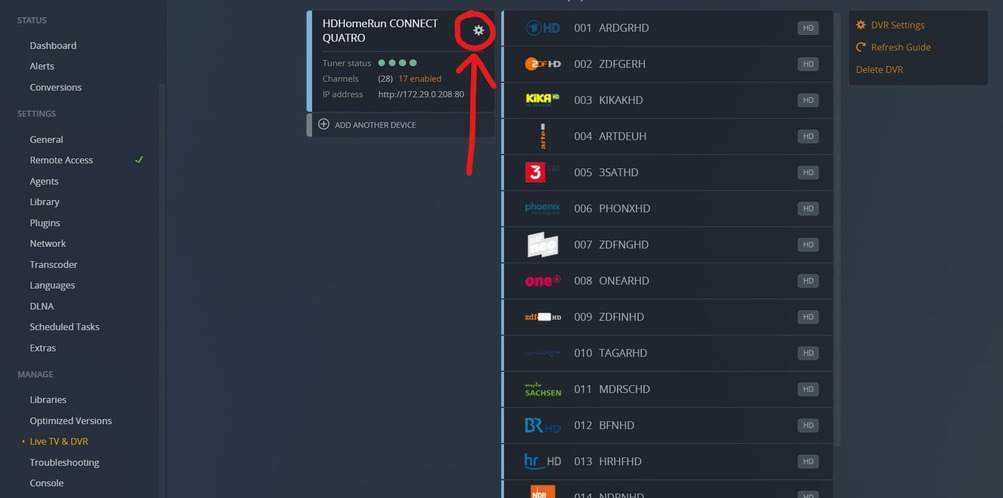
when i click that i get:
THERE WAS AN UNEXPECTED ERROR
Are you using the “hosted” version? https://app.plex.tv
This topic was automatically closed 90 days after the last reply. New replies are no longer allowed.
