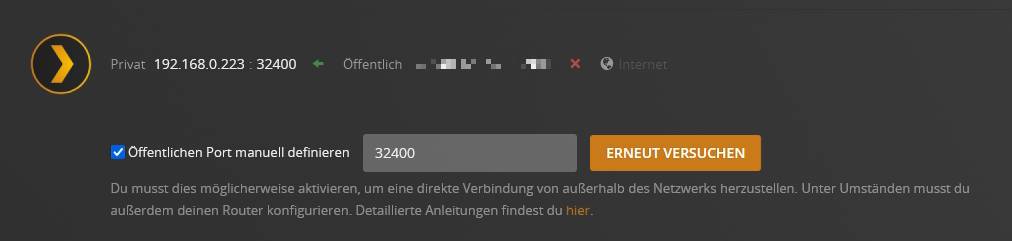
The Remote Access isn’t working anymore. For some seconds there will be a green check mark that will turn immediately into a red exclamation mark. Access to local libraries via Web player, Plex for Windows or Fire TV takes ages for the covers to build up.
I haven’t changed anything than updating to 1.29.2.6364 x64, when the error started. Then tried to update to 1.30 x64, didn’t change anything, uninstalled, downgraded to 1.28.1.6104, the green check mark stayed for some minutes and went red. So back to 1.30.1.6483 with no remote access.
Local Access via a second PC and Plex for Windows takes ages to connect and build up the covers, which then slowly appear one by one.
You do not have debug logging enabled so there isn’t enough info to know what’s going on. Please enable this in your server settings, then restart PMS. Let is run without doing anything for 3-5 minutes. Then grab a new set of logs.
I’m having the exact same issue. I was green for remote access all night and then this morning I decided to update and now I can’t get remote access working. It appears connected for about 20 seconds and then goes red. Now all my media plays Indirect.
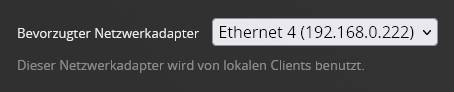
Hi. Found the culprit. The Plexserver has two IPs, 192.168.0.222 (10GBit AQ107 NIC without WOL) 192.,168.0.223 (1GBit Intel NIC with WOL). The 192.168.0.222 was selected as the preferred network card, but Plex tried to use the 192.168.0.223.
I couldn’t choose the .223 in the network settings, and no matter what i did, plex would not use the .222 for remote access, even so it was selected. I had to disable both network adapters in Windows 10, then enable them again. After that, Plex used the .222 again for remote access, which is working fine since.