1 track missing from album, listed as Unknown

Server Version#: 1.18.2.2031
Player Version#:

When I added an album to my music this morning, everything matched (Artist and Album) but track 9 was excluded and showing up under “Unknown” Artist and Album. I have tried fixing the match, analyzing the metadata, manually editing the track with the artist and album name, but when I play the album on Plexamp or my Plex app for Android that track still doesn’t appear. I am at a loss. How can I fix this?

Which library music agent did you use to “recognize” the album and the track you have “lost”?

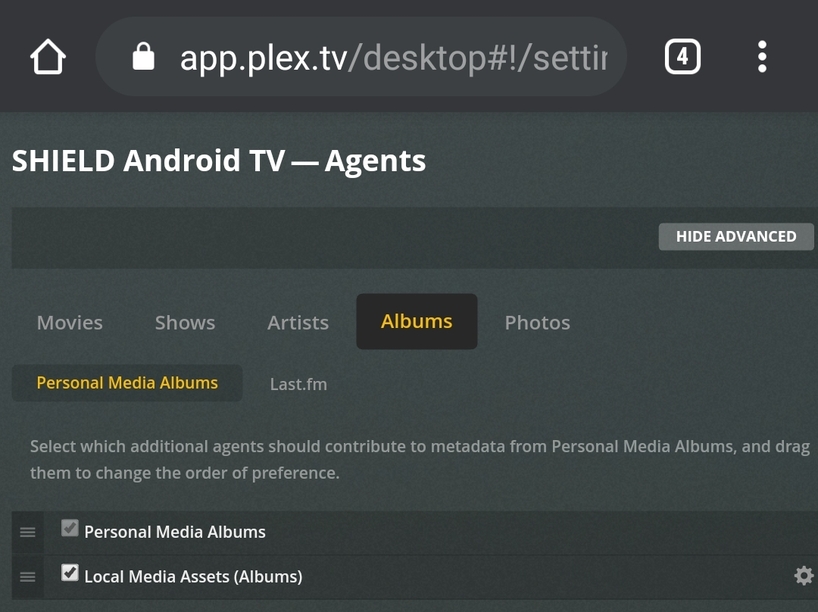
This is how I have my settings:

But aside from my general settings I have tried to analyze the track, refresh metadata on the track, and fix the match on the track with every option available. Also manually edit the track to name the artist and album so that it is identical to the rest of the tracks on the album.

Had you check “album artist” of your missing track?

Can we see your music library settings?

This is the settings on the track that show the title:

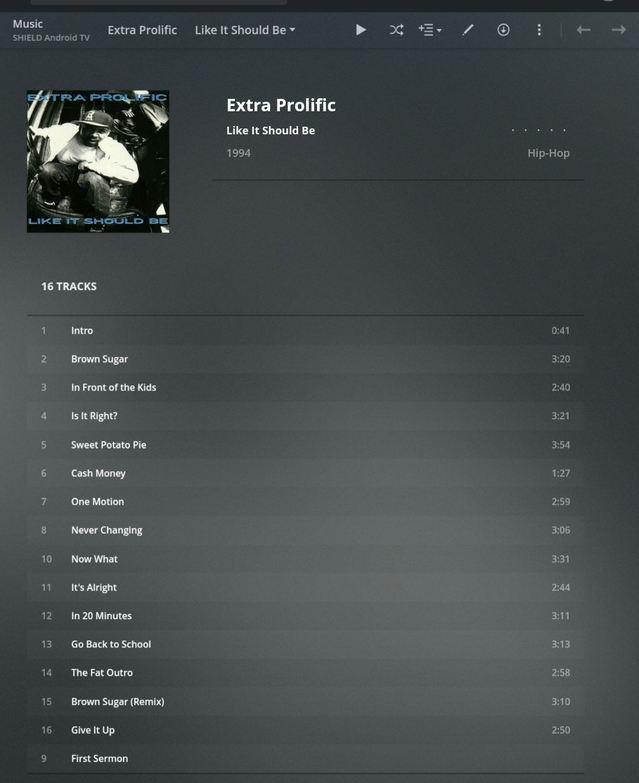
You can see how track 9 appears down at the very bottom, but with no track length/time. When I pull up this artist album on my players the track is excluded.

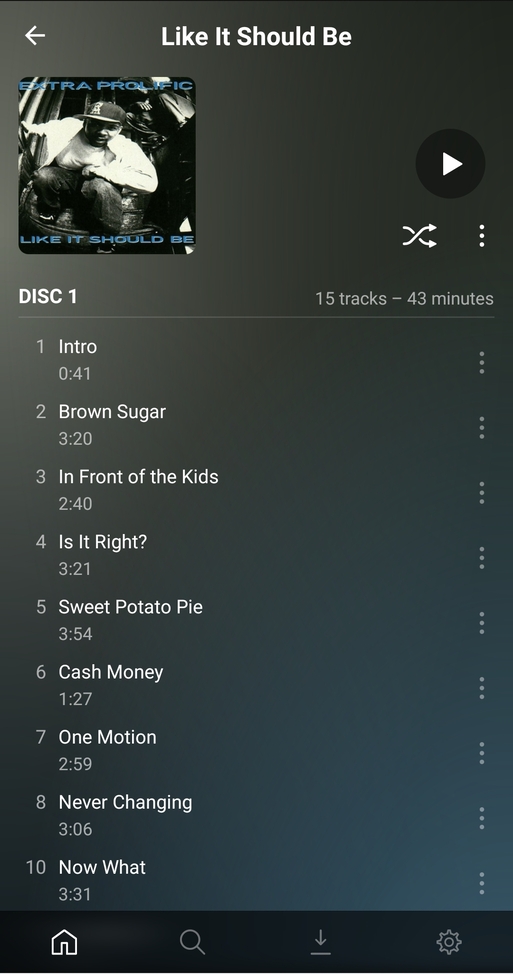
It is showing 15 tracks on Plexamp (or the standard Plex app too) but it should be 16 tracks.

Please show track 9 info

Here is the edit track general settings:

Ok let’s try to “join” missing track to Album tracks.
Go to library view
Sort by Album

  1. You need to select “like it shoul be” album first (the whole album)
  2. Then go to the missing track and select it in second place (it is important. )
  3. After that, yo need to go to right upper menu and select “join”
    And you will see all your tracks in order
1 Like

I appreciate the guidance but I am not seeing the “Join” in the menu options. :cry:

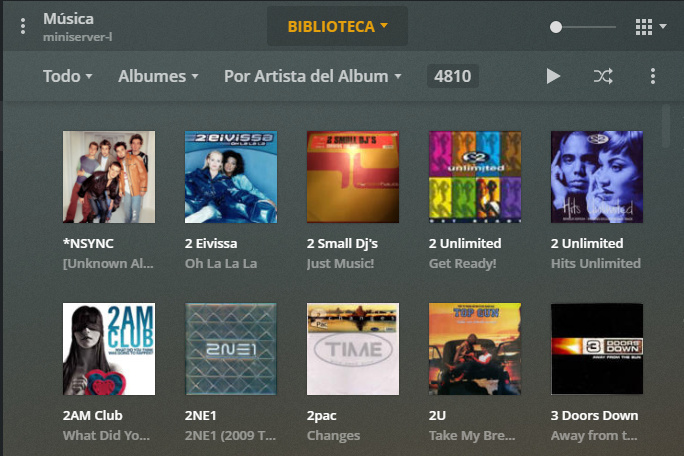
As you can see I selected two albums

  1. 2 Eivissa - oh la la la
  2. 2 small dj´s - Just music

That activate 3 point in the upper right , if you click there, yo can see “join”
in my picture is “combinar”


image

1 Like

You need to select “like it should be” album and then select “unknown” album of your missing track, then you can “join” both albums

Thank you!!! That worked. The only downside was that it merged the “Like it Should Be” tracks into the “Unknown” album, but then I just edited the artist name, album name, album sort, and added the artwork. :persevere:

So now when I go to Plexamp to play the track it skips it right away. I’m wondering if that track is corrupt or something. I think I’m just going to rip the CD all over again. Ugh. Still, much thanks! Greatly appreciated!!

It was due to you selected the “unknown” track first. I told you that the first selection must be “tLike it Should Be” and after the unknown. Anyway, I´m glad to help you.

Ahh, that makes sense. I was too wrapped up in frustration to read the details over. Sorry about that.

1 Like