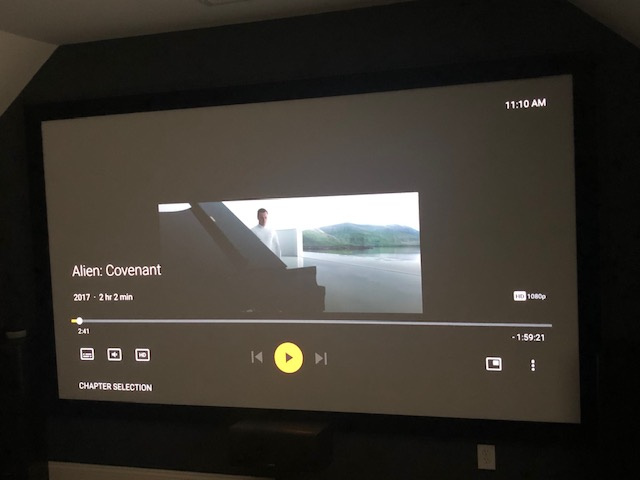
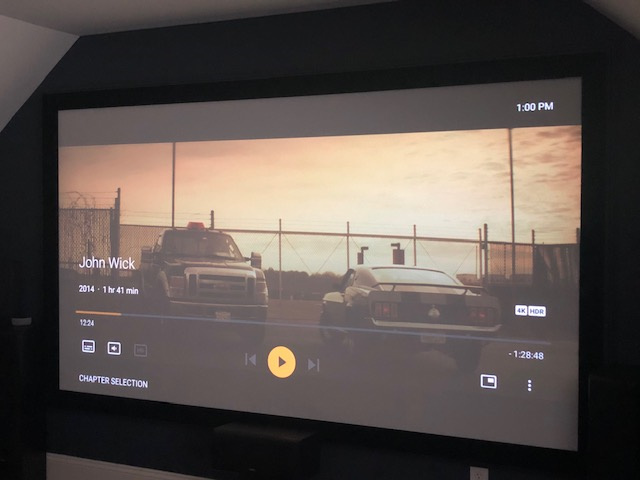
Hi everyone, I have a weird issue that I can’t seem to diagnose. Per the image, 1080P plex videos are playing in a smaller window in just the center of the screen. The menus, as you can see, are making use of the entire screen, but the video itself plays in just the middle. 4K HDR seems to display correctly. This only started happening within the past few days, and only in my home theater where my nvidia shield is the player. I’ve dug into settings in the plex server, the nvidia shield itself, my display device, etc, etc. I don’t believe I’ve made any changes lately that would suddenly have started causing this. Other apps on my nvidia shield appear just fine, including menus, playing videos, etc. This includes netflix, hulu, youtube, etc, etc. Plex is the only app doing this.
I have other TVs in other rooms, most of which are using firetv players, and videos are displaying correctly. Also the same videos are filling the entire screen on my phone.
In my home theater I have the following equipment…
Plex server currently being run on a desktop PC
plex player on nvidia shield tv. videos are not being transcoded, but rather streamed directly from a synology NAS
video running through a Marantz AVR…video settings all on passthrough
display is an Epson 4K 5050 projector.
everything connected via hdmi
Edit: The Display Mode setting is persistent and global. Change it once and it applies to all media. Depending on the setting, you can end up with some strange effects. For example, if set to Original, and you play a 4K movie on a 1080p display, you see the middle 1920x1080 pixels of the 4K movie.
Thank you. I think I figured it out. There is a setting in the advanced settings menu within the plex app on the nvidia shield that refers to “resolution switch”, i.e. maintaining the resolution of the video being played or converting everything to the output resolution selected on the nvidia shield. This setting was set to “off”, in other words the nvidia shield was converting everything to 4K, so I suppose the native 1080P videos I was trying to play were being shown at roughly 1/4 the size in just the center of the screen, while 4K videos were being displayed correctly. With this set to “on”, now 1080P is output as such and the projector converts the signal to 4K, filling the entire screen.